
Sean H [Seattle branch]
Known Participant
December 5, 2015

P: Can't select Enable Profile Corrections for a set of Smart Previews

  • December 5, 2015
  • 5 replies
  • 489 views

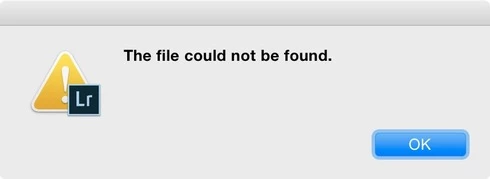
In my efforts to speed up LR, I've been building Smart Previews and then taking the RAW folder (24MP Nikon D750 DNG files) offline via folder rename. Works! But, when I select a set of Smart Previews and try to use Lens Corrections (ENABLE PROFILE CORRECTIONS), LR throws and error "File Not Found". It does work just fine with single image selections. Just not a group.

LR ---does--- apply the lens corrections to the Smart Previews, but when I bring the full-size DNG back online, the lens correction is disabled. That's quite bad behavior!

Mac 10.10.4 - LR 2015.3 - 480GB SSD - 32GB Ram
This topic has been closed for replies.

5 replies

Legend
January 27, 2016
This issue should be resolved by installing the Lightroom update that was released today:

http://blogs.adobe.com/lightroomjourn...
Sean H [Seattle branch]
Known Participant
December 7, 2015
Thats exactly why it would be great to have the toggle. Would be obvious that exports and file moves would be done to the originals. But, with 3000 photos per job and 30 jobs per year, I want to be able to trade some accuracy for speed and that's exactly what proxy "smart previews" would be perfect for.
[ ◉"]
ssprengel
Inspiring
December 7, 2015
This sounds like a reasonable request, the ability to toggle using Smart Previews to speed up Develop, although having Export always use the originals and warn if it can't might be prudent, just so people don't forget.

The other place originals would be useful to use is in the Detail adjustments for sharpening and noise-reduction, since those are best judged using original pixels zoomed 1:1.
Sean H [Seattle branch]
Known Participant
December 7, 2015
Great! Any chance you guys are working on a toggle in Develop to load Smart Previews when Originals are online (connected)? I use a 4k monitor with 5GHz cpu and LR's still just not really usable loading 24MP 14-bit DNG into that module. It works, but it's too slow to transition between the files. If I build Smart Previews and then rename my DNG folder, it's snappy. At this point in most workflows, critical detail analysis has been done in the Library module.
[ ◉"]
Adobe Employee
December 7, 2015
Thanks for the report. This is a know issue (possibly since Lr 5.0) and will be fixed in the next Lr dot release update.