



johnrellis
Legend
February 16, 2025

P:Canon EOS R5 M2 raws imported into LR 14.1.1 catalog get pink cast when catalog opened in LR 14.2.

  • February 16, 2025
  • 9 replies
  • 1842 views

Some Canon EOS R5 M2 raws imported into a LR 14.1.1 catalog acquire a pink cast when the catalog is opened in 14.2, and the default As Shot Tint changes in 14.2. To reproduce with LR 14.1.1 and 14.2 / Mac OS 15.2:


0. In LR 14.1.1, verify that Preferences > Presets > Raw Defaults is set to Global: Adobe Default and there are no camera overrides.


1. Download and open this catalog in LR 14.1.1. It contains two raws from a Canon EOS R5 M2:

https://www.dropbox.com/scl/fi/li67cc9uswth22wyitsox/tint.14.1.1.2025-02-19.zip?rlkey=037kh2wf6sdatm4ccadij5xjc&dl=0


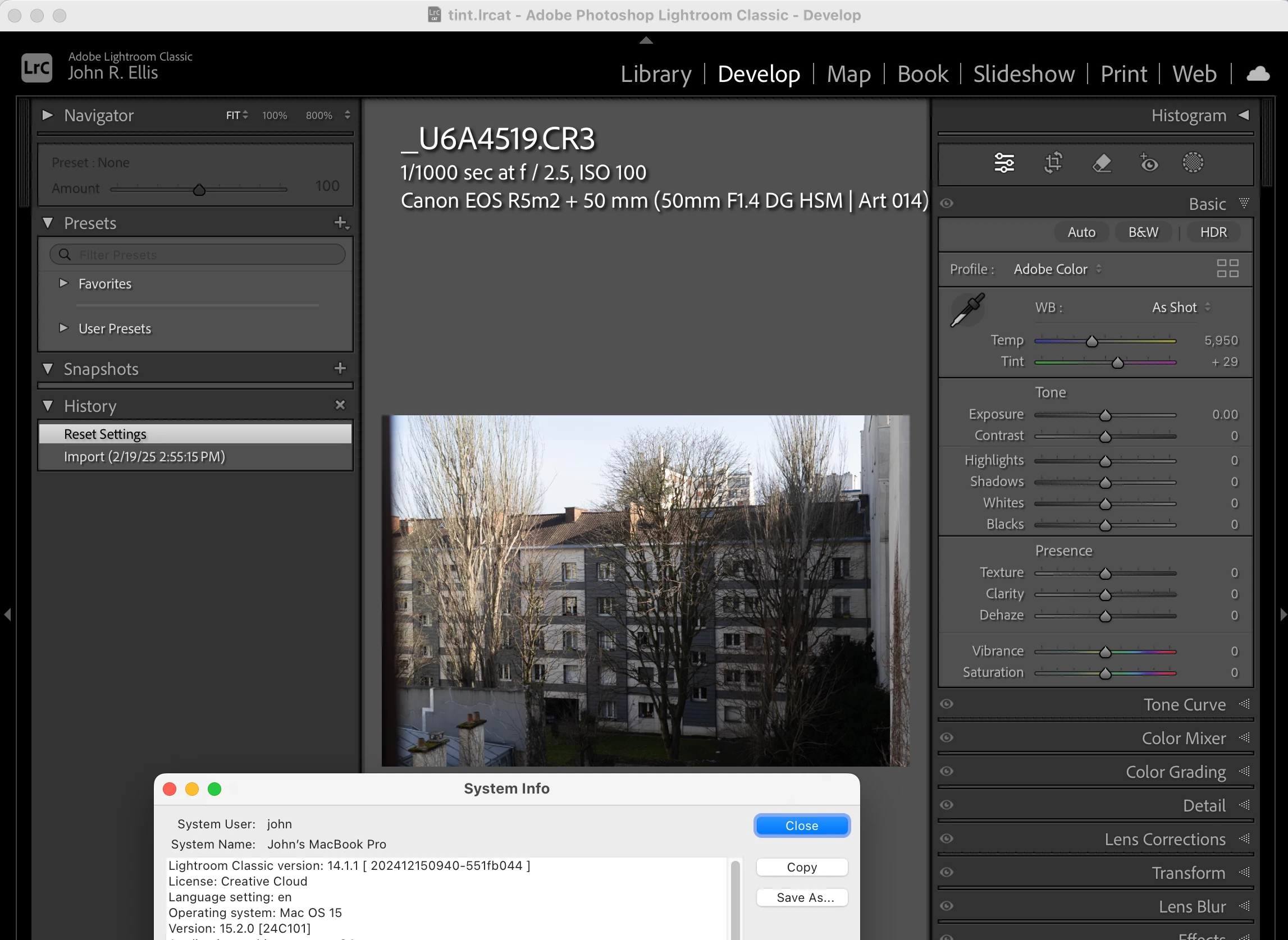
2. Open _U6A4519.CR3 in Develop. Observe that it has WB: As Shot, Temp: 5,950 Tint: +29.


3. Click Reset and observe no change to the photo or the WB settings:
 

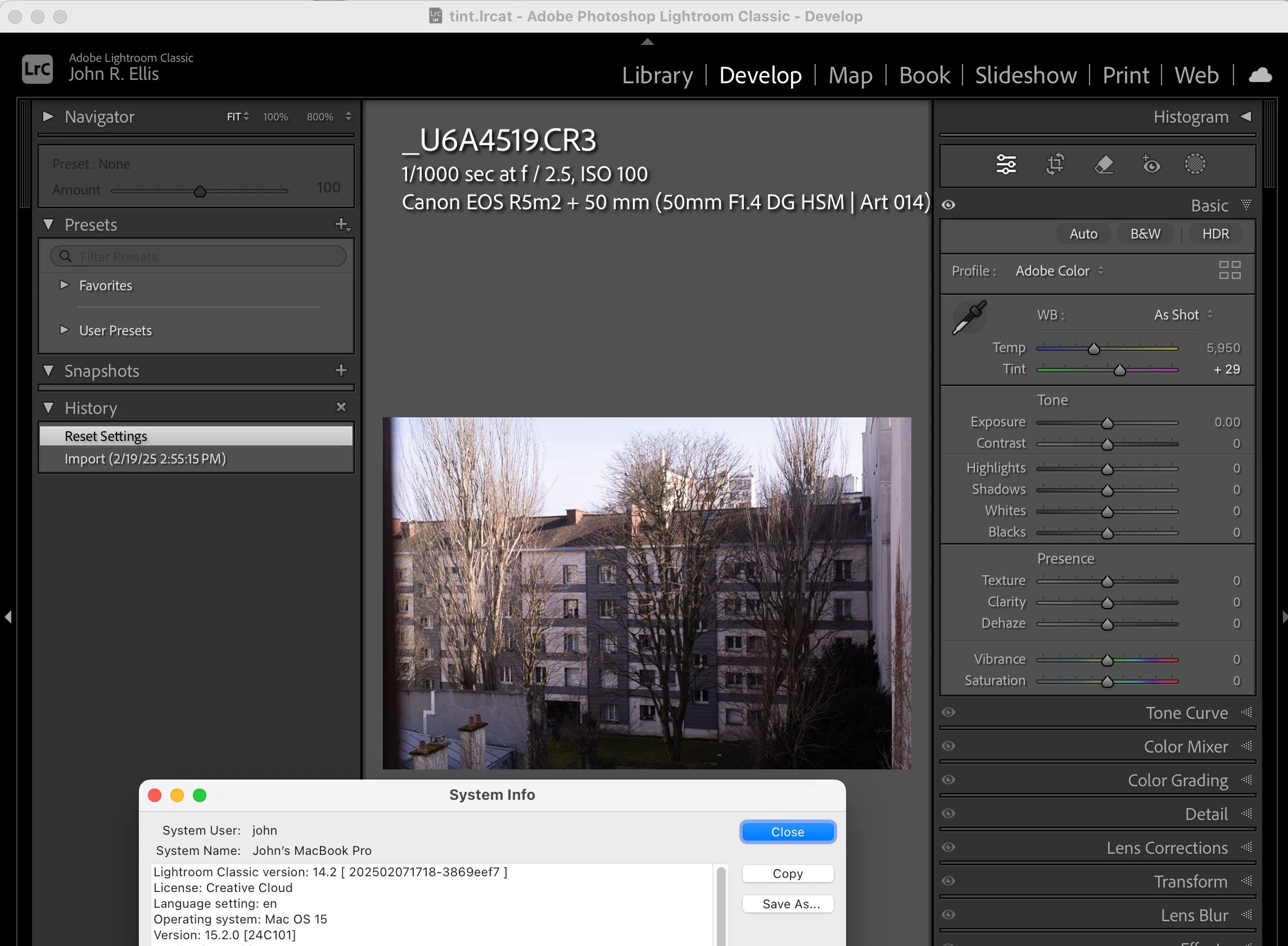
4. Exit LR and re-open that catalog in LR 14.2. Observe that the buildings now have a pink cast, but the WB settings remain unchanged:
 

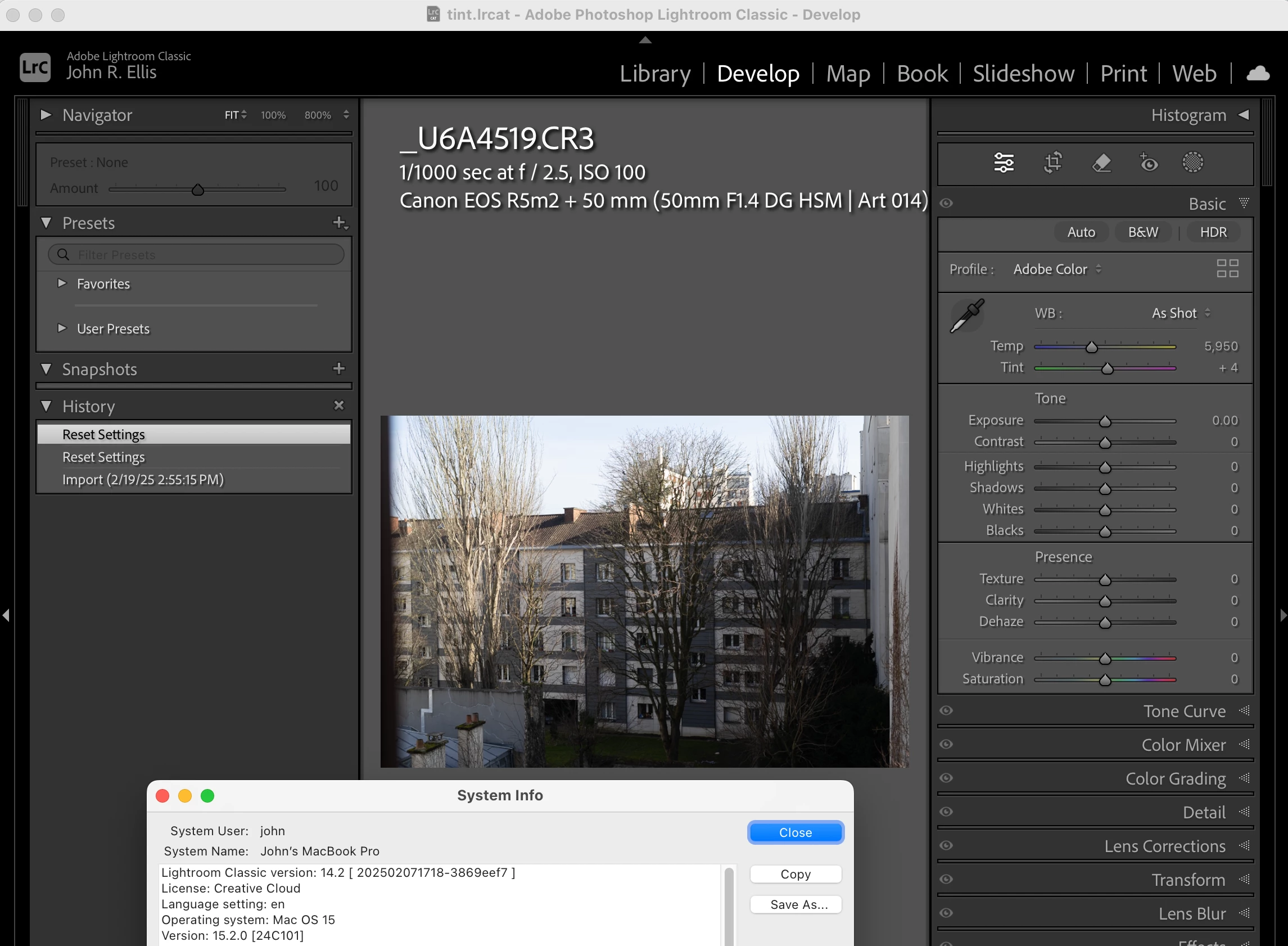
5. Click Reset and observe that the pink cast has disappeared and that Tint has changed from +29 to +4:


9 replies

Rikk Flohr_Photography
Community Manager
February 28, 2025

Workaround: The team has reported a method to bring things to rights again.
"

  • Set WB to Auto
  • Set WB to As Shot


Now, the values will be as expected, and the tint will no longer be there. Note that they may also need to clear the LR cache for those images so the Library module shows the expected rendering."


Doing this in Grid view with the Quick Collections tools should allow you to accomplish this for many affected images. 

Rikk Flohr: Adobe Photography Org
Legend
February 20, 2025

@Rikk Flohr: Photography 


Tested with ACR 17.1 and the image above opened with White Balance Temp/Tint 5950/+29. I also bumped Exposure +0.05 to save XMP, then opened in ACR 17.2. Photo showed maganeta colour cast.


So, yes, happens in ACR too.


Rikk Flohr_Photography
Community Manager
February 20, 2025

@johnrellis  testing 17.2 is sufficient for now. I've bugged Classic and they will involve CR as necessary. 

Rikk Flohr: Adobe Photography Org
johnrellis
Legend
February 20, 2025

Camera Raw 17.2 displays the photo in the bug recipe with no pink cast, with the corrected As Shot Temp (5950) and Tint (+4):


How do I install Camera Raw 17.1??? The Creative Cloud desktop app doesn't provide access to previous versions. I uninstalled Photoshop 26.2

 and installed 26.1 but still got Camera Raw 17.2.  I used the Creative Cloud Cleaner Tool to uninstall Camera Raw 17.2 and it no longer shows any version installed, but I still get Camera Raw 17.2 when I open the raw.  The Internet Archive claims to have 16.2, but I get the error "The disk you attached was not readable" when trying to open the downloaded .dmg.  

Rikk Flohr_Photography
Community Manager
February 20, 2025

I am logging a ticket for the Classic Team to investigate. I am curious if Camera Raw has the same issue with these files?

Rikk Flohr: Adobe Photography Org
Rikk Flohr_Photography
Community Manager
February 20, 2025

@johnrellis  @drtonyb  Do you see the same behavior in Camera Raw?

Rikk Flohr: Adobe Photography Org
Legend
February 20, 2025

@johnrellis 


I have also been testing this user's images, and it's not only the Tint that can change between Imported by LrC 14.1.1 and opened in LrC 14.2 or vice versa, but for one of the provided images, the Temperature also changed depending on which version of LrC was used to import the file.


Since it appears that the user shoots with the Canon EOS R5 M2, all their images are affected. I tested some other CR3 files, not shot with EOS R5 M2, and they were unaffected.


Looks like a serious bug to me.

johnrellis
Legend
February 20, 2025

I see (via the Lightroom Queen bug list) that 14.2 fixed a bug with the Canon R5 M2 As Shot Temp:

https://community.adobe.com/t5/lightroom-classic-discussions/canon-r5-mark-ii-white-balance-kelvins-big-difference/m-p/14973046


I didn't find this initially because the report is in Discussions, not Bugs, and the bug fix isn't listed in the Adobe bug list:

https://helpx.adobe.com/lightroom-classic/kb/fixed-issues.html?trackingid=M7K4SJ69&mv=in-product


The bug fix has changed the appearance of photos imported prior to LR 14.2. What should a user with thousands of edited photos from prior versions do when they upgrade to 14.2 to maintain the photos' appearances?


Participating Frequently
February 16, 2025

Hello,


I worked on a series of photos with lightroom classic version 14.1.1 and CameraRaw 17.1.


Everything was fine, until I updated Lightroom to version 14.2 and CameraRaw to version 17.2.


After this update, when I looked at all my photos again, the tint had changed, all of them had turned magenta for some reason.


I looked at other photos in my catalog, and it was the same.


This is very problematic, as it affects the rendering of all the photos in my catalog.


Does anyone have the same problem?


Thanks in advance

dj_paige
Legend
February 16, 2025

Is this problem in both the Library module and the Develop Module?


If it is just the library module, would check the monitor profile. https://www.lightroomqueen.com/how-do-i-change-my-monitor-profile-to-check-whether-its-corrupted/

Participating Frequently
February 16, 2025

Hello,

the problem is present in the library module and lightroom

I've tried it on two different computers, and the problem is the same.

I went back to the previous version 14.1.1 and my images have regained their normal tint.