



P: Catalog setting Include Develop Settings In Metadata not working
The option Catalog Settings > Metadata > Include Develop Settings In Metadata is not working correctly -- develop settings are still getting included in the exported metadata and .acr files (which contain develop settings) are sometimes getting exported. The Metadata Status field is also not working correctly.
Tested with LR 15.5.1 / Mac OS 26.6.2:
1. Download and open this tiny catalog and select the single photo:
2. In the Metadata > EXIF AND IPTC panel, observe that Metadata Status is Up To Date.
3. In Catalog Settings, observe that both Metadata > Include Develop Settings and > Automatically Write Changes Into Sidecar are unchecked.
4. Export the photo to Desktop with Image Format: JPEG, using these settings:
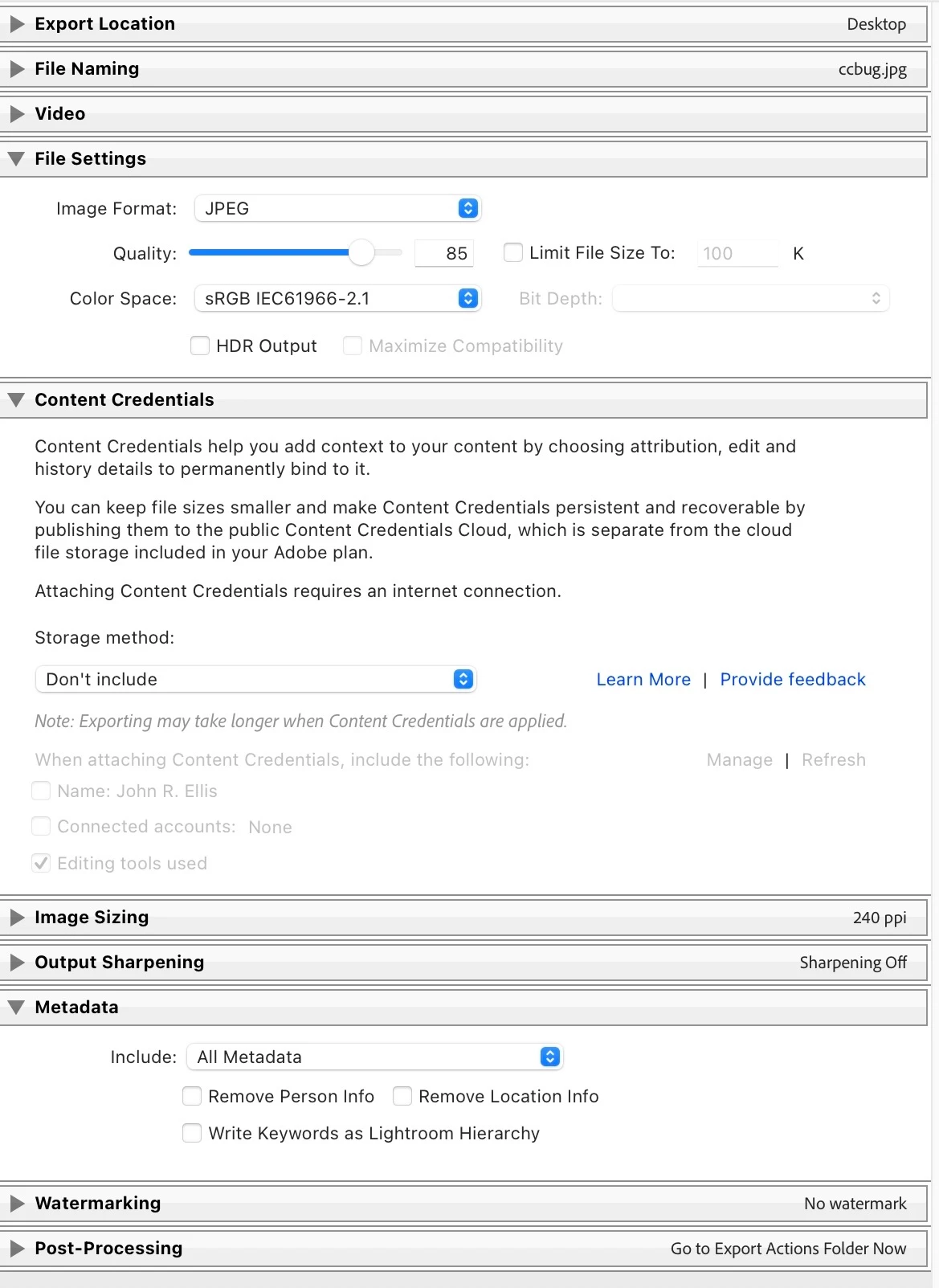
5. Using Exiftool, observe that the develop settings are incorrectly included in the XMP section of the exported photo:
[XMP] Exposure 2012 : -3.00
6. Delete the exported photo and export it again to Desktop with Image Format: Original, using these settings:
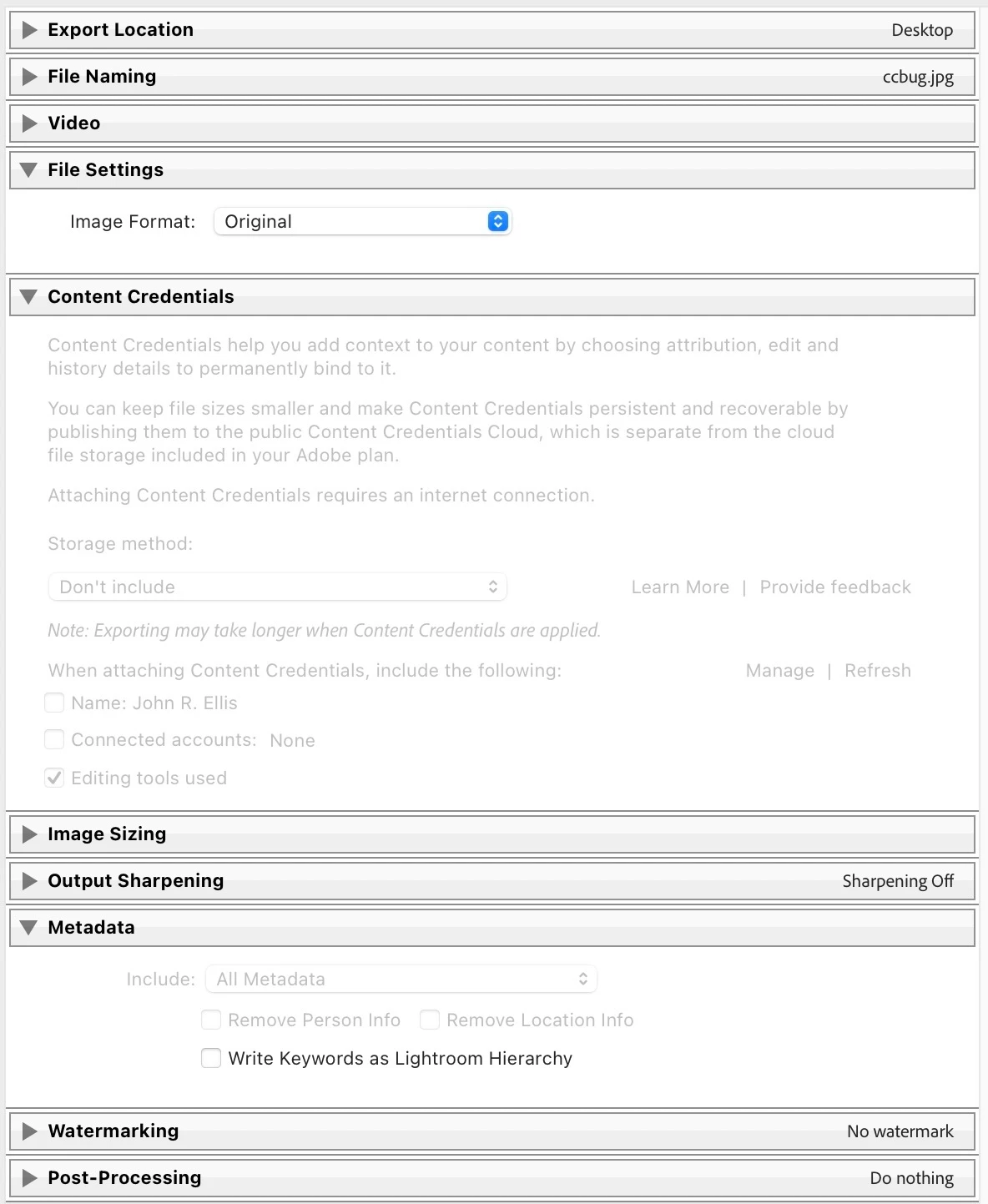
7. Observe that a 401 KB .acr file containing part of the photo's develop settings is also exported, despite the catalog setting in step 3.
8. Using Exiftool, observe that the develop settings in the exported photo are incorrectly included in the XMP section:
[XMP] Has Settings    : True
[XMP] Already Applied : False
[XMP] Exposure 2012   : -3.00
9. In Library, do Quick Develop > Reset All and observe Metadata > Metadata Status: Up To Date (incorrect), even though we haven't done Save Metadata To File.
10. Delete the exported photo and its .acr sidecar and repeat steps 6 - 8, observing the same incorrect results. In particular, the exported file still has XMP:Exposure2012 = -3.00 even though the cataloged photo has that slider set to 0.
9. Do Metadata > Save Metadata To File.
10. Delete the exported photo and its .acr sidecar and repeat steps 6 - 8, still observing the same incorrect results.
 AdChoices