
P: Clarity in SDR conversion creates fake noise in shadows
As expected, increasing the shadows in an image reveals noise in those regions. However, when a photo in HDR mode has the clarity in the SDR Conversion settings set to roughly -80 or lower, increasing its shadows doesn't just reveal existing noise, but creates new unwanted noise pixels in those regions. These pixels are almost always entirely red, green, or blue, distractingly bright, and can appear in nearly any raw photo.
When the image is taken out of HDR mode, the pixels disappear. In HDR, I only found four ways to remove these pixels outside of masking and manual editing:
>Set the entire image to black-and-white mode.
>Increase the clarity in the SDR conversion settings. -80 or higher is usually enough to remove them.
>Increase the clarity in the tone mapping settings. +15 is usually good even with the clarity at -100 in the conversion settings.
>Perform an AI Denoise.
>>On the other hand, AI Super Resolution creates even more of these pixels.
These few examples are in underexposed photos and have the shadows upped to +100. These aren't screenshots but are exported directly from the program.
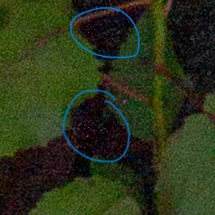
In HDR
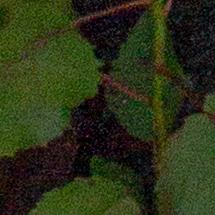
Out of HDR. Pixels no longer exist.
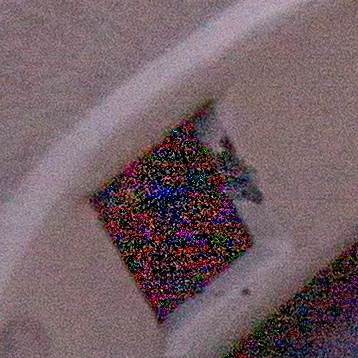
In HDR
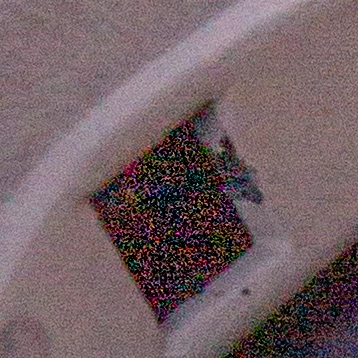
Out of HDR
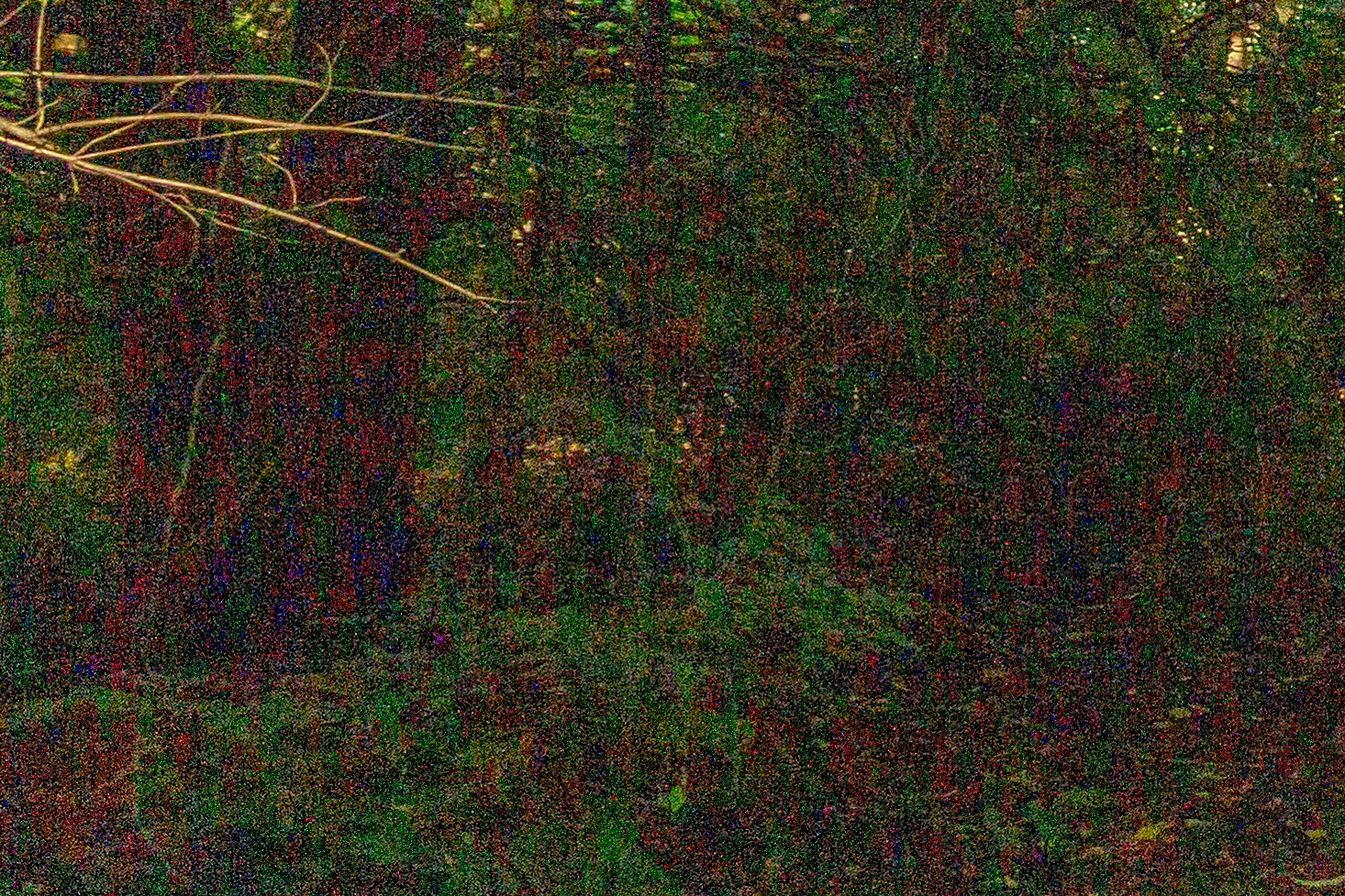
In HDR
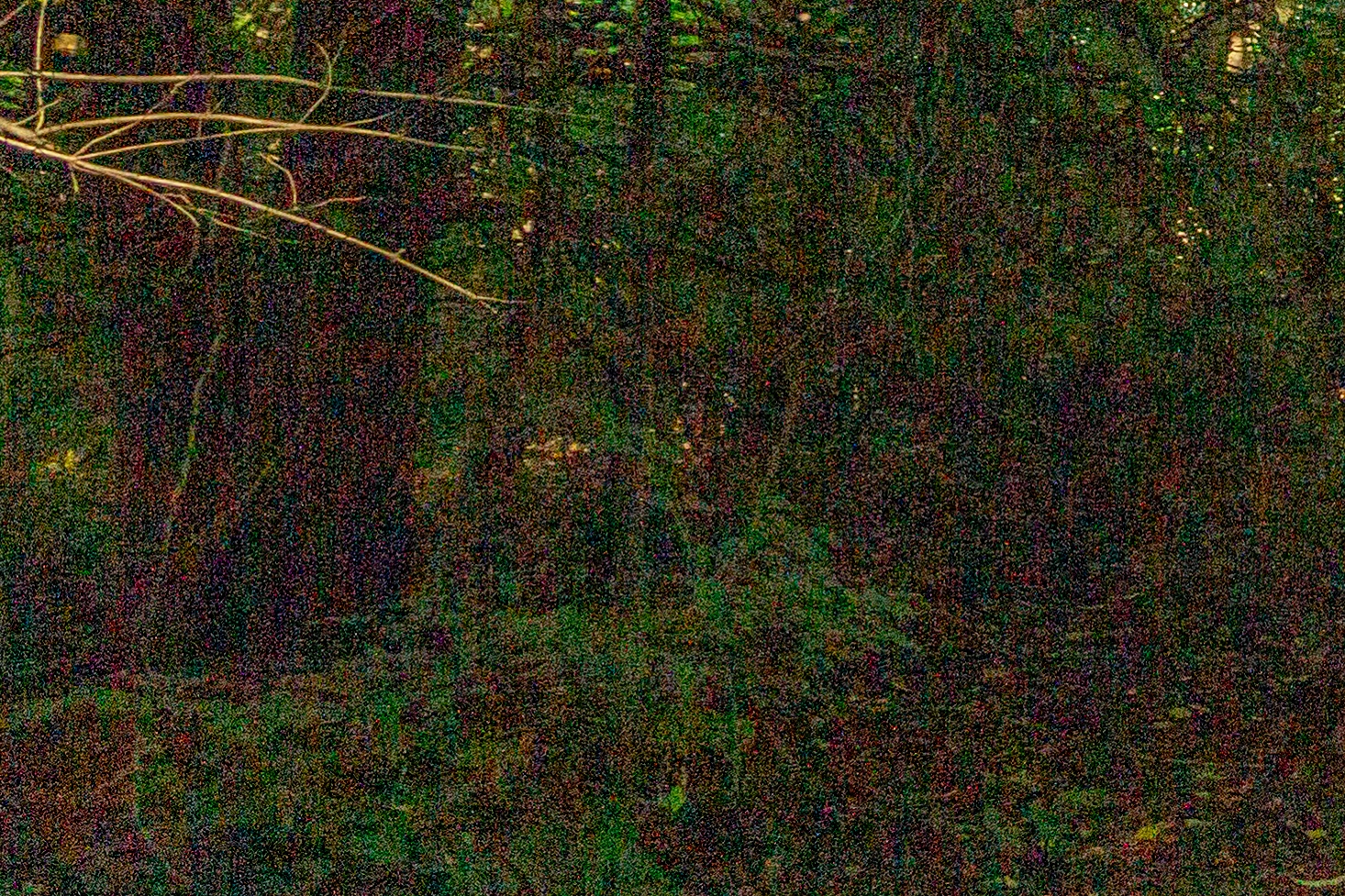
Out of HDR
Changing the clarity to -100 in the tone mapping settings instead of the SDR conversion settings does not create this effect at all.
This is not the result of hot pixels - In especially underexposed photos, I can make thousands of them appear. They will only appear if the shadows are increased - Upping the exposure or blacks has no negative effect. Pressing J shows that none of these pixels are clipping to black - in fact, some of them are absurdly bright and can still be seen with the exposure decreased by multiple EVs.
LRC's detection of these pixels seems questionable. Despite them being way brighter and saturated than the black pixels around them, the noise can't be used for luminance or color range masks and cannot be used to set the overall image's neutral color. However, they seem to be detected by both luminance and color noise reduction. This issue occurs regardless of whether the GPU is enabled.
>>LRC Version 14.4, Camera Raw Version 17.4, Windows 10 Pro 22H2, AMD RX 6600 + Intel Core i5-11400, 32GB DDR4. Photos shot on a Canon Rebel t3i. Tested across multple lenses. Someone on Reddit experienced the same problem with photos taken on a Canon R5 Mk 2.
My SDR conversion settings:
>Contrast, Clarity, Shadows = -100
>Highlights, Whites = 100


 AdChoices