
Known Participant
November 29, 2020

P: Columns no longer appear aligned after change to new fonts after Mac OS Big Sur update

  • November 29, 2020
  • 22 replies
  • 1230 views
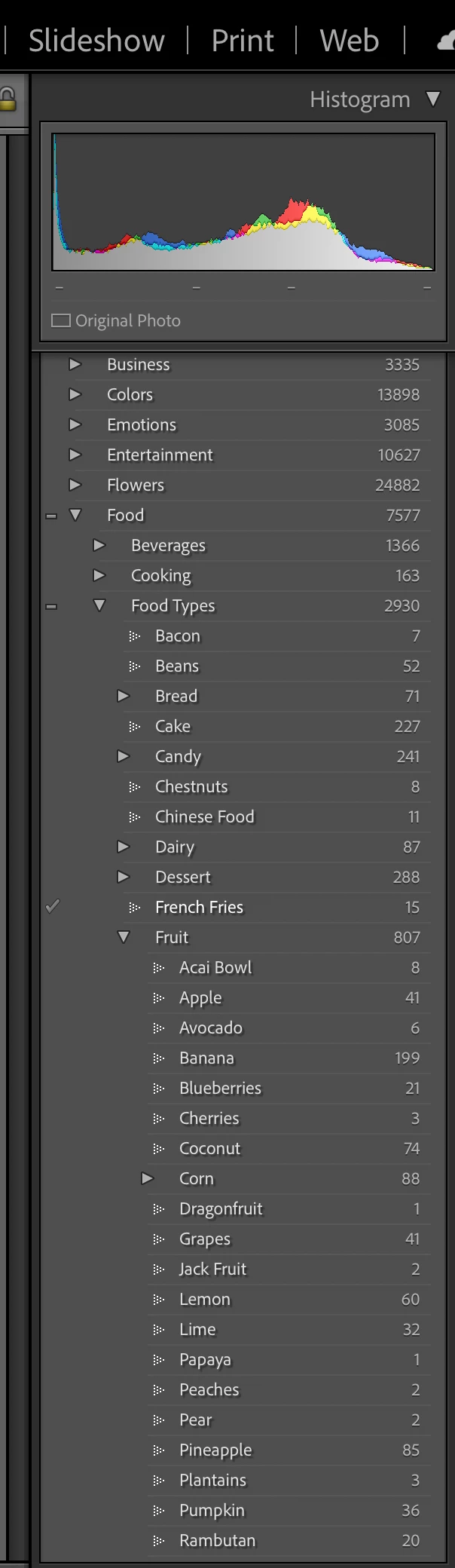
In a recent update, Adobe seemed to change the fonts in Lightroom Classic CC.  Now the font's when viewed (here in the keyword screen) don't appear to be aligned.  In this case, all of the fruits are listed under the keyword 'fruit', but they don't appear to be aligned or nested properly due to the font.  Same with food types, Chinese Food and Chestnuts aren't and shouldn't appear nested under Candy, but that's how they appear with the new font changes.  
 
 
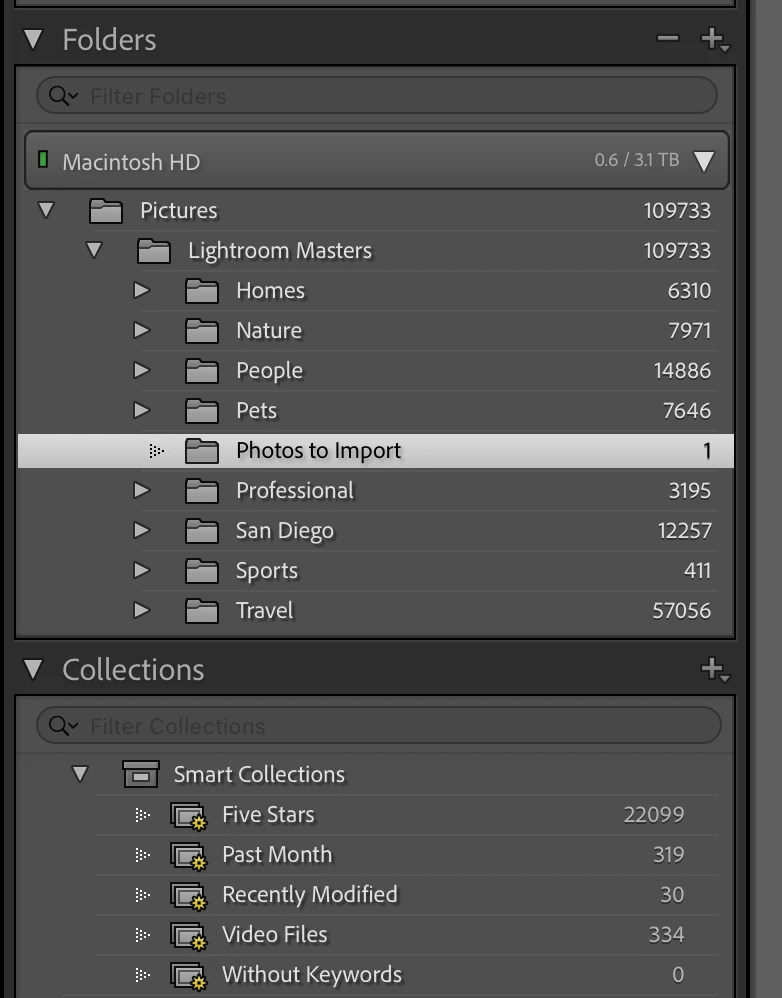
Here's another example: Photos to import is not under Pets, but appears to be due to the new font alignment or misalignment...  
 
This topic has been closed for replies.

22 replies

sazer01Author
Known Participant
June 9, 2021

Thank you!  I have confirmed that after updating to Lightroom 10.3 yesterday this issue is resolved on my end as well.  Most appreciated.

johnrellis
Legend
June 9, 2021

Good.  It's fixed in my LR 10.3 / Mac OS 11.3.1. 

Rikk Flohr_Photography
Community Manager
June 8, 2021

Greetings,

Updates to Camera Raw, Lightroom Classic and the Lightroom Ecosystem products for Desktop, Mobile and Web, were released today and contain a fix for this issue.

Please refresh your Creative Cloud application and install your update when it becomes available. Thank you for your patience.

Rikk Flohr: Adobe Photography Org
sazer01Author
Known Participant
March 16, 2021

This remains an issue even after today's update to Lightroom Classic 10.2. 

sazer01Author
Known Participant
February 6, 2021

Still having this issue, FYI

sazer01Author
Known Participant
December 8, 2020

Just to compare apples to apples (or corn to corn in this case), here is the exact same view on 10.1 that a shared last month from 10.0.  

sazer01Author
Known Participant
December 8, 2020

No change unfortunately.  Please see image attached.  These should all be aligned.  Similar to photo I shared earlier.  

Rick Spaulding -
Legend
December 8, 2020

@steve_azer  Go to your Creative Cloud Desktop app and click Help> Check for updates. That will refresh it.

sazer01Author
Known Participant
December 8, 2020

I don't have access to 10.1 yet?  I'll advise once I get access and can install it.

Rikk Flohr_Photography
Community Manager
December 8, 2020

How is it looking after the 10.1 update, released yesterday?

Rikk Flohr: Adobe Photography Org