
P: Columns no longer appear aligned after change to new fonts after Mac OS Big Sur update
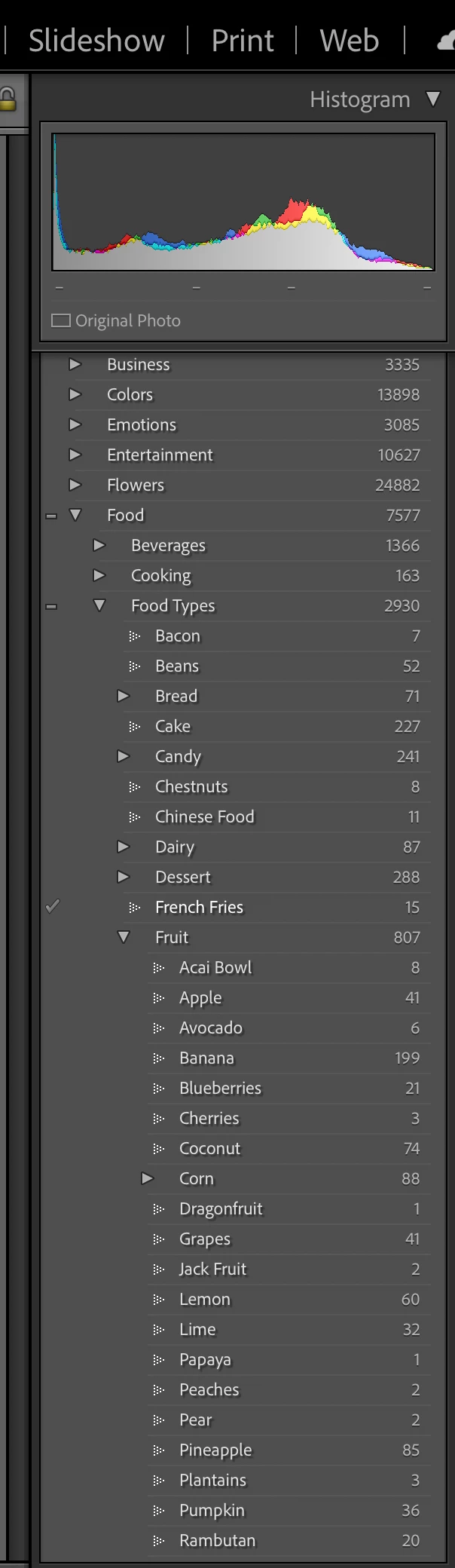
In a recent update, Adobe seemed to change the fonts in Lightroom Classic CC. Now the font's when viewed (here in the keyword screen) don't appear to be aligned. In this case, all of the fruits are listed under the keyword 'fruit', but they don't appear to be aligned or nested properly due to the font. Same with food types, Chinese Food and Chestnuts aren't and shouldn't appear nested under Candy, but that's how they appear with the new font changes.
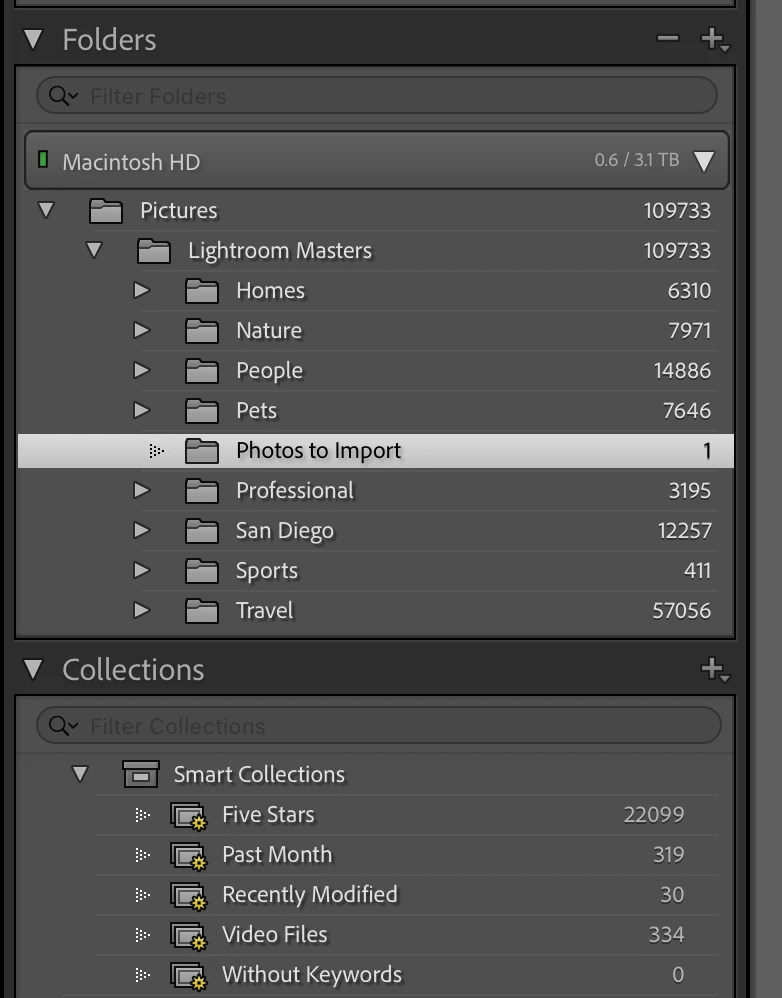
Here's another example: Photos to import is not under Pets, but appears to be due to the new font alignment or misalignment...


 AdChoices