Participating Frequently
October 28, 2021

P: Comments Icon Missing

  • October 28, 2021
  • 6 replies
  • 3910 views

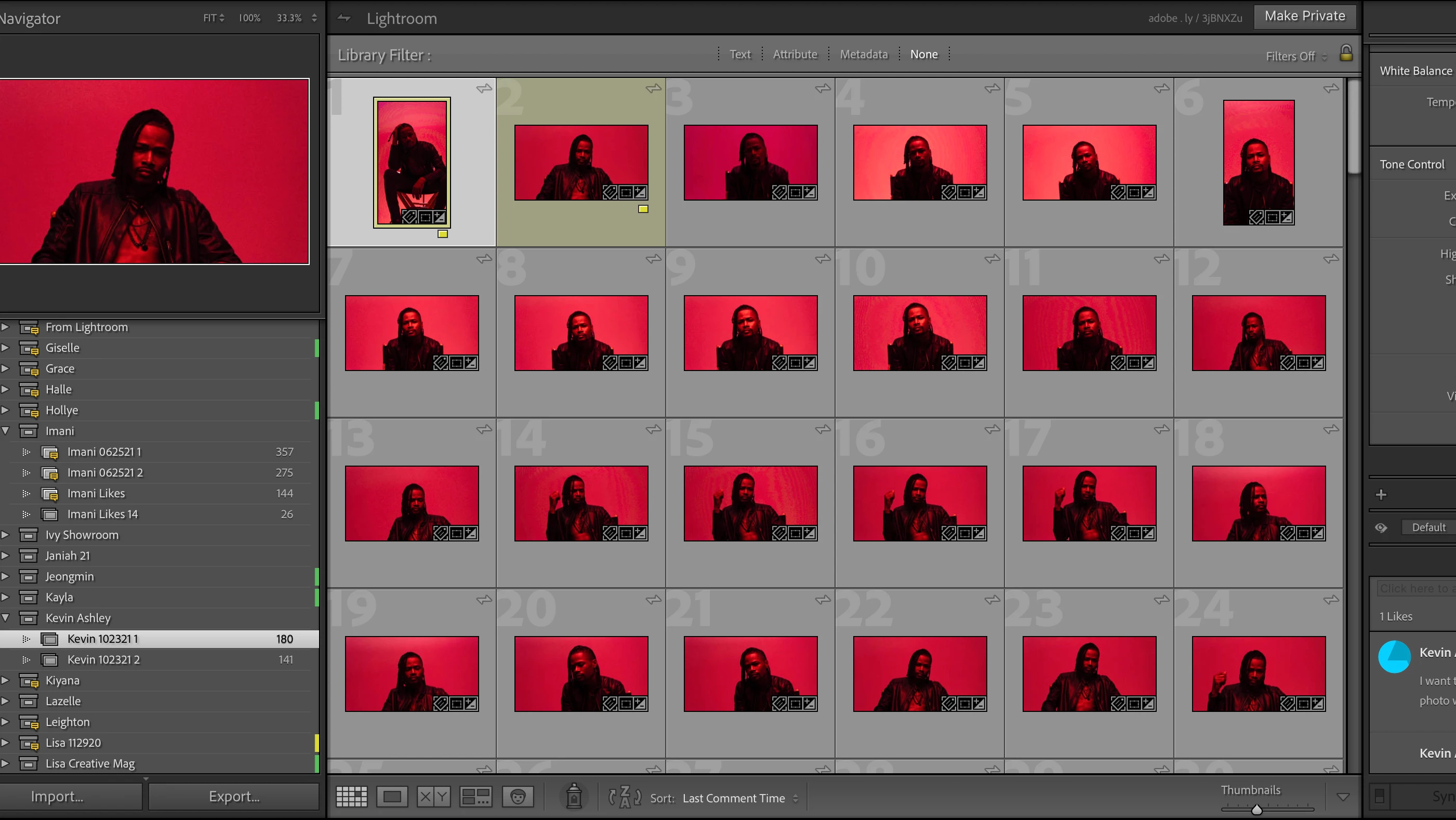
I'm not sure if its just me, but the comments icon is missing on the images in the gallery. It WAS on the collection, but disappeared after I restarted Lr. Soo now I have to click through each photo to see if they have a comment or not. Never had this issue before I updated.


Lr 11

Mac OS BigSur 11.5.2

I restarted the app once and the icon disappeared from the collections.

I restarted before writing this sentence, and still the same ething.


This topic has been closed for replies.

6 replies

Participant
October 10, 2023

Having this issue in 2023. Any fix?

Rikk Flohr_Photography
Community Manager
Community Manager
December 14, 2021

Updates to the Adobe Photography Products were released today and contain a fix for this issue. Please install the update via your Creative Cloud Desktop App or your respective App Store. 


Note: 

You may need to refresh the Creative Cloud App for desktop software to show an update available.  ([Ctrl/Cmd]+[Alt/Opt]+ [ R ])

For Mobile downloads, it may take several days for the update to appear in your respective App Stores.


Thank you for your patience. 

Rikk Flohr: Adobe Photography Org
Known Participant
November 17, 2021

After upgrading to LR 11 I no longer have the little yellow icon on my filmstrip at the bottom showing me which pictures my clients have Favorited.  I see the icon in the Collection Menu stating that there are Favs or Comments but I cannot tell visually which pictures have those comments.  It still shows under comments and I can still sort by most recent comment but I cannot tell where the comments start and stop without flipping through them and watching the righthand box under comments.


The little yellow icon was so helpful and immediately show'd me how many selections my clients had made. Is this gone or am I missing something?  I've check all the "View" menus and tried checking everything.  They are still sync'd and marked as Favs, its just the little, so useful, icon is gone!


Thanks for any help!


Matt

Rikk Flohr_Photography
Community Manager
Community Manager
November 13, 2021

Setting status to acknowledged

Rikk Flohr: Adobe Photography Org
Known Participant
November 13, 2021

I am experiencing the same thing.  The Comments Badge is missing in Lightroom Classic.  The comments are still in the file, but the badge is gone and there are NO Preferences to turn it on or off.  It is simply missing.  I have a feeling that they were toying with the idea of getting rid of it and doing something else with it since it was actually indicating a HEART or a COMMENT and maybe that was confusing enough that they wanted to change it, but they may have forgotten to put it back in on the MAX launch.  It is hampering our ability to find photos that clients have liked or commented on.  

GoldingD
Legend
October 28, 2021

Some preference settings may have changed to defaults upon upgrade.Both in Preferences, and in various menu options. Such as view info options. You will want to inspect that. 


Not sure why that happens to some but not most.


Perhaps the preference file is corrupt?

mdrhoneAuthor
Participating Frequently
October 31, 2021

There is nothing in the preferences to my knowlege that pertains to turning off or on the yellow icon that appears when there is a comment on an image. But I will check out the view options and look through every tab just to make sure. How does one reset a preference file?