christopherm13668766
Known Participant
August 27, 2026

P: Content Credentials causes exports to skip

  • August 27, 2026
  • 6 replies
  • 113 views

This has been happening for probably a week or two. 

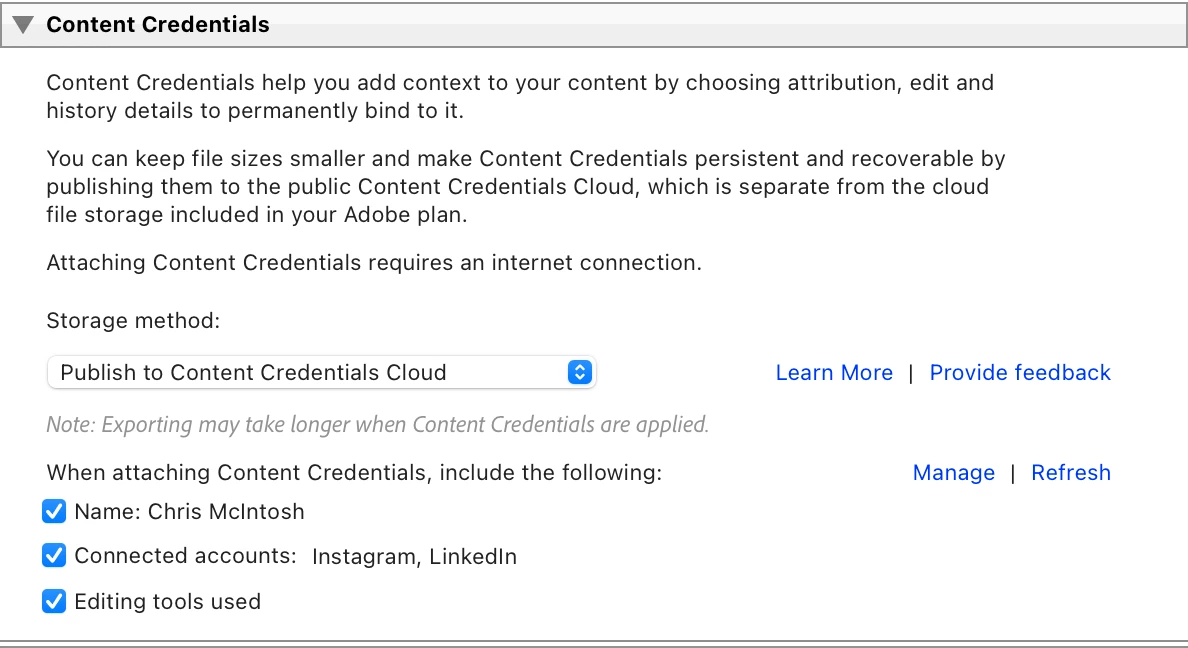
I have it by default apply content credentials to every jpg I export - can’t hurt, right?

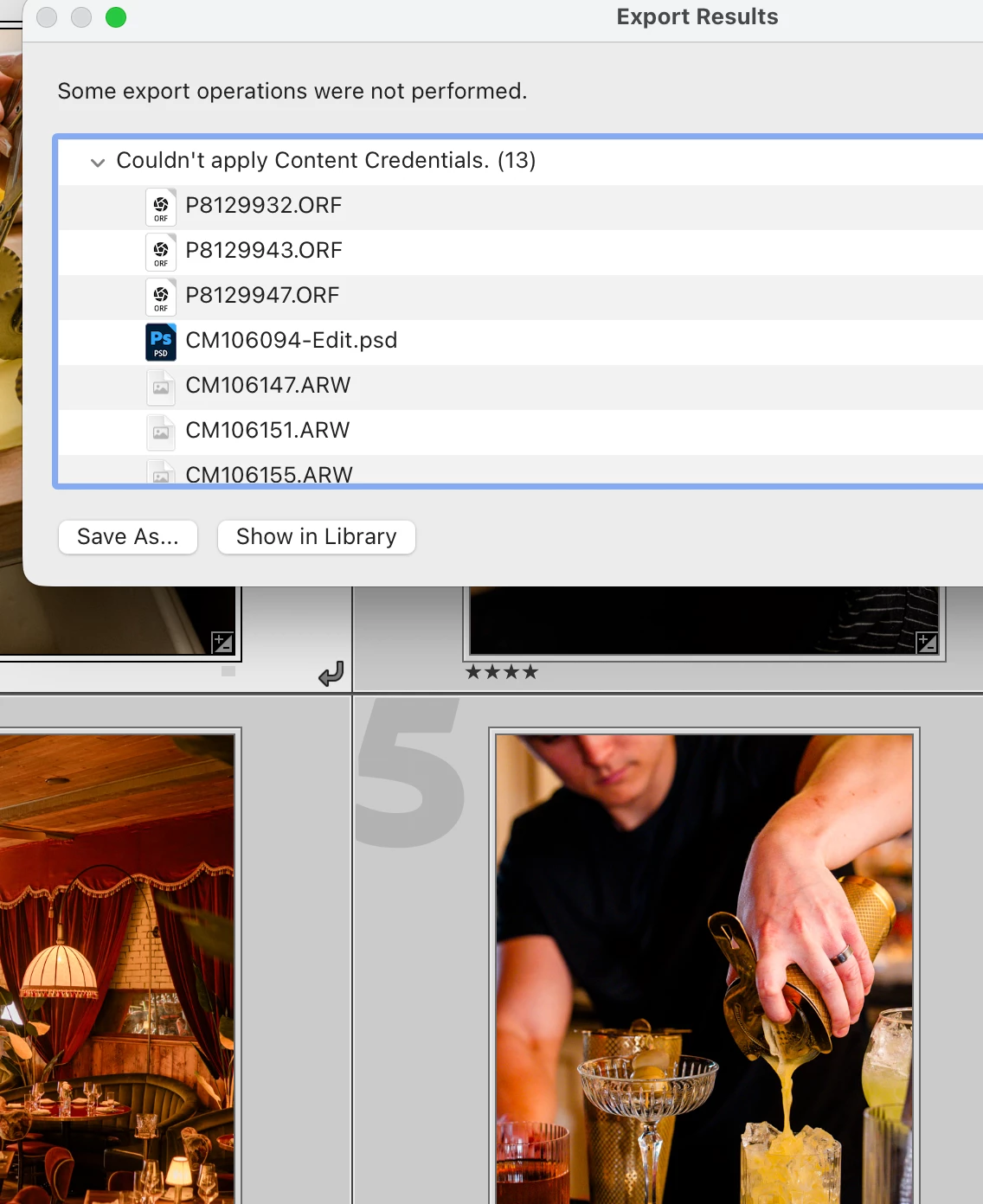
In every single export lately, a random number of them ‘fail to apply’ and hence do not export at all. I have to keep going to the export dialog, click ‘skip’, and it will export a few more and fail to export a random number. Currently I have done this 8 times to a set of 148, and am down to one single file that it just doesn’t seem to want to apply them to ever. I assume this is a bug and I should give up on credentials until this is fixed. 
 

Mac Mini M4 Pro, OS 26.5.2 

6 replies

Participant
August 31, 2026

Same. I have tried batch and single image...happens either way. Makes editing frustrating and time consuming especially when paying for this ‘wonderful’ license. Makes we wonder how we professionals will all be compensated for the extra time spent dealing with this issue?

Rikk Flohr_Photography
Community Manager
August 28, 2026

Thank you, the team has identified the issue and is working on a fix. 

Rikk Flohr: Adobe Photography Org
Participant
August 28, 2026

I'm seeing exactly the same issue. This only started recently and previously Content Credentials were reliable for large batch exports.

Lightroom Classic 15.5.1
macOS Tahoe 26.5.1

My normal galleries are around 150 images and I'm now having to run the export 5–6 times before all the images successfully export.

I've done some controlled testing:

• 25 images with Content Credentials OFF: 25/25 exported successfully
• Same 25 with Content Credentials ON: typically 6–11 images fail
• Individual images export successfully, including repeatedly exporting the same image
• 5 images may all succeed, while 10 or 25 increasingly show random failures
• The failures are not consistently the same photographs
• RAW → JPEG and JPEG → JPEG both exhibit the problem
• Output size doesn't appear relevant — testing was at 2000px
• Removing Connected Accounts made no difference
• Removing Name and leaving a minimal Content Credential made no difference
• Tested Lightroom Classic 15.4.1 as well and the issue remained
• Tested both my normal internet connection and a mobile hotspot with the same result
• Restarting the Mac/Adobe applications did not resolve it

The exact same files export reliably when Content Credentials are disabled, so the image rendering/export itself appears to be working correctly. The failures only occur when Content Credentials are being applied.

It appears to be an intermittent failure in the Content Credentials stage rather than a problem with particular images, export settings or the network connection.

christopherm13668766
Known Participant
August 28, 2026

Thanks for doing all that testing. It does seem to be very random. My mac mini is wired in via ethernet, and this problem also happens exporting on my laptop at home & at a cafe. so internet connection does not seem to be a factor.

Participant
August 27, 2026

Lightroom 15.5. Lightroom Classic and Lightroom is having export failures when trying to export with Content Credentials. Error seen below.