
P: Crash with the error message (7999204)
Lightroom classic has been incredibly unstable on my P14s Gen 3 (AMD).
My symptoms after editing or flicking through just a handful of photos:
- Crash with the error message that reading the catalogue failed
- Main UI stop updating, but second window still works
I've already sent so many bug reports, with the option to get permit getting contacted, but I hear nothing back.
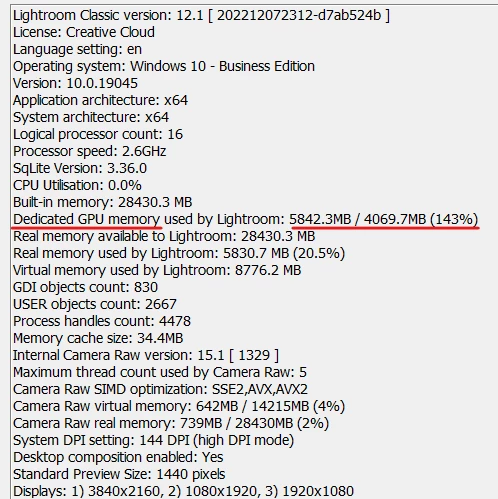
My best guess is that it overshoots the amount of video ram that's allocated. Even the Adobe info panel indicates >100% utilisation. Is it possible to manually reduce GPU RAM allocation? Or is that caused by another issue?
I'd greatly appreciate something that can help me stop these constant crashes.


 AdChoices