Inspiring
August 8, 2021

P: cropping filename in Grid View

  • August 8, 2021
  • 5 replies
  • 1222 views

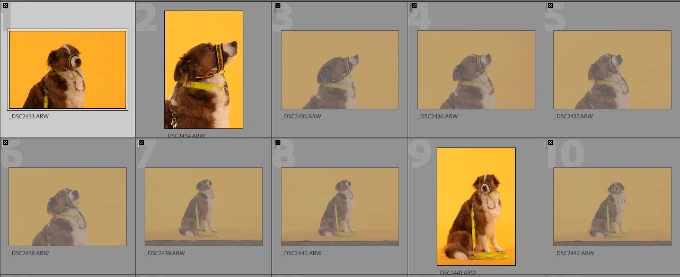
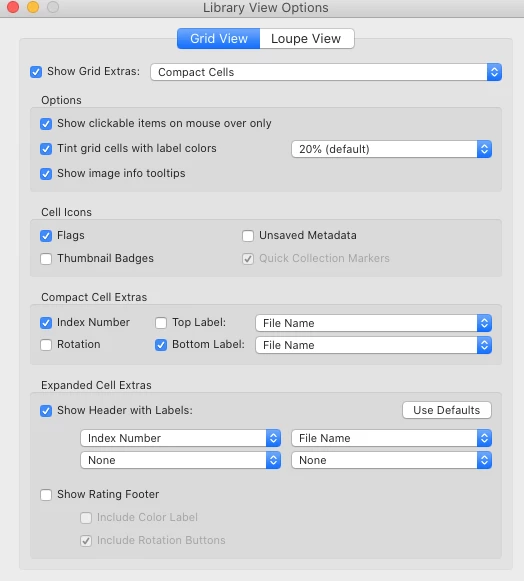
This may be because I am running an older iMac, but in Grid View, images in portrait mode are getting the filename cropped when displayed in the bottom label.  Is there a workaround for this?  It's not work stopping, just annoying.
 
This topic has been closed for replies.

5 replies

Rikk Flohr_Photography
Community Manager
October 26, 2021

Greetings,


The Max 2021 Photography products updates have been released and include remedies for this topic.  The updates will be rolling out worldwide, October 26 and 27, 2021. If you do not see the updates in your Creative Cloud Desktop app, you can refresh the apps to see if the updates are available in your region.  The keyboard shortcut to refresh is [Cmd/Ctrl] + [Opt/Alt] + [ R ]. 


Note: iOS and Android updates may take up to a week to appear in your App Store.


Thank you for your patience.

Rikk Flohr: Adobe Photography Org
Rikk Flohr_Photography
Community Manager
August 9, 2021

We already have a bug filed on this. Thanks for your additional information. 

Rikk Flohr: Adobe Photography Org
Inspiring
August 9, 2021

I understand. I only suggested that because you asked for a "workaround".

Good luck.

Inspiring
August 9, 2021

The option is there to put it in the bottom label, which is how I prefer it.  Just frustrated that there is a problem.

A lot of things have changed in the current release and in my opinion, not for the better.

Inspiring
August 8, 2021

I've never seen this happen, but I've always positioned my filenames in the top label.