

P: doesn't read TranslatedStrings_Lr_en_US.txt when the Mac computer is in an unsupported language
When a Mac computer is set to a primary language and region not supported by LR (e.g. Hungarian/Hungary), and LR's Preferences > General > Language is set to Automatic (Default), LR fails to read the keyboard shortcuts in the file TranslatedStrings_Lr_en_US.txt even though the LR user interface is displayed in English and the English shortcuts are active.
This causes confusion for users of my Any Shortcut plugin, a disproportionate number of whom are running LR in unsupported languages with non-English keyboards (and thus want to adjust the English shortcuts that don't work well on their keyboards).
Tested on LR 13.2 / Mac OS 14.2.1. I haven't tested Windows, though it's very possible the same bug occurs there.
To reproduce:
1. In Mac Settings, General > Language & Region, set the Primary Language to be English (US) and the region to be United States, and restart the computer if the language and region get changed.
2. Create this file:
/Applications/Adobe Lightroom Classic/Adobe Lightroom Classic.app/Contents/Resources/en.lproj/TranslatedStrings_Lr_en_US.txt
containing this single line:
"$$$/AgLibrary/Menu/File/Edit/DeselectActive/Key=Cmd+Shift+y"
This will change the keyboard shortcut for Deselect Active Photo from / to Cmd Shift Y.
3. In LR, set Preferences > General > Language to Automatic and restart LR.
4. Select multiple photos in Library Grid view and verify that Cmd Shift Y deselects the current most-selected photo.
5. In Mac Settings, General > Language & Region, set the Primary Language to be Hungarian and the region to be Hungary, and restart the computer:
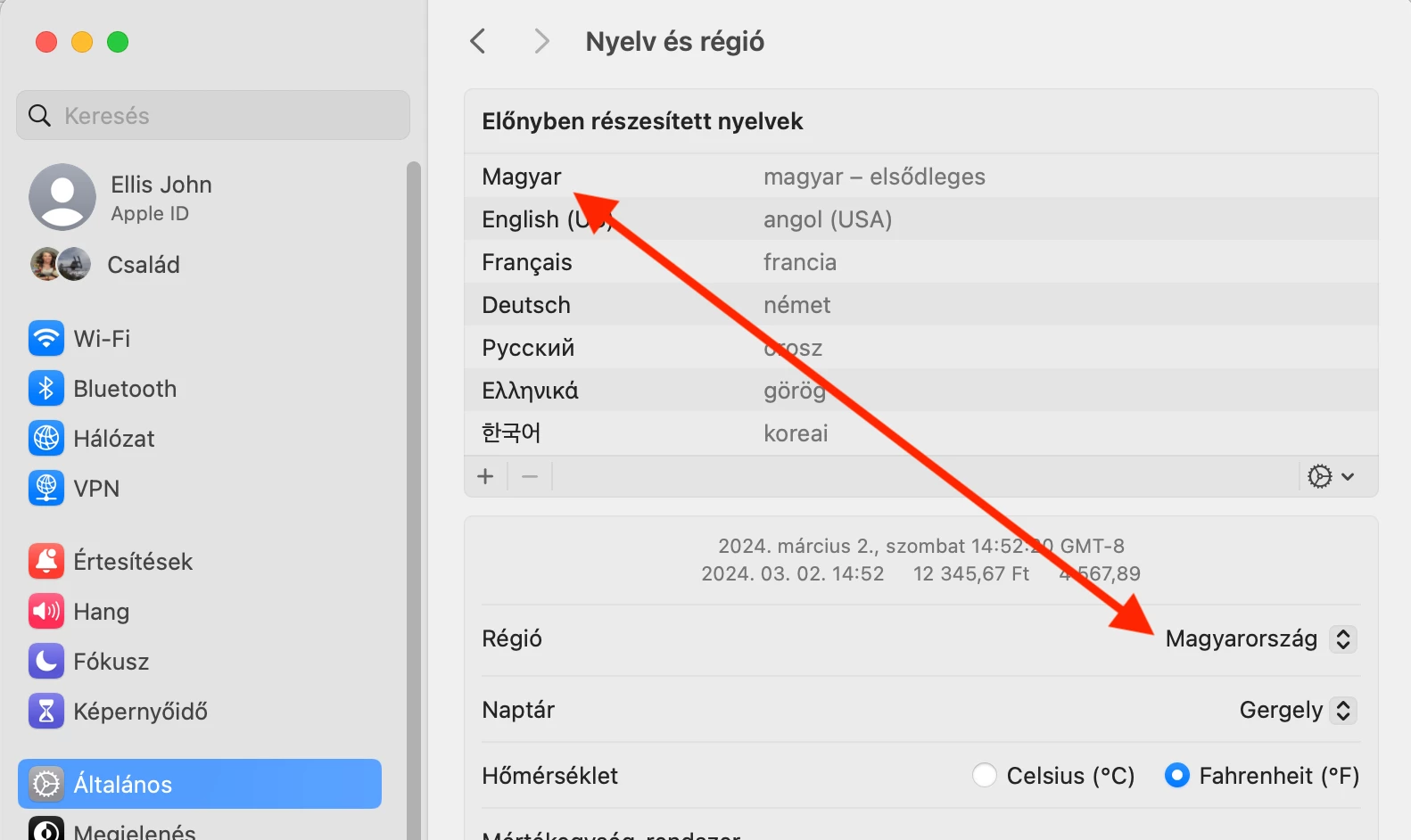
6. Start LR and observe that the LR user interface is in English (because Hungarian isn't a supported language.)
7. Do Help > System Info and observe that it shows:
Language setting: hu-HU
8. In a Lua script or debugger. observe that LrLocalization.currentLanguage () returns "en".
9. In Library Grid view, select multiple photos and observe that / deselects the most-selected photo, not Cmd Shift Y. LR hasn't read the TranslatedStrings_Lr_en_US.txt created in step 2, which is incorrect.
10. Set Preferences > General > Language to English and restart LR.
11. In Library Grid view, select multiple photos and observe that Cmd Shift Y deselects the most-selected photo, indicating that LR has now read TranslatedStrings_Lr_en_US.txt.


 AdChoices