

P: Duplicate keywords created with un-normalized Unicode
LR fails to normalize the Unicode text of keyword names and allows the creation of two keywords that are canonically equivalent, with the same appearance and meaning under the Unicode standard. To reproduce on LR 15.2 / Mac OS 26.2:
1. Open the attached file “keywords.txt” in a Unicode-compliant text editor (e.g. Textedit or Notepad).
2. In LR’s Keyword List panel, click + to create a keyword, and copy/paste the first line from the file into the keyword’s name.
3. Repeat for the second line of the file.
4. Observe there are two keywords with the same name, as defined by the Unicode standard:
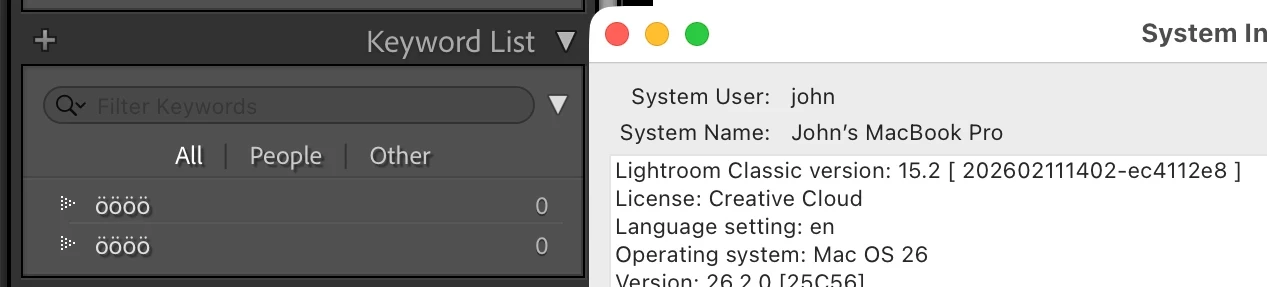
The two lines of the text file use different canonically equivalent Unicode representations for the same letter:
U+00F6 (LATIN SMALL LETTER O WITH DIAERESIS)
U+006F (LATIN SMALL LETTER O) + U+0308 (COMBINING DIAERESIS)
Such keywords tripped up this user’s catalog upgrade from LR 14 to LR 15:
In that case, we were unable to construct a test case that failed other than on his computer.
There is a similar problem with searching metadata fields like Caption that evidently never got filed as a bug:
A similar problem with detecting duplicate photos with un-normalized Unicode paths was reported fixed in LR 8.2:


 AdChoices