



johnrellis
Legend
September 25, 2024

P: Export window doesn't remember previous setting for JPEG XL Bit Depth

  • September 25, 2024
  • 4 replies
  • 1222 views

When Export's Image Format is set to JPEG XL, the Export window doesn't remember that the previous setting of Bit Depth was 16 bits.  


Tested on LR 13.5.1 / Windows 11, Mac OS 14.6.1:


1. Reset LR's preferences.


2. Select a raw file and do File > Export.


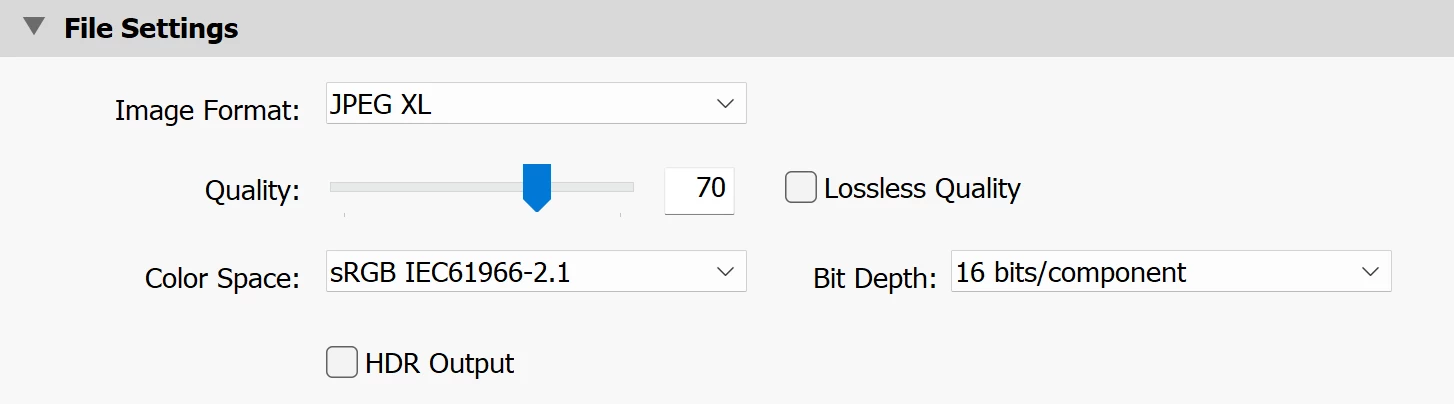
3. In File Settings, set Image Format to JPEG XL and Bit Depth to 16 bits:


4. Click Done. 


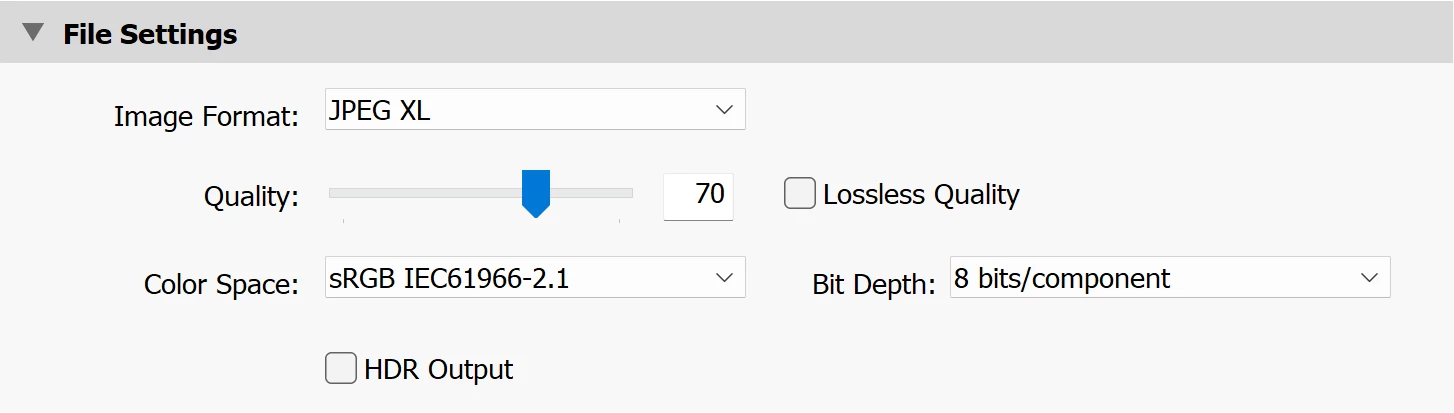
5. Do File > Export, and observe that Bit Depth has been reset to 8 bits/component (incorrect):
 

6. Change Bit Depth to 16 bits/component and click Export.


7. Do File > Export and observe that Bit Depth has again been reset to 8 bits/component (incorrect).  


8. Change Bit Depth to 16 and click Export.


9. Do File > Export With Previous and observe that file size of the export from step 8 is quite a bit larger than that from this step.  Use the "jxlinfo" command (on Mac, "sudo port install libjxl") to observe that the step 8 .jxl is 16-bit while the step 9.jxl is 8-bit (incorrect).


This topic has been closed for replies.

4 replies

johnrellis
Legend
December 12, 2024

Good, confirmed that LR 14.1 remembers the Bit Depth setting for both JPEG XL and PNG.

Rikk Flohr_Photography
Community Manager
December 12, 2024

Greetings all, 


A new update for Adobe Photography Products has been released.  The December update contains an update for this issue. 

If you do not see the update in your Creative Cloud Application, you can refresh it by hitting [Ctrl/Cmd]+[Alt/Opt]+[ R ].

Note: It may take up to 24 hours for your update to be available in your Creative Cloud app.


Thank you for being so patient.

Rikk Flohr: Adobe Photography Org
Participating Frequently
November 24, 2024

Hello since I last updated LR classic there has been an annoying bug when exporting PNG files. Every time I select 16 bit instead of 8 bit it automatically reverts back to 8 bit after I've exported the file. It's never done this before until the latest firmware update. Up until now it's always stayed on what I previously selected. Does anyone have a fix for this issue? 

johnrellis
Legend
November 24, 2024

Very similar symptoms with exporting JPEG XL were acknowledged as a bug by Adobe in LR 13.5.1. 


As a workaround, define an export preset with Image Format: PNG and Bit Depth: 16 and export with that.  I just verified that works on my LR 14.0.1.

johnrellis
Legend
November 24, 2024

Moderators, @Rikk Flohr: Photography, please merge with this bug report

https://community.adobe.com/t5/lightroom-classic-bugs/p-export-window-doesn-t-remember-previous-setting-for-jpeg-xl-bit-depth/idi-p/14880984 


and change the title to:


"P: Export window doesn't remember previous setting for JPEG XL or PNG Bit Depth"
 
I tested all the file formats, and the bug only occurs with JPEG XL and PNG.


Rikk Flohr_Photography
Community Manager
September 25, 2024

Updating status - adding bug number

Rikk Flohr: Adobe Photography Org