

P: Grid view & Keyword List sort punctuation incorrectly in LR 13.3
In LR 13.3, Library Grid view incorrectly sorts file names with leading punctuation, and the Keyword List panel incorrectly sorts keywords with leading punctuation. The Folders and Collections panels and the Metadata browser's Keyword column all sort correctly. In contrast, LR 13.2 sorted all those correctly.
This is more than an inconsequential nit -- many users find it helpful for Library to use the same file-name ordering as Finder and File Explorer, and many use the common convention of prefixing a name with "_" to have it appear at the top of the list. For example, my Any Tag plugin creates a top-level keyword "_Any Tag To Delete" that should appear at the top of the Keyword List. And obviously, it's an imposition on users to use one ordering in the Keyword column and another in the Keyword List.
To reproduce on Mac OS 14.4.1 (I haven't tested on Windows):
1. Download and unzip this tiny catalog folder, which contains the LR 13.2 catalog "sort-bug.lrcat" and the upgraded version "sort-bug-v13-3.lrcat":
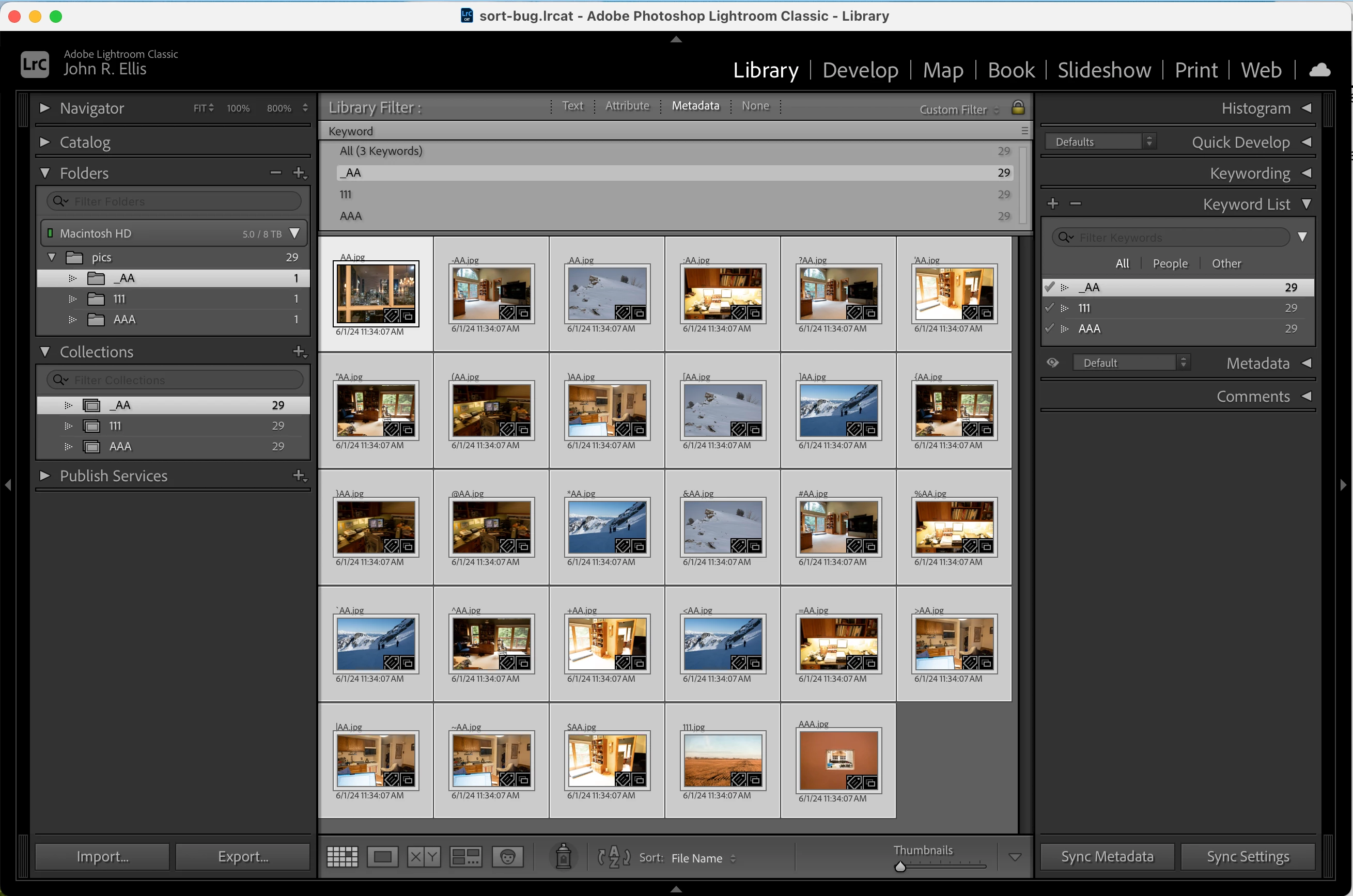
2. Open "sort-bug.lrcat" in LR 13.2 and observe that Library Grid view, Keyword List, the Folders and Collections panels, and the Metadata browser's Keyword column all sort identically, with the same order used by Finder (screenshot below).
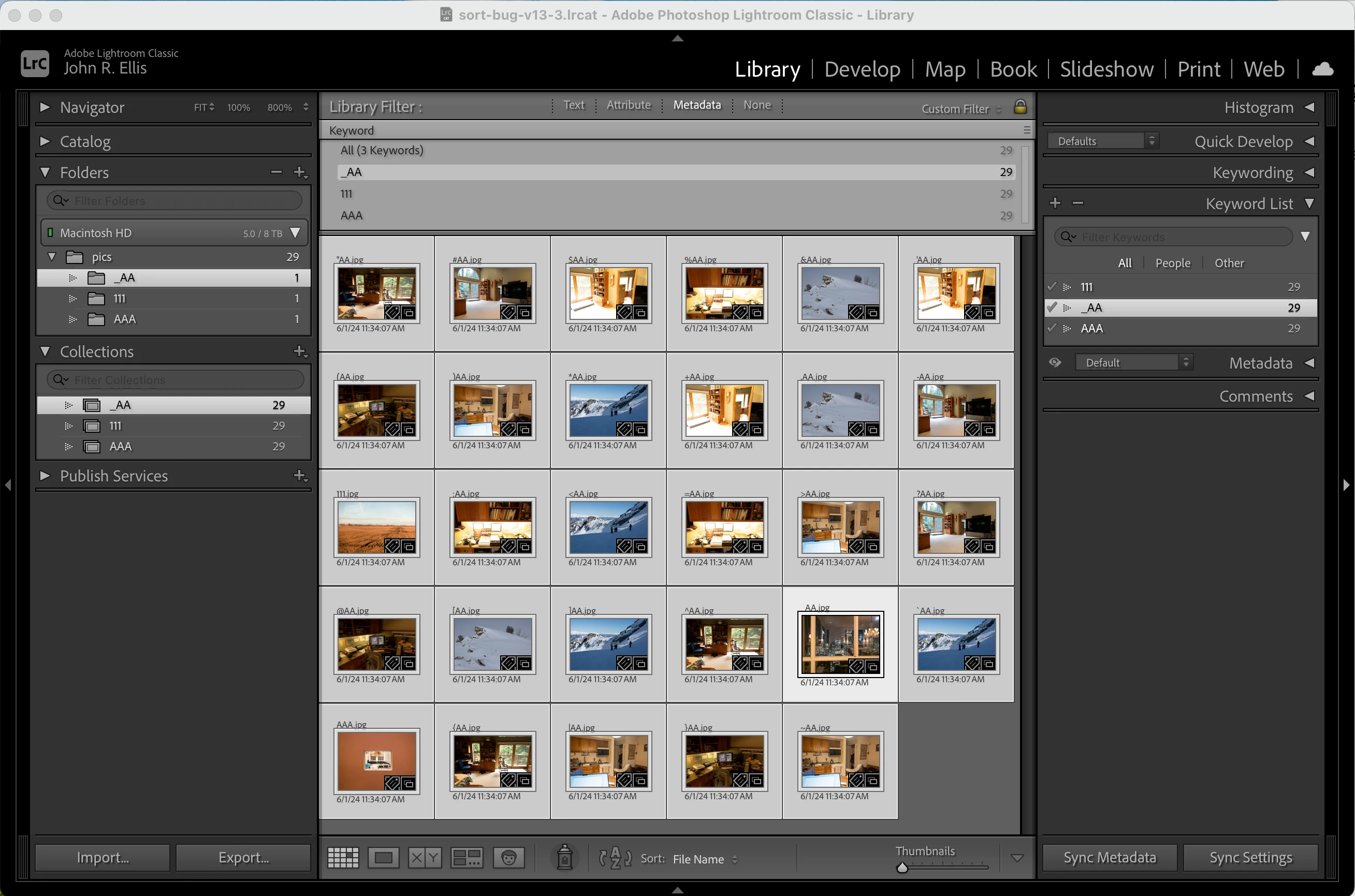
3. Open "sort-bug-v13-3.lrcat" in LR 13.3 and observe that Library Grid view and the Keyword List sort the names differently and incorrectly. In particular, note that the Keyword List's incorrect order is different than the Metadata browser's Keyword column's correct order (screenshot below).
I wonder if this bug was a result of applying the new bespoke Lua string functions to improve core performance in Library.
This table shows the ordering of the file names in LR 13.2 compared to LR 13.3:
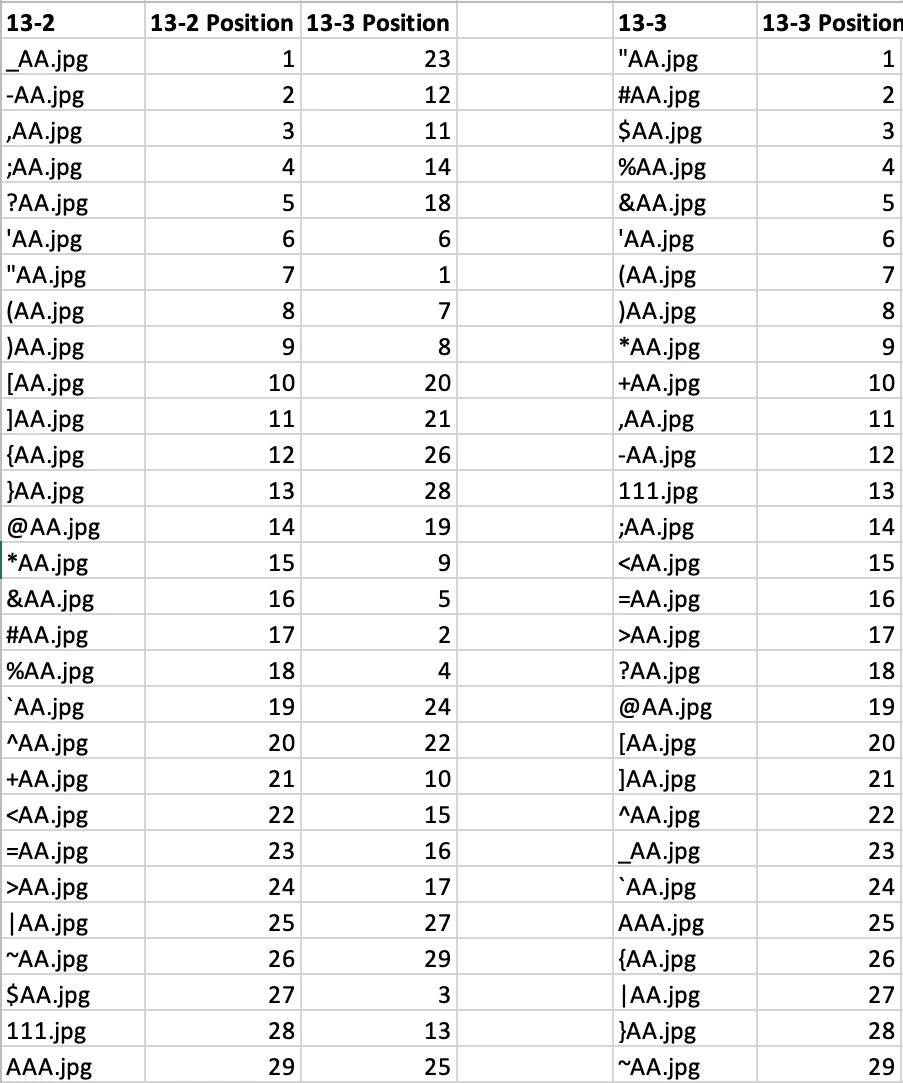
(This table appears in the spreadsheet "comparison.xlsx" in the catalog folder.)
Here's a screenshot showing LR 13.2 using consistent ordering of leading punctuation in Library Grid view, the Folders and Collections panels, the Metadata browser's Keyword column, and the Keyword List:
Here's a screenshot showing LR 13.3 using incorrect, inconsistent ordering in Library Grid view and the Keyword List:


 AdChoices