

P: Import Keywords chokes on keyword names containing 4-byte UTF-8 characters
The Metadata > Import Keywords command chokes on keyword names containing 4-byte UTF-8 characters. The Any Tag plugin exports and imports them correctly, confirming the problem is in the Import Keywords command. See here for the original use-case:
https://www.lightroomqueen.com/community/threads/problem-with-importing-kewords.53113/
To reproduce on LR 14.4 / Mac OS 15.5:
1. Do Create Keyword Tag, and copy/paste this name for the keyword:
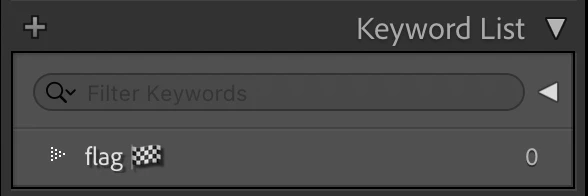
flag 🏁Observe that it appears in the Keyword List:
2. Do Metadata > Export Keywords > Include Keyword Tag Options and then > Exclude Keyword Tag Options, creating "Lightroom Keywords.csv" and "Lightroom Keywords.txt".
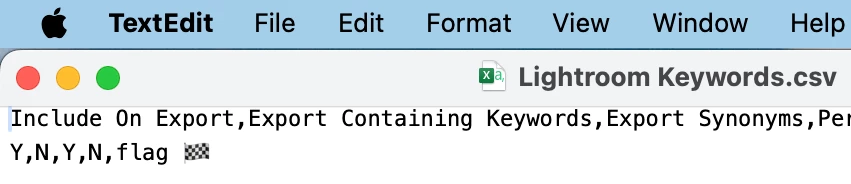
3. Open the .csv and .txt files in a UTF-8 capable app, e.g. Textedit (Mac) or Notepad (Win). Observe that the flag symbol is present in both:

4. In LR's Keyword List panel, delete the keyword created in step 1.
5. Do Metadata > Import Keywords, select "Lightroom Keywords.csv", and observe the error:
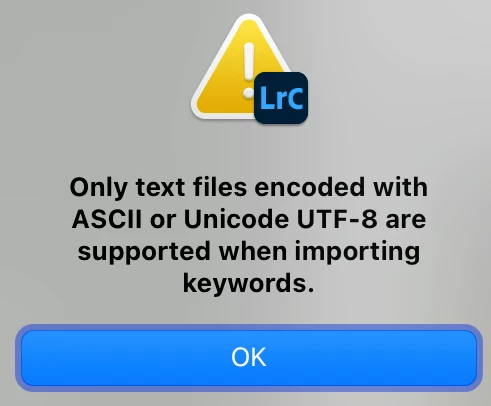
Repeat with "Lightroom Keywords.txt" and observe the same error.


 AdChoices