



Investigating
P: Library Filter's Restore Default Presets creates duplicate default presets
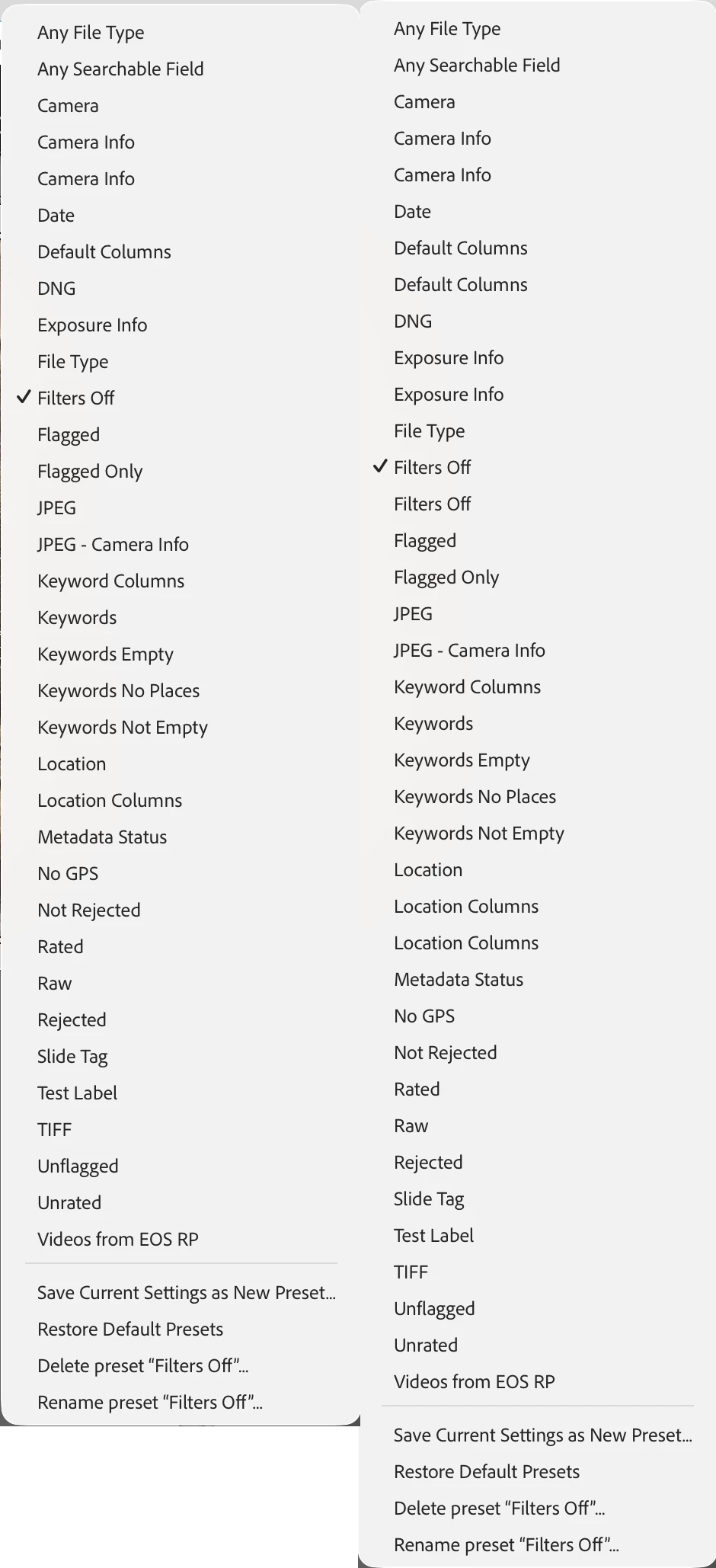
Invoking the Library Filter bar’s Restore Default Presets creates duplicates of the built-in filter presets.
To reproduce in LR 15.2 / Mac OS 26.2:
1. Set the option Preferences > Presets > Store Presets With This Catalog.
2. Open the attached catalog “filter-presets-bug”.
3. In the Library Filter bar, click the drop-down menu and do Restore Default Presets. Observe that the built-in presets Default Columns, Filters Off, and Location Columns have been duplicated. Examining those presets’ .lrtemplate files, the contents of the duplicates are identical.
Before and after of the drop-down menu:
 AdChoices