
Known Participant
June 9, 2026

P: Lightroom applies the “Adobe Color” profile even if the image had other profiles eg. "Adobe Standard" before

  • June 9, 2026
  • 7 replies
  • 108 views

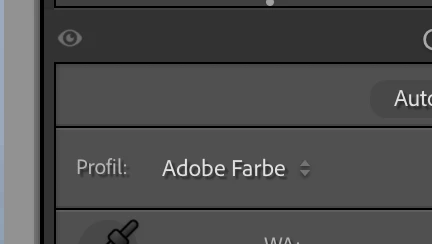
When applying the Color Profile “Adobe Standard” to an image in Lightroom Classic and then exporting as DNG. Then later importing the DNG back into Lightroom Classic, the Color Profile is set to “Adobe Color” instead of “Adobe Standard”.

When opening in Photoshop, ACR shows “Adobe Standard” correctly.


Lightroom Classic Version Number 15.3.1 Mac OS 26.5.1 


Reproduction Instructions:

Either use a random image, set the Color Profile to “Adobe Standard” and export as DNG. Then import the DNG back into Lightroom Classic and see it applies the “Adobe Color” profile.

Alternatively, import the attached DNG file and see that the Color Profile is set to “Adobe Color”. Open it in Photoshop and see that the Color Profile is set to “Adobe Standard”.

Expected Result: Lightroom Classic also applies the correct Color Profile: “Adobe Standard”.

The Actual Result: Lightroom Classic applies the “Adobe Color” profile.

Lightroom Classic:


ACR:



    7 replies

    Legend
    June 18, 2026

    @Rikk Flohr_Photography, ​@sb-x 

    Confirmed that this issue is fixed in LrC 15.4

    Rikk Flohr_Photography
    Community Manager
    June 18, 2026

    Please install the 15.4 update and advise if you are still seeing this issue. Thank you!

    Rikk Flohr: Adobe Photography Org
    sb-xAuthor
    Known Participant
    June 18, 2026

    Confirmed: seems to be fixed in 15.4. Many thanks!

    Rikk Flohr_Photography
    Community Manager
    June 12, 2026

    @johnrellis 

    Several Prerelease members have been discussing this and found that the next release of Lightroom likely doesn't have this issue. I will move this to bugs but we will need to circle back after the imminent release to verify the fix.  

    Rikk Flohr: Adobe Photography Org
    johnrellis
    Legend
    June 12, 2026

    @Rikk Flohr_Photography, here are precise steps to reproduce the problem. Please move to bugs.


    To reproduce on LR 15.3.1 / CR 18.3.2 / Mac OS 26.4.1:


    1. Open the file DSCF4797-2.dng attached to the top post in Camera Raw. Observe that the profile is Adobe Standard (correct).


    2. Import that file into LR. Observe in Develop that its profile is Adobe Color (incorrect).


    3. In Library, do Metadata > Read Metadata From File. Observe in Develop that the profile is now Adobe Standard (correct).

    Legend
    June 10, 2026

    @sb-x 


    Please check your Preference setting under Profiles and Raw Defaults. If it is not “Camera Settings”, but “Adobe Default”, the Profile will be set to Adobe Color on Import.

    Legend
    June 10, 2026

    @sb-x 

    Looks like a bug in LrC 15.3.1.


    Hopefully, it will get fixed in the next update.


    sb-xAuthor
    Known Participant
    June 9, 2026

    i backtested older Lightroom Classic versions and when opening with Lightroom Classic 15.1.1. the dng gets imported with Adobe Standard correctly. All newer versions of Lightroom Classic import it as Adobe Color.

    JohanElzenga
    Community Expert
    Community Expert
    June 10, 2026

    I checked it and it is a little different. If you import a DNG that has Adobe Standard as profile, then Lightroom ignores there is a profile and applies your camera default settings. What you see here is that (if I remember correctly) Adobe changed the default from Adobe Standard to Adobe Color, so this is probably not a bug but as designed.


    You can change this to Adobe Standard if that is what you want to use, by changing the camera default. You do this in Preferences - Presets. https://helpx.adobe.com/lightroom-classic/help/raw-defaults.html

    -- Johan W. Elzenga
    sb-xAuthor
    Known Participant
    June 10, 2026

    Hm, at least it feels a bit strange to me that when saving a DNG with the profile explicitly set to Adobe Standard and then opening it again in Lightroom, that it then renders differently to what it was saved with. 
    Also inconsistent with ACR in Photoshop and Bridge