erichschlaikjer
Known Participant
December 14, 2020

P: Listbox Leak on Windows

  • December 14, 2020
  • 11 replies
  • 1466 views

I recently imported to Lightroom a few thousand photos that I had scanned. Then I tagged faces in them. Lightroom slowed down until it started disappearing and reappearing. I noticed that the task manager could no longer display graphs.  These are symptoms of a handle leak, so I rebooted.


Having rebooted I restarted Lightroom and continued tagging faces. In Task Manager I kept an eye on the columns: Handles, Threads, User Objects, and GDI objects. This is how they looked at the beginning:

And this is how they looked after a lot of tagging:

All four counters have increased significantly. In particular "User Objects" has increased from 2,526 to 5,588 items. This indicates a Window leak.


So I brought up Spy++ and looked at all the windows on the system.


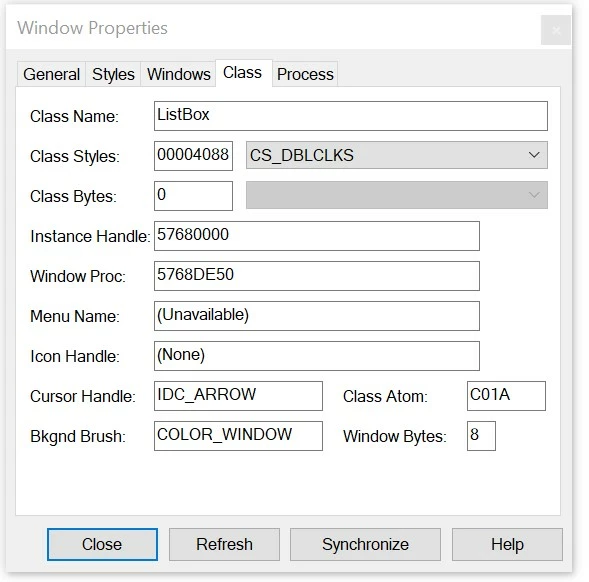
There were hundreds and hundreds of top-level listboxes!
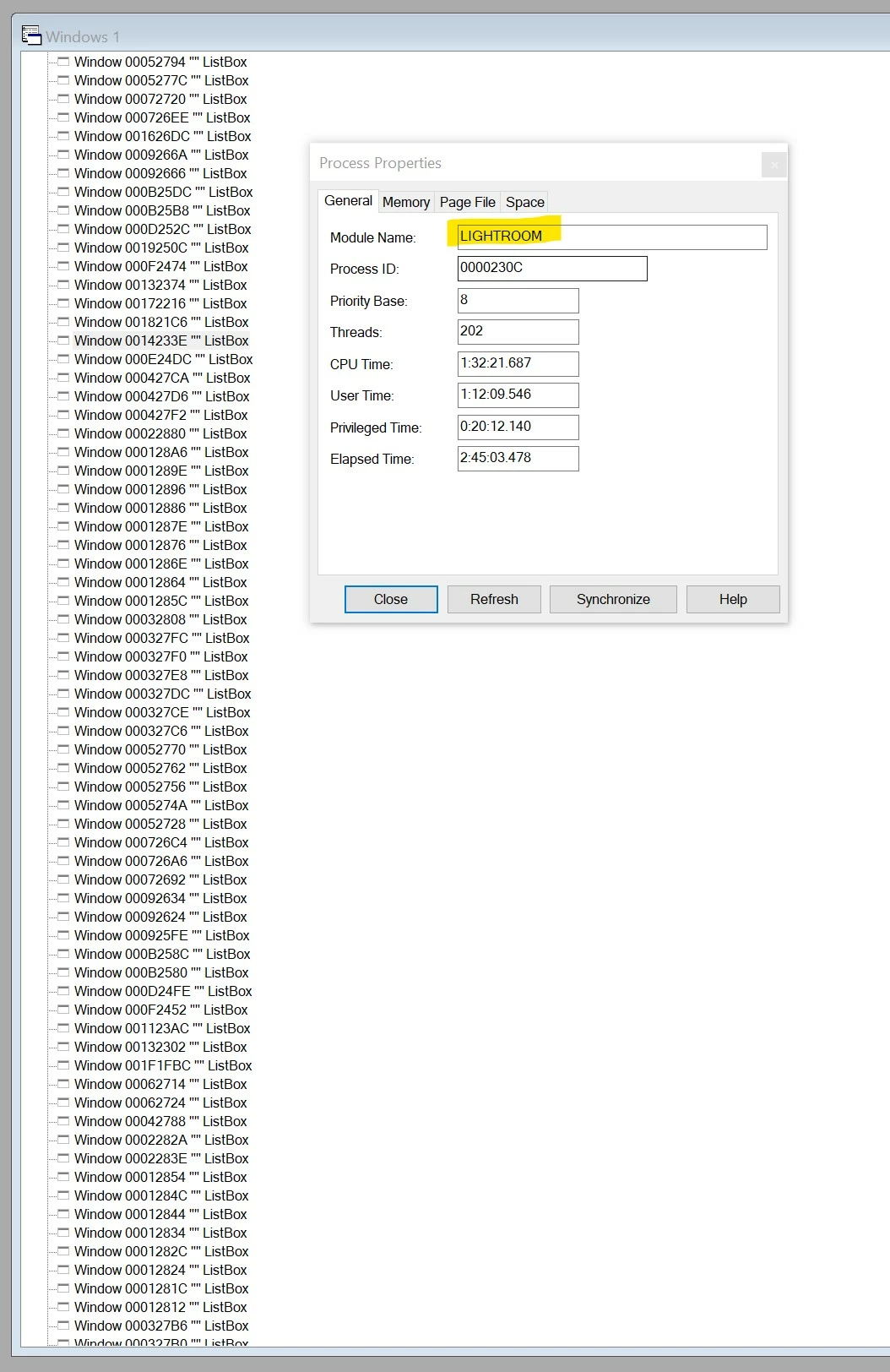
 
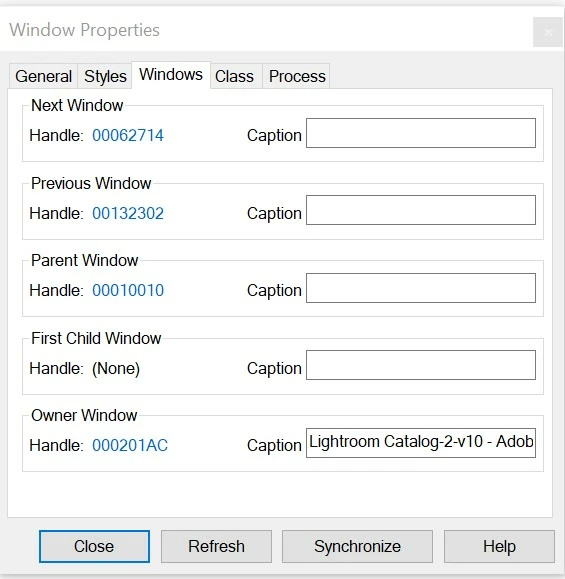
All these ListBoxes are owned by Lightroom, but it is not their parent. Their owner is "Lightroom Catalog-2-v10 - Adobe Photoshop Lightroom Classic - Library".
 
The ListBoxes are probably empty -- their size is "(0, 0)-(0, 4), 0x4".
 
In fact the Windows hierarchy is full of lots of little top-level windows owned by Lightroom, of very uncertain use.
These include Windows of type ComboLBox and tooltips_class32. Some of these have larger client areas.
 
I don't think I need to explain any more? Lightroom is leaking window handles. Eventually this corrupts the whole system.
 
Does Adobe actually test Lightroom on Windows? Checking for handle leaks is pretty easy -- I just showed you how.
 
Thanks
This topic has been closed for replies.

11 replies

Participating Frequently
December 15, 2020

Great find! Lightroom has had a bunch of GDI object leaks over the years and probably most of those were fixed (not very promptly though). Hopefully these handle leaks are addressed in a more timely fashion this time around.