
P: LR4 Unable to take a snapshot of a virtual copy of an image starting from the History
Here is way to reproduce it:
I'm experiencing it on Adobe Lightroom 4 on Lion OSX
Go to the Develop module.
Select a picture and create a virtual copy of it.
Select the virtual copy you just created.
Play a bit, for example, with the tone curve many times so you create 5 or 6 elements of history.
Click (for example) in the middle of your History to select a particular ''action'' as for example "Point Curve: Custom"
Now right click and from the menu' choose the action Create snapshot... 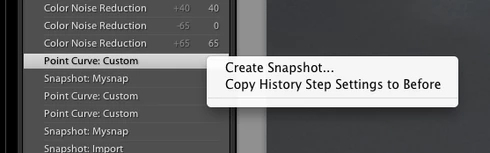
Enter a name for the snapshot
RESULT: No snapshot has been created at all
FURTHER TESTS:
Click now on the + sign in the pane and name a snapshot
RESULT:
The snapshot is created.
Thanks & Regards,
Marco


 AdChoices