Known Participant
September 27, 2026

P: LrC & LrD: "Edit in Photoshop" does not load image with Reflection Removal

  • September 27, 2026
  • 6 replies
  • 60 views

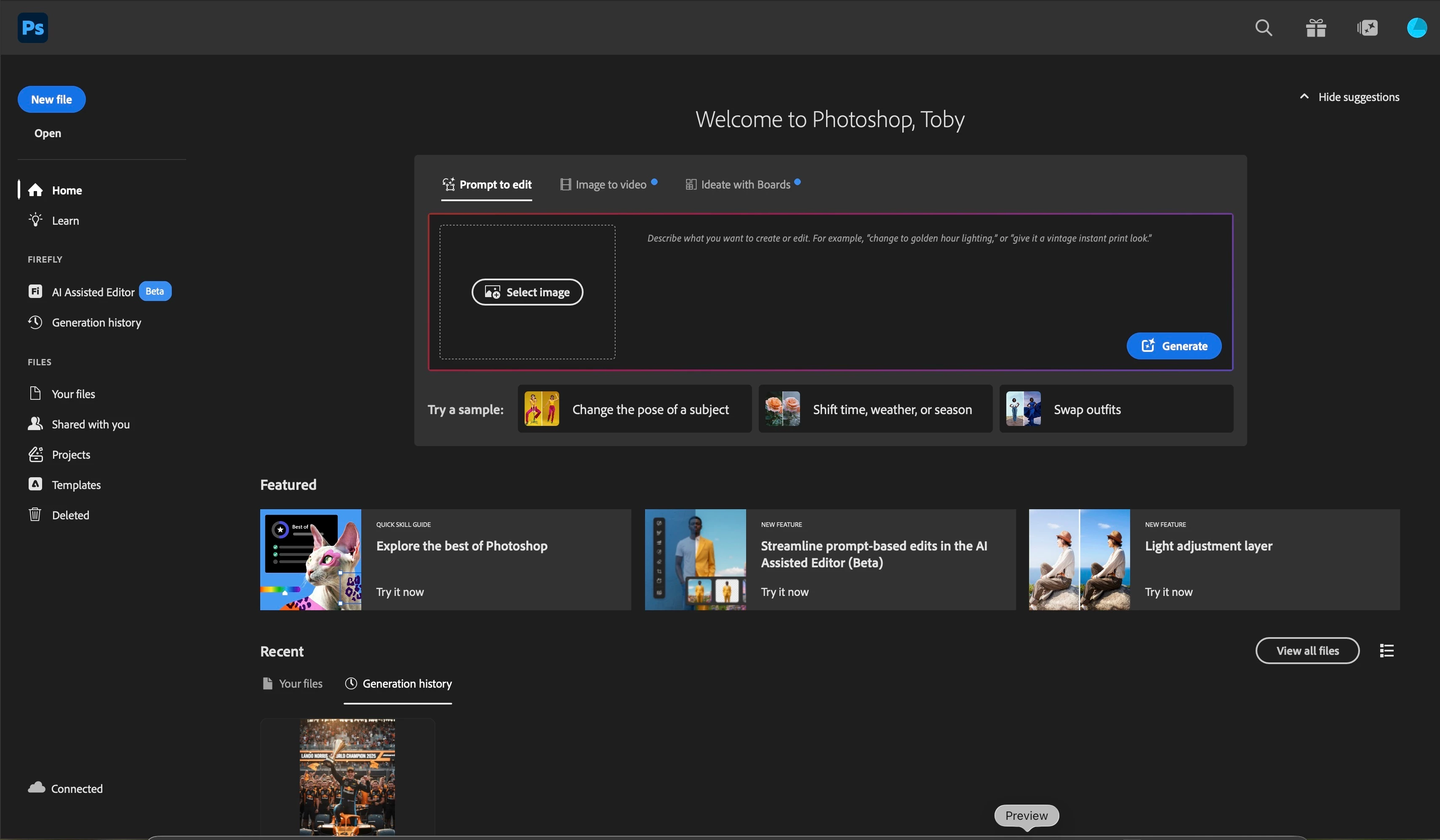
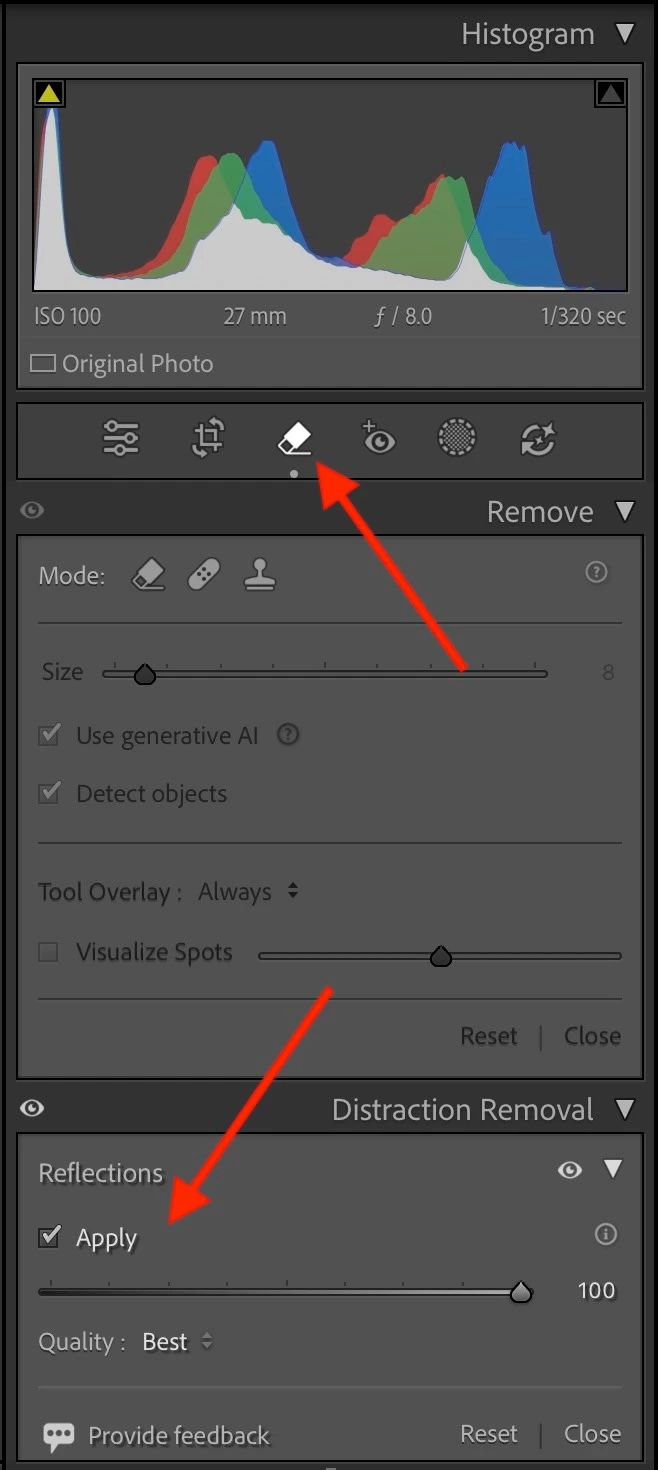
As the title says, if I go to the develop module in lightroom, click on the removal tool then go down to distractions and click apply on the reflections section I can’t then send the photo to photoshop. If I send it to photoshop it opens up the photoshop app but just gives me the home screen as shown and doesn’t open the photo. 


    6 replies

    johnrellis
    Legend
    September 27, 2026

    Moderators, ​@Sameer K, please move to Bugs -- see my previous reply for a precise bug recipe. Note that the Denoise / PS bug referenced by ​@JohanElzenga doesn’t mention Reflections, so either there should be a new internal bug report or that existing bug report updated.

    johnrellis
    Legend
    September 27, 2026

    [View this post in your web browser. It contains formatting and images that don't appear in email.]


    I see the same bug -- Edit In Photoshop doesn’t open a raw with Distraction Removal > Reflections applied.


    To reproduce with LR 15.5.1 / PS 27.10.0 / Mac OS 26.6.2:


    1. Open the attached catalog.


    2. In Library Grid view, select the one photo, which has Reflections applied.


    3. Do Photo > Develop Settings > Update AI Settings.


    4. Do Photo > Edit In > Edit In Adobe Photoshop.  Observe that PS launches but the photo has not been opened.

    JohanElzenga
    Community Expert
    Community Expert
    September 27, 2026
    -- Johan W. Elzenga
    snerklerAuthor
    Known Participant
    September 27, 2026

    No I didn’t use denoise, just reflections removal 👍🏻

    JohanElzenga
    Community Expert
    Community Expert
    September 27, 2026

    Then it looks like reflection removal might be another cause for the same bug. Try the same workaround with a smart object!

    -- Johan W. Elzenga