Passionate_speaker1160
Participant
August 16, 2026

P: LrC (macOS) Masking UI get clipped

  • August 16, 2026
  • 4 replies
  • 32 views

Hola;

Es mi primer post, he estado indagando por la comunidad, y no he acabado de encontrar la solución.
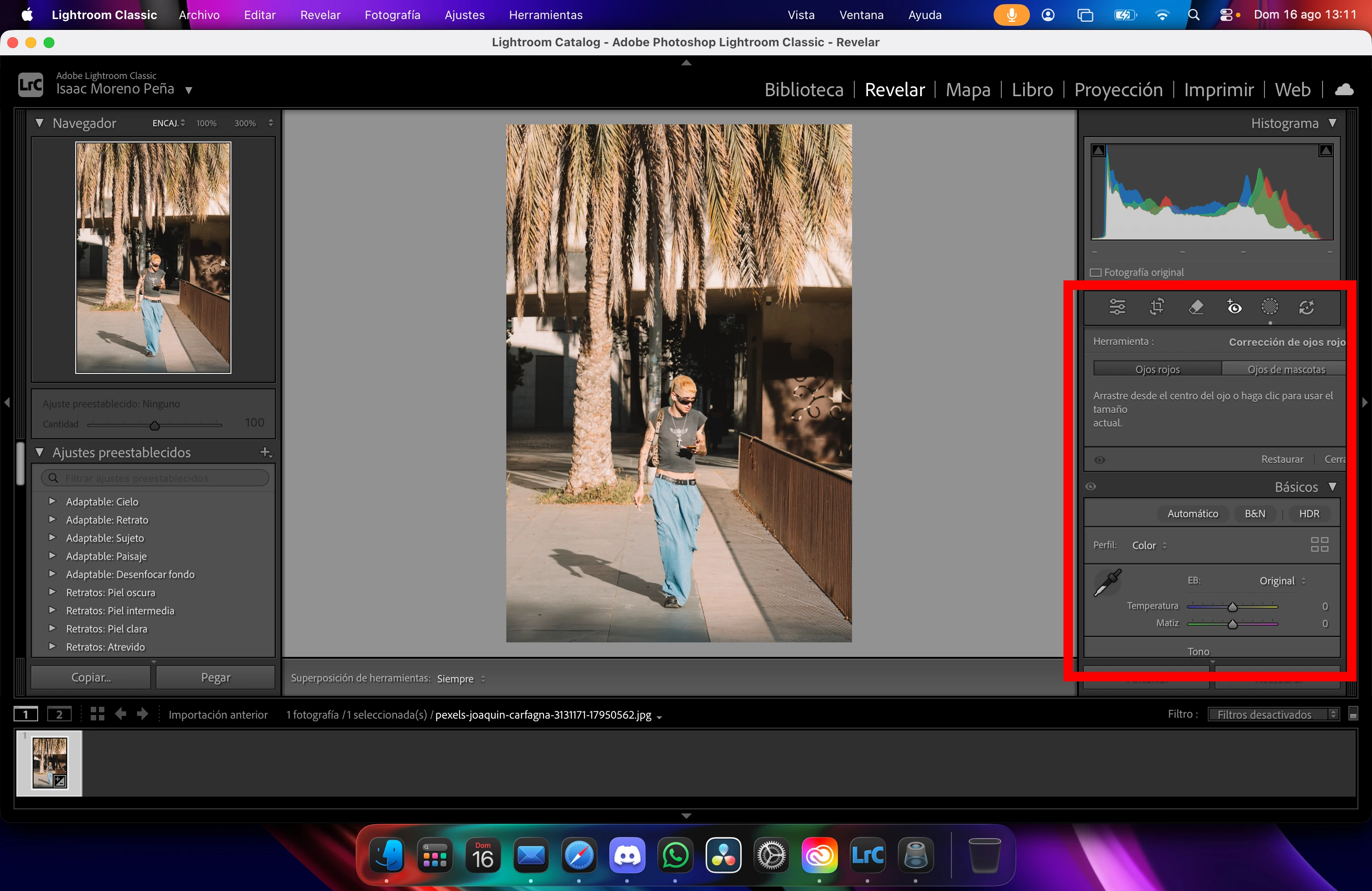
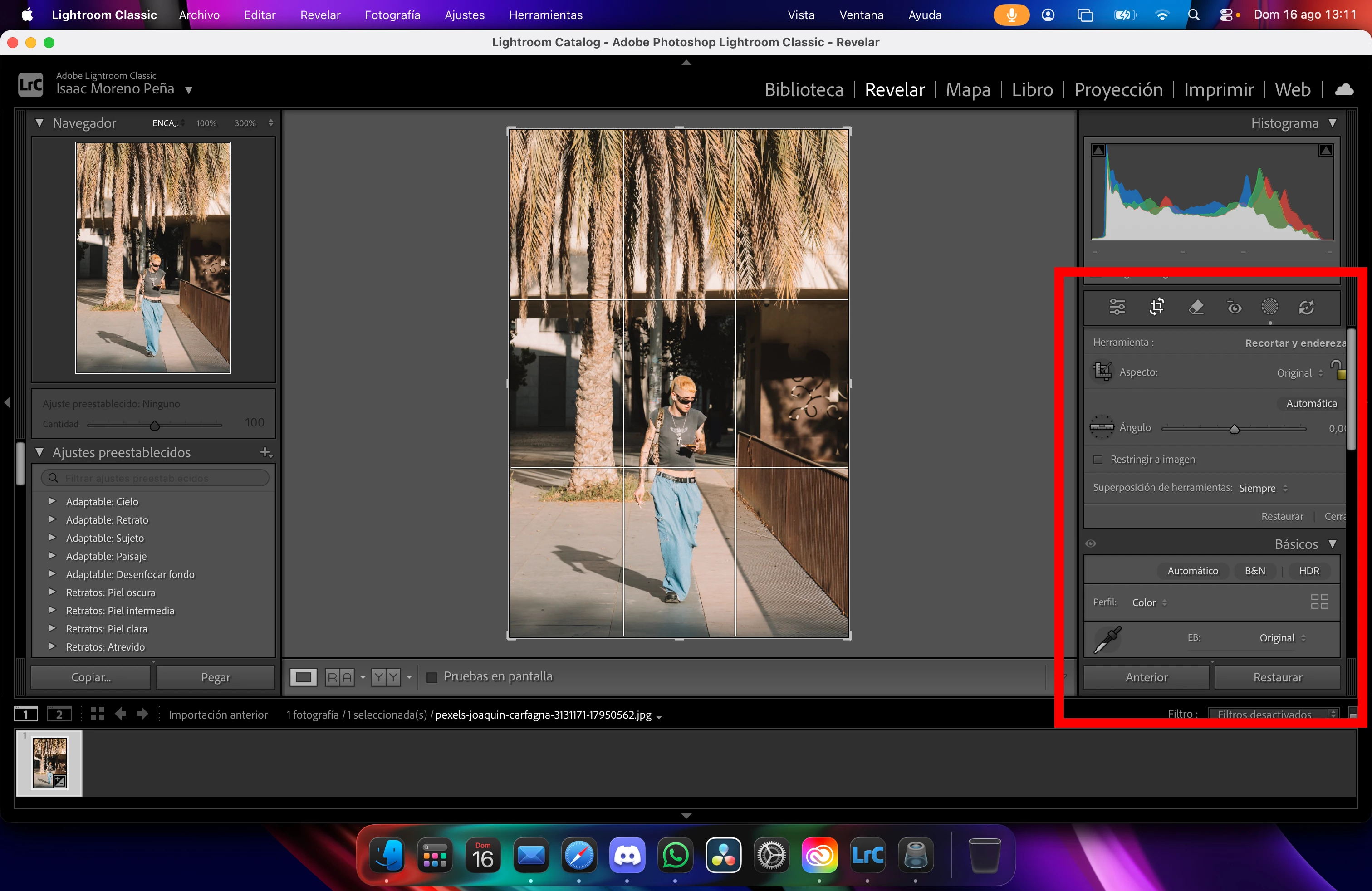
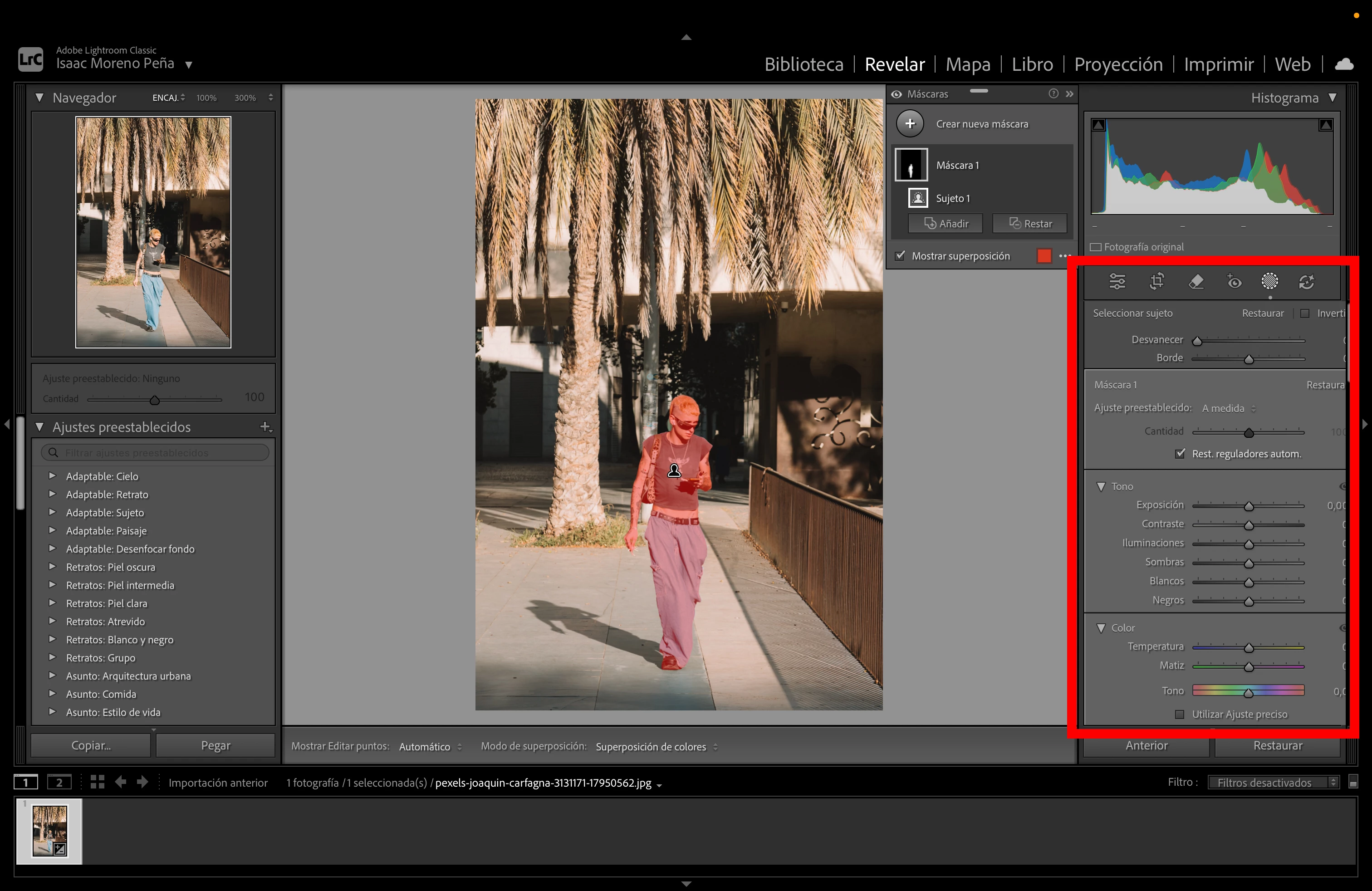
Uso LRC en un MacBook Pro y en varias ventanas de ajuste tengo problemas de redimensionar (salen cortadas). Me di cuenta en la de ajustes de mascara (adjunto captura), pero repasando algunas otras secciones como Ojos Rojos, Recorte… también tengo el mismo problema (adjunto capturas)
He probado en modo pantalla completa y nada, se queda igual.

Alguien sabe como solucionarlo? Es muy molesto no poder trabajar bien.

Muchas gracias.


    4 replies

    johnrellis
    Legend
    August 16, 2026

    [View this post in your web browser. It contains formatting and images that don't appear in email.]


    I was able to reproduce this on my Macbook Pro (2023, 16") / Mac OS 26.4.1, in Spanish and French, with the steps below. Note that I was able to work around the bug with steps 8 - 16.  These steps must be followed precisely -- see the attached screen recording.


    1. Set System Settings > Displays text size to Default.


    2. In LR set Preferences > General > Language to English and restart.


    3. In Develop, reset a photo's settings and make a Subject Mask.


    4. Drag the left divider of the right settings column to make the column as narrow as possible.


    5. Set Language to Español and restart LR.


    6. Select the Subject mask.


    7. Drag the divider of the settings column and observe that at its widest, the mask sliders aren't truncated, but they are truncated at its narrowest (incorrect). Leave the column at its narrowest.


    8. Click Reset.


    9. Make a Subject mask.


    10. Drag the divider and observe the mask sliders are always truncated at the narrowest and the widest (incorrect). Leave the column at its narrowest.


    11.  Set System Settings > Displays text size to More Space.


    12. In LR, click Reset.


    13. Set System Settings > Displays text size to Default.


    14. Restart LR.


    15. Make a new Subject mask.


    16. Drag the column divider and observe that the mask sliders aren't truncated except at the column's narrowest width.


    johnrellis
    Legend
    August 16, 2026

    Moderators, ​@Rikk Flohr_Photography, please move to Bugs.

    Sameer K
    Community Manager
    Community Manager
    August 17, 2026

    Thank you for your clarification. I have moved this to bugs and shared the details, along with the video, with the team.


    Best, 
    Sameer K