

P: Mac: Tooltips not showing up
I work on a small screen and the side panels have to be as small as possible most of the time. This means that I cannot always read the entire name of folders and collections. If I could just hold the cursor over to view the full name, it would be very helpful. But usually no tooltip is showing up, even if I hold the cursor there for a long time.
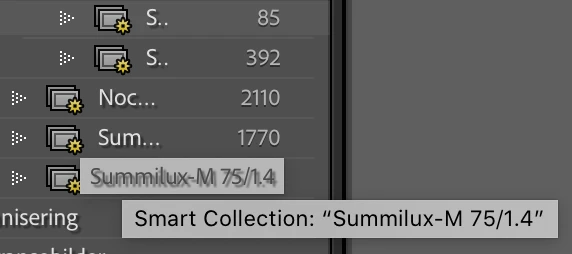
Sometimes it appear after a while, and then not only one, but two tooltips appear. First one that it hardly legible because of a shadow under the text, then – some seconds later – another tooltip appear. The last one is much clearer and easier to read. But I would prefer that only this last tooltip appeared, and that it always showed up, not only from time to time.
 AdChoices