

P: Presets that apply Enhanced Profiles built on top of Custom DCPs are not correctly applied
Hi,
I'm seeing some strange behavior when using *presets* to call *enhanced profiles* that are based on top of *custom RAW DCP profiles*...
**Basically the preset preview look right, but the changes don't "stick" after selecting**
You can see a video demo of bug and example files here: https://www.dropbox.com/sh/xbftfuwwbd0pjq7/AAA9LxB81dZf_Tp5gs3fzUpia?dl=0
As an example: I have a regular preset called "Custom Preset". The preset is calling an enhanced profile called "Custom Look Profile." Inside that custom look profile, it is using a custom DCP profile called "Custom DCP Example" as it's base (instead of Adobe Standard).
The preset preview appears correct when hovering over it... 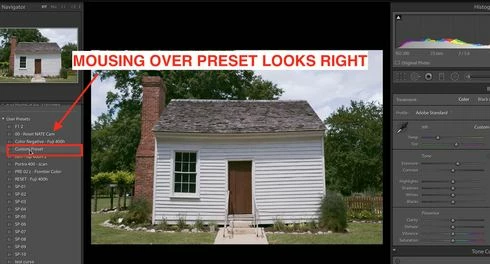
But after I apply it, the moment the mouse leaves the preset name, the image changes unexpectedly...(may be hard to see in this example, but look at the sky detail change).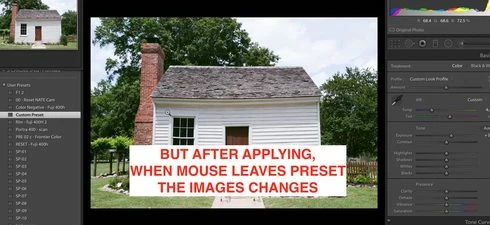
You can see see that the enhanced profile has been selected on the right, but it seems to be using Adobe Standard as the underlying DCP profile (instead of my custom profile).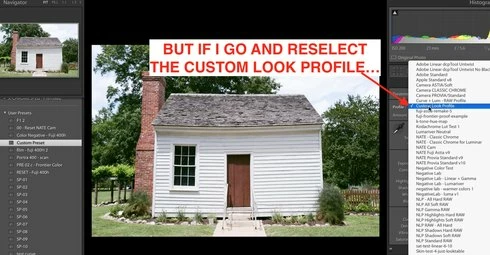
Reselecting the enhanced profile directly seems to be the only way to get it to work correctly...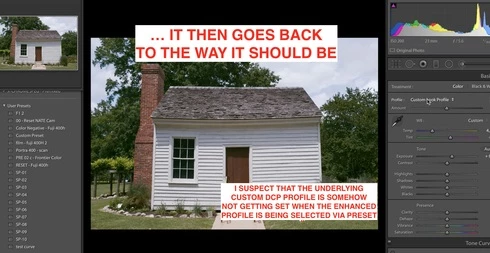
Again, here are demo files and video showing it happening: https://www.dropbox.com/sh/xbftfuwwbd0pjq7/AAA9LxB81dZf_Tp5gs3fzUpia?dl=0
I'm observing it currently on LR 7.5 and on LR 8.2 (and customers have observed on it on others as well).
It should certainly be possible to change an enhanced profile correctly via a preset, or via the API, right?
-Nate


 AdChoices