



P: SDK: Library Metadata panel doesn't display GPS fields set by photo:setRawMetadata()
When the SDK method photo:setRawMetadata("gps", coordinates) changes the GPS coordinates of a photo, the Library Metadata panel doesn't show the new coordinates. The same problem occurs with the fields "gpsAltitude" and "gpsImgDirection".
To reproduce on LR 14.3.1 / Mac OS 15.5:
1. Save the attached file "setrawmetadata-gps-bug.txt", rename it to have the .lua extension, and move it into the LR Scripts folder. Restart LR.
2. In Library, select a photo.
3. In the Metadata > Location tagset, set GPS to these coordinates:
37°19'50.6"N 121°53'40.1"WObserve that the address suggestion matches the coordinates:
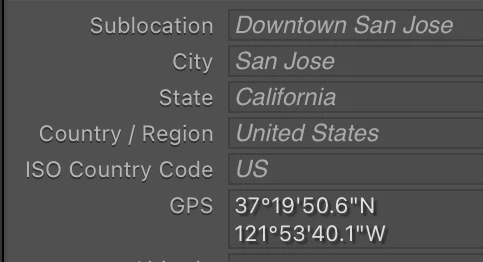
5. Do Scripts > setrawmetadata-gps-bug, which sets GPS to these coordinates:
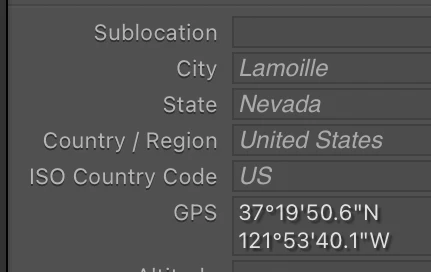
40°43'42.3696" N 115°28'58.9836" WObserve that the address suggestion has changed to match those new coordinates, but the GPS field still shows the coordinates from step 3 (incorrect):
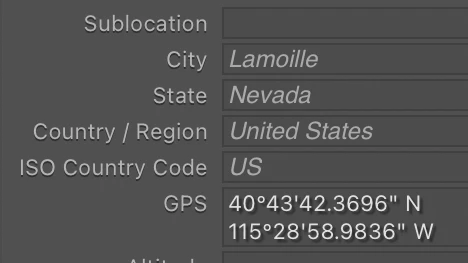
6. Restart LR, and observe that the changed GPS coordinates are now displayed correctly:
The same problem occurs with the fields "gpsAltitude" and "gpsImgDirection". Modifying the test script is left as an exercise for the reader.
 AdChoices