



johnrellis
Genius
December 19, 2023

P: SDK: Plugins can't set the selection of simple_list() controls on Mac

  • December 19, 2023
  • 5 replies
  • 1636 views

[Updated 2024-01-03 to include the problem with transform().]


In Mac LR 13.1, plugins cannot set or change the selected items in a simple_list() control; when they try, the operation() and transform() callbacks of the binding also stop working.


This worked up through LR 13.0.1, and it continues to work in Windows LR 13.1. The bug impacts several of my plugins, including the popular Any Filter.


To reproduce:


1. Download and install this plugin:

https://www.dropbox.com/scl/fi/ti1rgaf4v43arshtncuus/simple_list-bug.lrdevplugin.2024.01.03.zip?rlkey=au86pe5yb7ynaoiqfmjlkqr51&dl=0


2. Do File > Plug-in Extras > simple_list-bug.


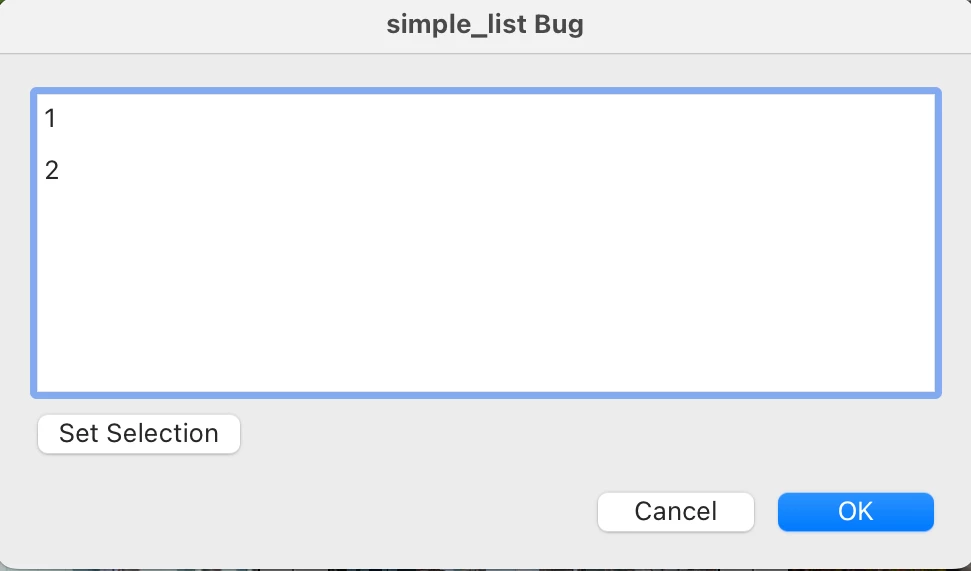
3. Observe that no item in the simple_list() control is selected (incorrect, "2" should be selected):
 

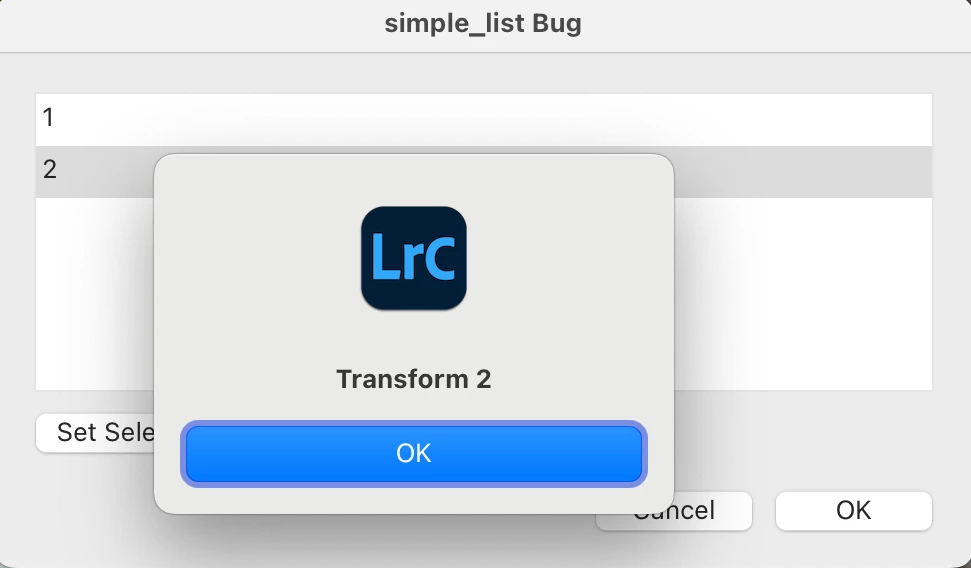
4. Click item "2" and observe that the operation() and transform() callbacks of the binding are invoked:
 

5. Click the Set Selection button, which tries to set the selection of the simple_list() to "1", and observe that the selection remains unchanged.


6. Click items "1" and "2" -- observe that the operation() and transform() callbacks are no longer invoked.


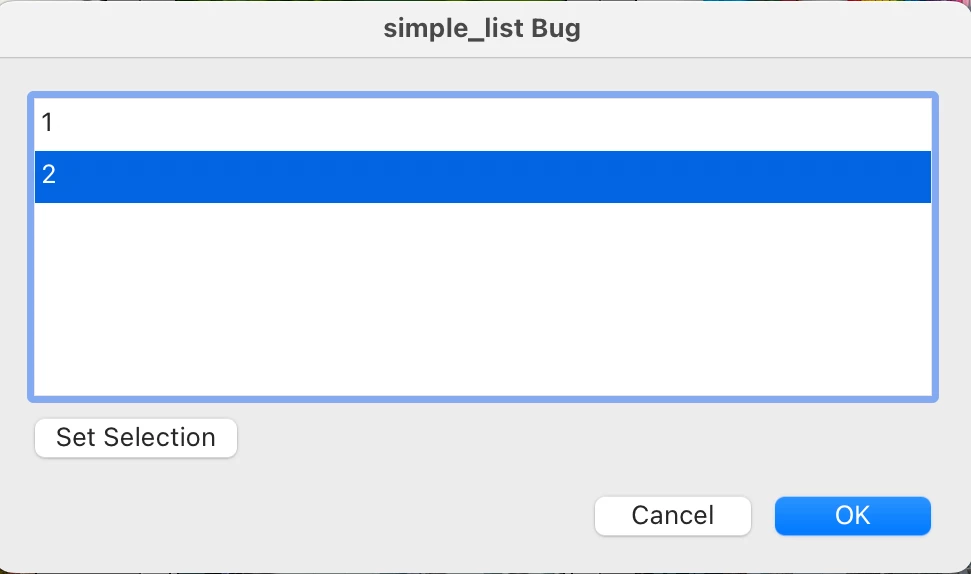
7. Run the plugin in LR 13.0.1 and observe that item "2" is selected (the correct result):
 

8. Click the Set Selection button and observe that the selection  correctly changes to "1".


9. Click items "1" and "2" and observe that the operation() and transform() callbacks are correctly invoked.


This topic has been closed for replies.

5 replies

johnrellis
Genius
February 25, 2024

I verified this is fixed, both with the test plugin above and my production plugins.

Rikk Flohr_Photography
Community Manager
Community Manager
February 21, 2024

Greetings all,


Updates for the Adobe Photography Products have been released.  The February 2024 updates contain an update for this issue. 

If you do not see the update in your Creative Cloud Application, you can refresh it by hitting [Ctrl/Cmd]+[Alt/Opt]+[ R ].

Note: It may take up to 24 hours for your update to be available in your Creative Cloud app.


Thank you for being so patient.

Rikk Flohr: Adobe Photography Org
Rikk Flohr_Photography
Community Manager
Community Manager
January 4, 2024

I will let the team know. 

Rikk Flohr: Adobe Photography Org
johnrellis
Genius
January 4, 2024

@Rikk Flohr: Photography, I significantly revised the description of the problem, including information about additional aspects of simple_list() that don't work in LR 13.1.

Rikk Flohr_Photography
Community Manager
Community Manager
December 19, 2023

Thanks, John. I've logged it. 

Rikk Flohr: Adobe Photography Org