
Inspiring
October 24, 2012

P: Secondary Display Blurry

  • October 24, 2012
  • 19 replies
  • 766 views

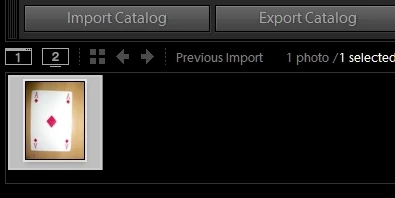
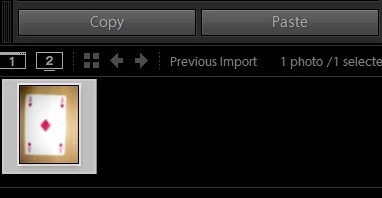
There seems to be an issue with blurry thumbnails/2nd monitor loupe display in develop module after upgrading to LR4.2 from LR4.1

Library Thumbnail

Develop Thumbnail

More Discussion in topic on Lightroom Discussions Area :
http://forums.adobe.com/thread/107598...


Note: This topic was created from a reply on the LR 4.2 displaying blurry grid images when in "import" topic.

This topic has been closed for replies.

19 replies

Inspiring
November 22, 2012


Yes, still the same in LR4.3RC as previously noted - shown in thumbnail above.
Inspiring
November 22, 2012
Installed, confirmed no change in this behavior. Real bummer.
Inspiring
November 22, 2012
I'll give that a go, although someone already has on the lightroom discussion thread on this - no difference.
Adobe Employee
November 21, 2012
Would you be willing to install the public RC of Lightroom 4.3 and see if the problem still occurs? Lightroom 4.3 Public RC can be downloaded from labs.adobe.com.
Inspiring
November 15, 2012
In my case, the navigator is also always open - just tried opened/closed makes no difference. Seems to affect some images more than others, possibly to do with different dimensions and scaling when zoomed?
Inspiring
November 15, 2012
In my case, the navigator is also always open - just tried opened/closed makes no difference. Seems to affect some images more than others, possibly to do with different dimensions and scaling when zoomed?
Adobe Employee
October 29, 2012
On the primary monitor, where you are in Develop, do you have the Navigator panel showing? If the Navigator is collapsed or hidden, try showing it and expanding the panel. I was able to reproduce the fuzzy behavior mentioned here, but only when the Navigator wasn't showing. I'm curious if this is the same issue you are seeing or not.

Thanks,
Becky
Inspiring
October 24, 2012
I would like to point out that there appears to be a blurry-causing bug on 4.2 that may be related to this, which is currently filed over here.

For me, the issue occurs on portrait-oriented photos, on the filmstrip AND secondary monitor, ONLY in develop mode. 100% reproducible. For the filmstrip, it only occurs when the item is active. If you then move to another portrait image, both thumbnails remain blurry. If you move to a landscape, the portrait thumbnails return to being sharp. Simultaneously, as the portrait image is rendered on the secondary display, it begins sharp and then turns blurry, with its thumbnail turning blurry at the same time.

The below image shows the phenomenon occurring on the filmstrip. Windows 7x64, ATI Radeon 5870 GPU, 16GB RAM, Intel Core i7 2600K, 256GB SSD, LR 4.2.


Note: This topic was created from a reply on the LR 4.2 displaying blurry grid images when in "import" topic.

Participant
October 24, 2012
To reproduce, attach a second monitor and enable the Loupe (Normal) view on the Seconday Display. Then, enter Develop mode for a raw-format photograph. After adjusting the Shadows slider, observe that the loupe is blurry/pixelated until a manual zoom operation is performed on the loupe.

Those same steps yield the expected result in LR 4.1 (no blurry badness), but not in LR 4.2.

I'm on OS X 10.6.x, however this has been reported by users in many different OS configurations.

Examples and test cases available from Adobe community:
http://forums.adobe.com/thread/1075988
http://forums.adobe.com/thread/1076115
http://forums.adobe.com/thread/1077341
(and many more)


Note: This topic was created from a reply on the LR 4.2 displaying blurry grid images when in "import" topic.