
Known Participant
April 28, 2026

P: Send Book to Blurb fails in upload part (WinARM)

  • April 28, 2026
  • 5 replies
  • 107 views

In the Send Book to Blurb function first the pages are rendered. Thereafter the upload takes place, during that second part the upload is very often stopped with this pop-up:
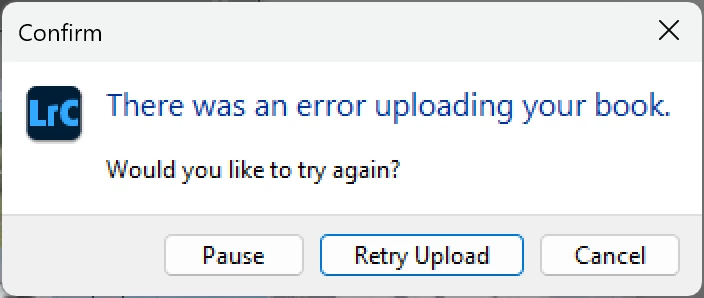
Error appearing many times

The pop-up shows very often, like dozens of time (100+ page book, 300+ images). The interval between messages does not seem to be fixed.

This is the behavior of machine network while sending (between the errors):
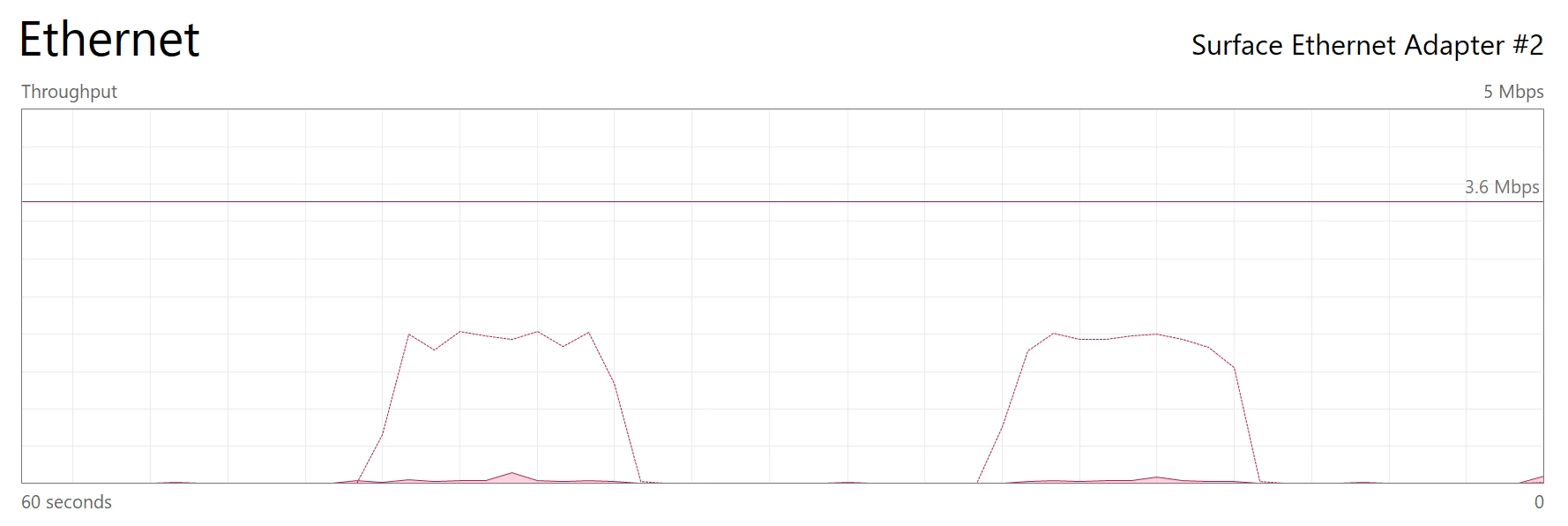
Data sent while continuing

Unknown if this is normal…

The progress bar does continue to go forward, so progress seems to happen between the errors. However, as too many errors are given no full book is uploaded currently.

The screenshot is using a cable connection (from machine to router), using WIFI gives the same.

This is behavior is observed in the LrC 15.3 and 15.2.1 and previously in early 2025 (LrC version unknown).

Machine is Microsoft Surface, current version of Windows, ARM64; further info in attached file.

    5 replies

    Adobe Employee
    May 13, 2026

    We can’t reproduce the issue on Win ARM machines.
    Do you still face the issue?

    Thanks,
    Sunil

    Known Participant
    May 13, 2026

    Absolutely, it always happens.

    It is a bit strange to see two messages:

    • by Rikk "The team has been able to reproduce the issue...”
    • ​​​​​​​yours "can’t reproduce the issue”

    I have this issue since I own a Win ARM machine for over a year. Although only twice completed a book, over a year ago I was able to complete by pressing numerous time Retry Upload (luckily not starting over every time), recently I never reached that point.

    Rikk Flohr_Photography
    Community Manager
    May 11, 2026

    The team has been able to reproduce the issue, and a bug has been logged for this. Thank you for your report. 

    Rikk Flohr: Adobe Photography Org
    Known Participant
    May 8, 2026

    Previously this was entered as a question: Send Book to Blurb fails in upload part (WinARM). (Can that content be moved here? And/or take that information as description of the issue.)
    After help there and raising ticket at Blurb I now raise an bug.

    Since owning a WinARM machine the upload to Blurb regularly stops the upload. It can be restarted by pressing ‘Retry Upload’. A previous book was eventually printed through this ‘process’. For my current book I was not yet successful (progress bar went back from ~80 to 50, so start again with upload, there I gave up).

    As in referenced question all ‘usual’ issues have been ruled out, so I now raise a bug.

    Rob_Cullen
    Community Expert
    Community Expert
    April 30, 2026

    As it is the upload that is failing and the PDF is OK, Blurb suggests you contact support at Blurb-

    (Perhaps you have already done that?)

    https://support.blurb.com/hc/en-us/articles/207792266-Lightroom-upload-problems

    I do remember starting my uploads and going to bed, as they took several hours to complete. (I no longer use Blurb as the postal rates in Australia are almost as much as the book price au$70-80.! )

    Re: “ you need to change the book type to PDF”- Blurb states this in the link above but I find the button lower-left works without having to change the Layout.  I don’t really know what the difference is, other than a PDF Layout gives options for image quality & sharpening, etc.

    I hope the problem is resolved for you.


    Regards. My System: Windows-11, Lightroom-Classic 15.3, Photoshop 27.5, ACR 18.3, Lightroom 9.3, Lr-iOS 10.4.0, Bridge 16.0.3 .
    Known Participant
    May 7, 2026

    I have reported the issue to Blurb. It was concluded with the remark that the upload software to Blurb within LrC is made by Adobe, so for Adobe to resolve.

    Blurb gave me a work around: publish locally to PDF (with JPEG quality over 90%) and use the PDF print option. Not tried yet.  Still, only a work around not a solution...

    Rob_Cullen
    Community Expert
    Community Expert
    May 7, 2026

    How annoying, the old “pass the buck” - the other’s problem. https://support.blurb.com/hc/en-us/articles/207792266-Lightroom-upload-problems

    I don’t remember any upgrades to the Book Module for about six years and similar problems to yours were happening nine years ago (as in this forum link)- https://tinyurl.com/3raac2c9

    It seems you are going to need to use the workaround (PDF) or you might consider using the online BookWright app if you want to stick with Blurb. Personally I have looked at other book publishers. Regards.

    Regards. My System: Windows-11, Lightroom-Classic 15.3, Photoshop 27.5, ACR 18.3, Lightroom 9.3, Lr-iOS 10.4.0, Bridge 16.0.3 .
    Rob_Cullen
    Community Expert
    Community Expert
    April 28, 2026

    I attach a PDF that has some suggestions for Book errors. Might be an answer in that.


    Regards. My System: Windows-11, Lightroom-Classic 15.3, Photoshop 27.5, ACR 18.3, Lightroom 9.3, Lr-iOS 10.4.0, Bridge 16.0.3 .
    Known Participant
    April 29, 2026

    The remarks in the PDF seem all to be related to the content itself of the book. As in my case the rendering of the pages ends successful, the transfer (upload) fails regularly. Moreover, previously a book was successfully pushed through by pressing ‘Retry Upload’ many times, and thereafter printed by Blurb.

    As further check, I exported as PDF and that does work (note: the description is not correct any more: ‘(Do NOT change the type of Book in the ‘Book Settings’ panel. Use the [Export
    to PDF] button in the lower-left screen corner.)’, you need to change the book type to PDF).
    Probably not relevant, but also export to JPG is possible.

    So, alas this does not seem to relevant to my issue.