
Inspiring
March 13, 2014

P: Spot removal on 32bit image results in a noisy area

  • March 13, 2014
  • 9 replies
  • 273 views

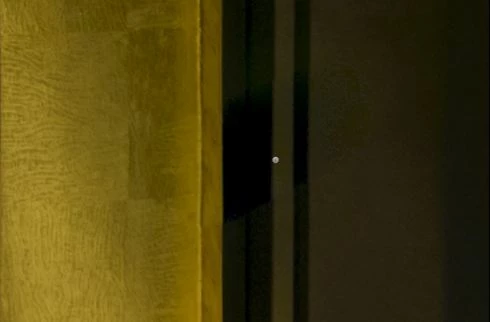
I'm working on TIFF images with 32bits depth in Lightroom 5.3 and I noticed that spot removal is not working properly on this kind of image.

On 32bits image, the area where I applied the tool became noisy:

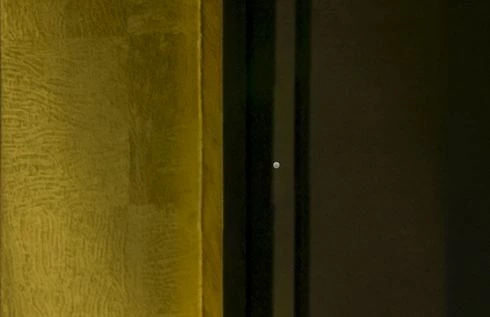
On the same image converted to 16bit the area seems smooth:

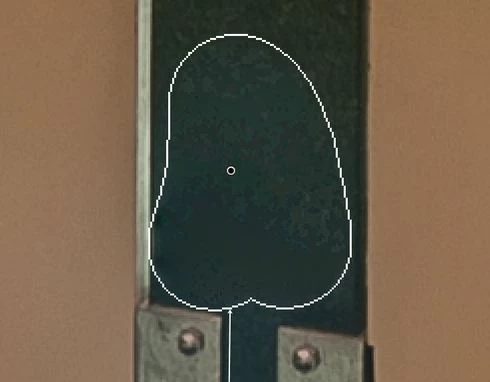
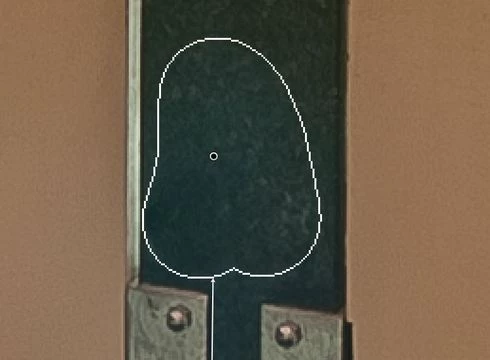
Another example:

32bit image:

16bit image:
This topic has been closed for replies.

9 replies

Inspiring
June 19, 2014
Thanks! I have already downloaded, it is working perfectly!
Community Manager
June 19, 2014
This is fixed in Lightroom 5.5, which is now available.

Thanks,
Ben
Legend
March 25, 2014
Thanks. I have the file.
Inspiring
March 24, 2014
I put the file here:
https://drive.google.com/file/d/0B8Tp...
Let me know when you have done the download.

To reproduce the issue, try to remover the lens flare on the bottom right of image. (This is my first example shown above)
Legend
March 24, 2014
Dropbox or any other file sharing method works.
Inspiring
March 24, 2014
How can I send the file to you? The file has 32MB compressed.

I'm using Photomatix Merge to 32-bit HDR plug-in to generate my HDR files. Usually I use the following settings:

Adobe Employee
March 24, 2014
Can you let me know how you generated this .tiff file, please? Thanks!
Adobe Employee
March 24, 2014
Hi Rodrigo, we are looking into this. Would you please provide us your test image with the side car file (xmp file) so we can be sure to test your exact settings in image?
Inspiring
March 23, 2014
Hey Adobe, I'm sure that it is a software bug... 10 days and no response... This issue is very annoying...