



ShootingPixelsAndy
Inspiring
June 19, 2026

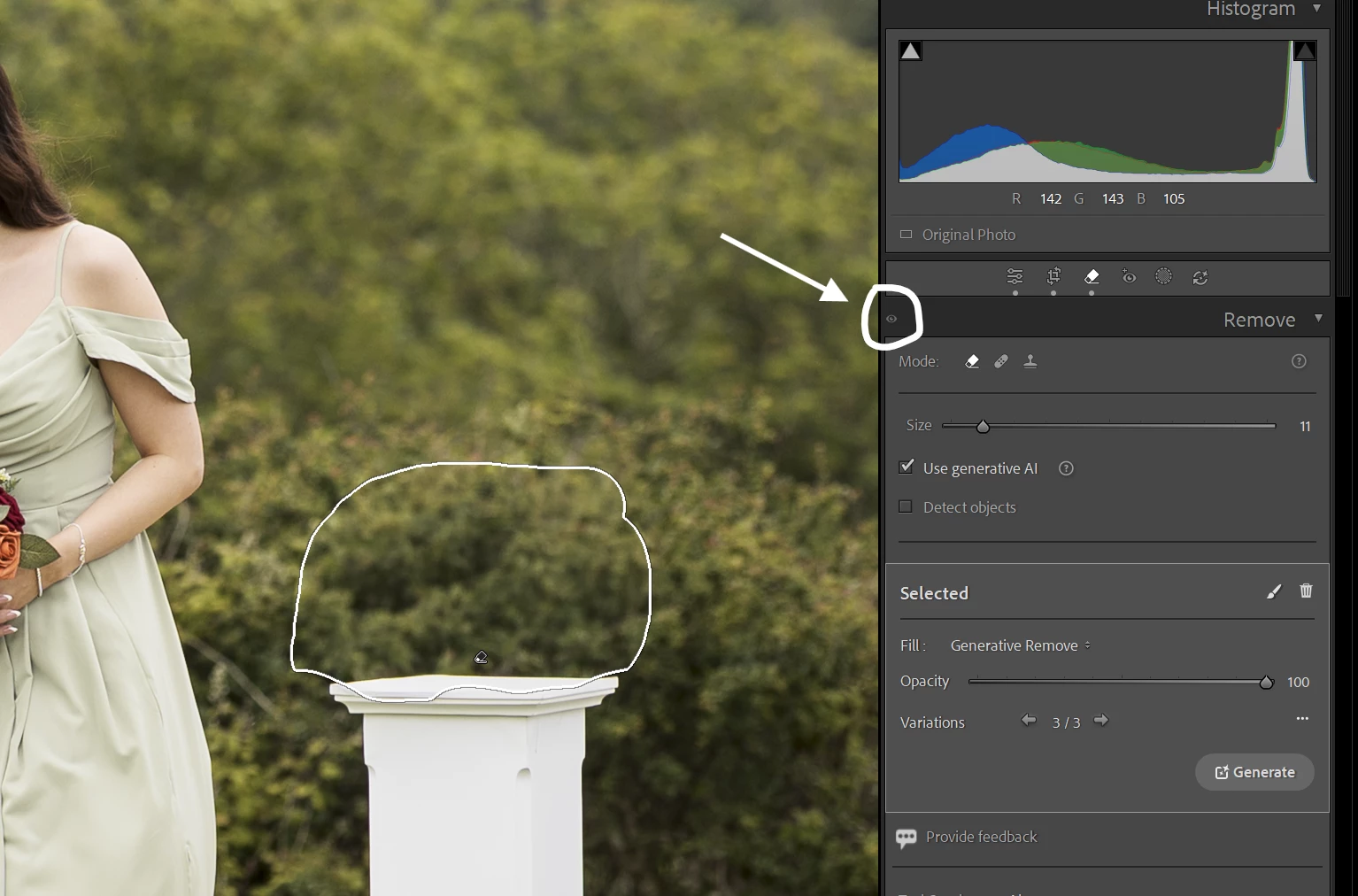
P: The eye icon is always greyed out for the Remove

  • June 19, 2026
  • 5 replies
  • 226 views

Description of Issue: The eye icon on the Remove panel stays greyed out.

Lightroom Classic Version Number: 15.4 (June 2026)

OS Version Number: Windows 11 25H2 (up to date)

Camera Model: Canon R6 mk2

Step-by-step Reproduction Instructions: In the develop module use the remove/heal/clone on some part of the image.

The Expected Result: The eye icon should become active so you can hide the edits.

The Actual Result: The eye icon stays greyed out.

Image below shows the result:


    5 replies

    Rikk Flohr_Photography
    Community Manager
    August 4, 2026

    Greetings all,  
     
    A new update for the Adobe Photography products has been released.  The August release (x.5) contains an update regarding this issue.  

If you do not see the update in your Creative Cloud Application, you can refresh it by pressing  [Ctrl/Cmd]+[Alt/Opt]+[ R ]. 

Note: It may take up to 24 hours for your update to be available in your Creative Cloud app.
     
    Thank you for being so patient.  

    Rikk Flohr: Adobe Photography Org
    Known Participant
    June 19, 2026

    I am almost certain I had this bug on 15.3 as well, it just happened once randomly and I can’t remember if I restarted LR to fix it or it resolved some other way. Hopefully it’s not more frequent on 15.4, but sounds like it might be since Rikk was able to reproduce it...

    ShootingPixelsAndy
    Inspiring
    June 19, 2026

    It only happens the first time the Remove tool is used on an image. If you change image and then go back the icon becomes active. 

    Rikk Flohr_Photography
    Community Manager
    June 19, 2026

    I can reproduce this and have logged it with the LrC team. Thank you for your report!

    Rikk Flohr: Adobe Photography Org
    ShootingPixelsAndy
    Inspiring
    June 19, 2026

    Re-launching LrC fixed it, but will keep an eye on it to see if it happens again and a possible cause.

    So, it seems the icon only becomes active once you switch image, until then it stays disabled.