



johnrellis
Legend
June 30, 2024

P: Update AI Settings hangs indefinitely when invoked on a photo w a Sky mask and Generative Remove

  • June 30, 2024
  • 2 replies
  • 1415 views

The Update AI Settings command hangs indefinitely when it is applied to a photo with a Sky mask to which Generative Remove has been copied/synced, and LR must be force quitted.


To reproduce on LR 13.


1. Download this tiny catalog, unzip it, and open it in LR:

https://www.dropbox.com/scl/fi/x5xa41n0lv7dwc9z6f9rh/update-ai-settings-bug.2024.06.30.zip?rlkey=h0jzd2kxe7q4ni45ydo3ar34e&dl=0 


Observe that 1.jpg has a Generative Remove applied to it, and 2.jpg has a Sky mask.


2. In Library, select both photos, with 1.jpg most selected.


3. Do Sync Settings with just Remove selected.


4. Select 2.jpg and do Photo > Develop Settings > Update AI Settings.  Observe the Updating AI Settings progress window opens but hangs indefinitely:
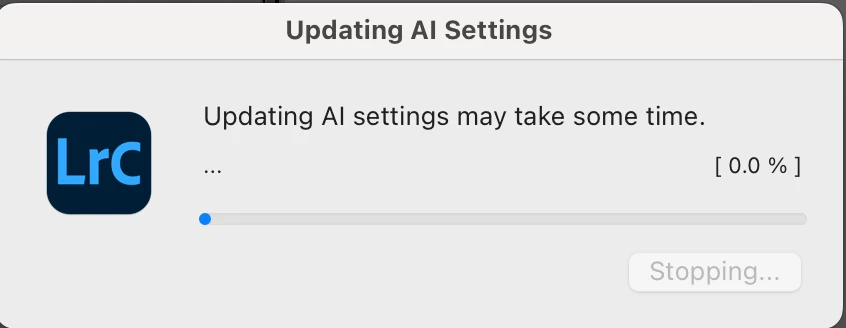
 

Clicking Stop has no effect, and you have to Force Quit LR.


5. The same symptoms occur if you invoke the SDK's photo:updateAISettings() on the photo.


This topic has been closed for replies.

2 replies

johnrellis
Legend
August 14, 2024

I confirmed that bug recipe now works correctly in my LR 13.5.

Rikk Flohr_Photography
Community Manager
Community Manager
August 14, 2024

Greetings all, 


Updates for the Adobe Photography Products are released.  The August 2024 updates contain an update for this issue. 

If you do not see the update in your Creative Cloud Application, you can refresh it by hitting [Ctrl/Cmd]+[Alt/Opt]+[ R ].

Note: It may take up to 24 hours for your update to be available in your Creative Cloud app.


Thank you for being so patient.

Rikk Flohr: Adobe Photography Org