

Karsten.G
Known Participant
June 14, 2022

P: Watermarks rendering darker than preview

  • June 14, 2022
  • 53 replies
  • 18758 views

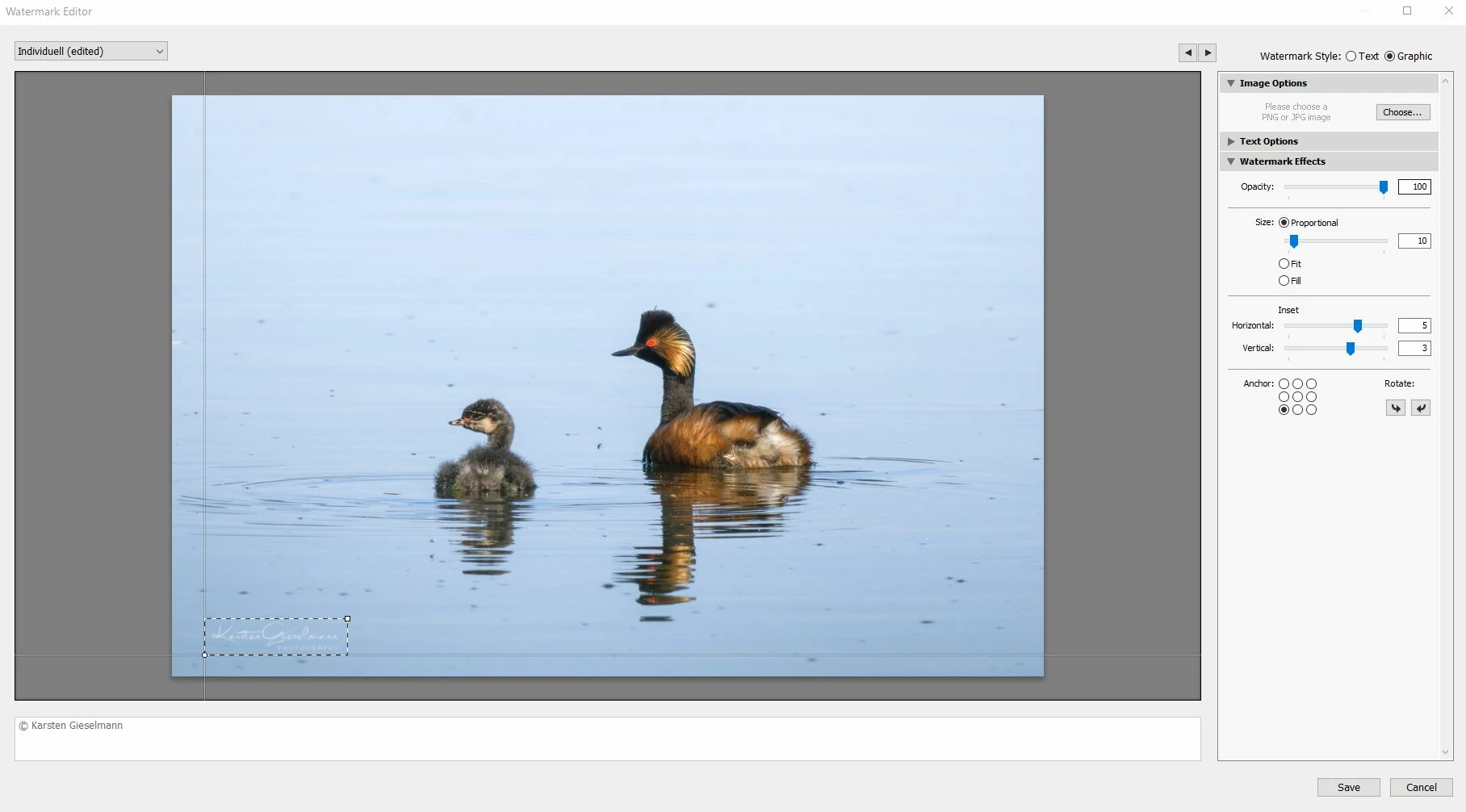
The new release seems to have an issue with watermarks.


What looks still okay in the watermark editor (as it did in previous versions) gets messed up during export, with light color watermark turning to grey.


See attachments.

53 replies

Participating Frequently
August 18, 2022

I've updated to 11.5 with the watermark fix but honestly, my white watermark is still not as good as before the previous major update. I'll same there is some improvement, but not the quality I had before. Somewhat disappointed.

nice_child6C12
Known Participant
August 18, 2022

Adobe took its time to make this correction, but the solution came at last... // Adobe se tomo su tiempo 🥱 para realizar esta corrección, pero la solción llego al fin...


Karsten.G
Karsten.GAuthor
Known Participant
August 18, 2022

At least for me and my (rather simple and uniform) application of semi-transparent watermarks, things seems to be back to normal with the new release. Glad, this one has been fixed, even if Adobe has been truly testing our patience. Thank you!

nice_child6C12
Known Participant
August 18, 2022

Waiting for the update to arrive (because I haven't received anything yet), it has taken a long time to solve such a basic thing, but extremely important for those of us who work and trust this software. // Esperando que llegue la actualizacion (pues aun no he recibido nada), ha llevado mucho tiempo solucionar una cosa tan basica, pero sumamente importante para quienes trabajamos y confiamos en este software. 😔

Participating Frequently
August 17, 2022

Thank you. I was having this exact issue with my white watermarks.

Rikk Flohr_Photography
Community Manager
Community Manager
August 17, 2022

Greetings, 


Updates for Adobe Photography products began rolling out Tuesday night, August 16th,  The updates contain a fix for this issue. 

If you do not see the update in your Creative Cloud Application, you can refresh it by hitting [Ctrl/Cmd]+[Alt/Opt]+[ R ].

Note: It may take up to 24 hours for your update to be available in your Creative Cloud app.


Thank you for your patience. 

Rikk Flohr: Adobe Photography Org
Participant
August 10, 2022
Crazy that Adobe's taking so long to fix issues - it's been 8 weeks since
they confirmed the watermark bug.

I was able to work it by rolling LR Classic back to version 11.3.1. From
Adobe Creative Cloud control panel, select Lightroom Classic, then the
ellipsis (3 dots) to the right of the blue Open button, then Other
Versions. I first tried rolling back to 11.4, but that also had the
watermark bug.

Good luck!
Participant
August 10, 2022

There are two major bugs as of version 11.4.1.

1. Slideshow module is not working. I've spent days trying to fix it, reading all there is on the web to no avail. Last time slideshow worked correctly was with version 9 if memory serves me well. I work with slideshows intensively for my clients and now have to use a 3rd party software. This is unacceptable.

2. Watermarks on exported files are terrible, this has always worked well with previous versions.

Anyone knows if/when Adobe is planning to fix these issues with a new release?

Participating Frequently
August 3, 2022
Same problem, no solutions! Adobe must fix it!--
Inviato da Gmail Mobile su iPhone
Participant
August 3, 2022

After updating to latest Lighroom Classic version the function to export jpg images with watermark logo is nog longer looking good. My personal white logo that i use looks like it have a dark outline around it. Anybody else have this issue and know how to solve it?


Thanks from Axel Hagstrom, Sweden