

Karsten.G
Known Participant
June 14, 2022

P: Watermarks rendering darker than preview

  • June 14, 2022
  • 53 replies
  • 18758 views

The new release seems to have an issue with watermarks.


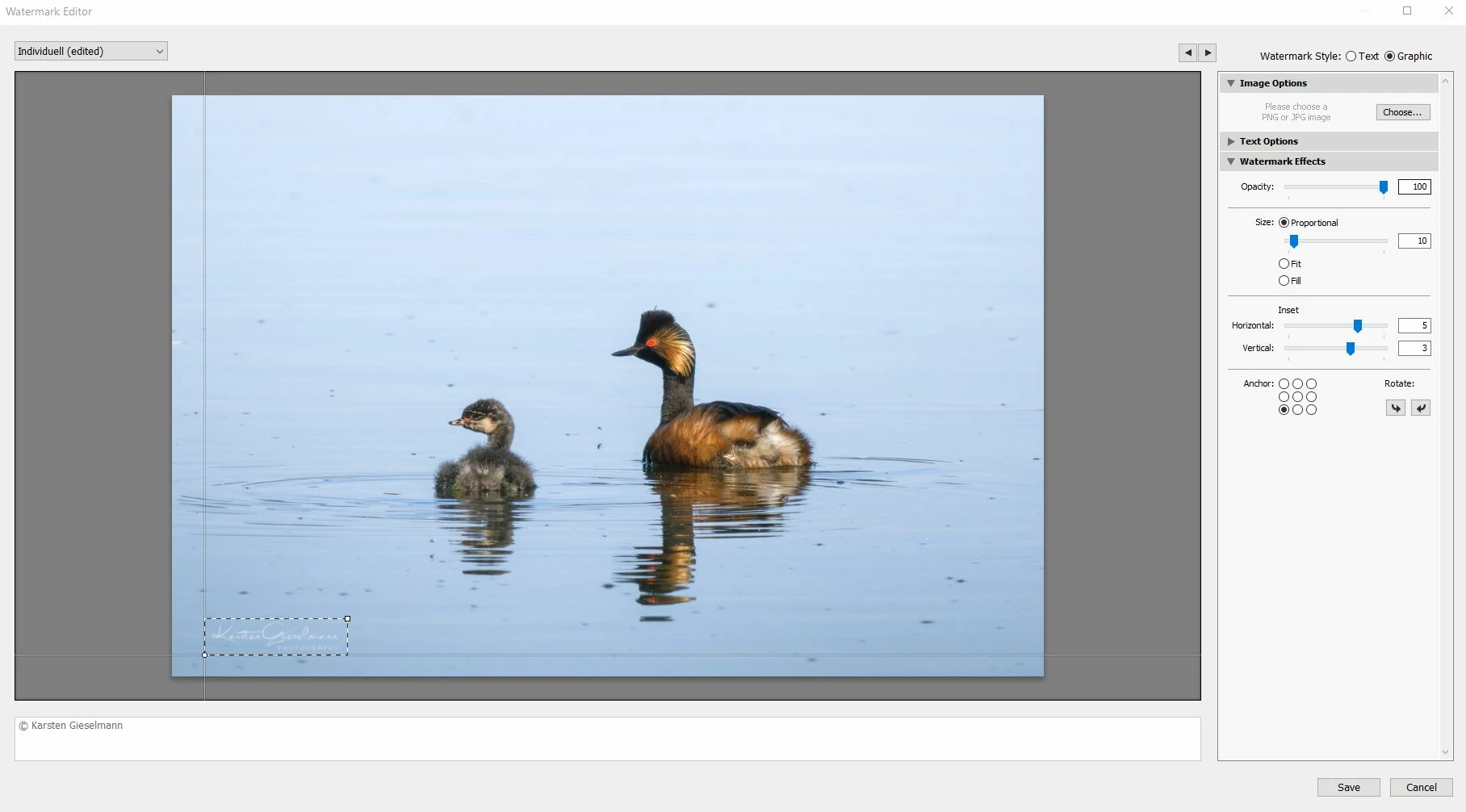
What looks still okay in the watermark editor (as it did in previous versions) gets messed up during export, with light color watermark turning to grey.


See attachments.

53 replies

pragyanbezbo
Participating Frequently
July 2, 2022

In the said LR Classic version, when I am attaching a white watermark from one of our clients, it is rendering darker logo than it should be. This wasn't the case before. I have been watermarking this logo for the last 1.5 years and this is the first time this is happening. 

I am not attaching any screenshots as I am not sure if I should, considering the legal stuff. But the logo is white but now after exporting, it is pretty grey. It even looks like it has a slightly darker stroke. 

ellag5237604
Participant
July 1, 2022

Hello there,


I have an issue with the lightroom watermark. One day it just magically stopped exporting it correctly. 

I made a png of my Logo and dropped into the water mark. Opacity to 100%! It looked beautiful on all images! Then about two weeks ago the SAME watermark(I changed nothing!) started partially showing up black, looking burned out (image attached, you cant even read the tagline: photo & design) I have no idea what happened, because I didnt change anything!


Since then I have tried reuploading it multiple times, reexporting the logo, deleted the old watermark, made new ones, updated lightroom, reconnected it. NOTHIGN has helped. This looks terrible! 😞 Anyone know an answer to this???

Participant
July 4, 2022

Yes same issue here since the Lightroom 11.4 update. On MacOS Monterey 12.4


It appears that a thin inner black border is being added to transparent PNG's. This is what it's doing to mine. I cannot export client galleries like this!


ellag5237604
Participant
July 4, 2022

yes, thats exactly what its doing to mine!

Participant
June 30, 2022

Well yes. This may seem like a little bug, but unfortunately, I cannot work as long as this is not solved. 

Participant
June 30, 2022

In order to add something to this conversation, it looks like it also happens when the watermark is darker (and indeed doesn't have full opacity):


1st watermark:

As it should look like (in PS)


Current export (LR)

2nd watermark:

As it should look like (in PS)


Current export (LR)

Hope it'll be solved soon.


Participant
June 28, 2022

Dear Adobe LR community,


Since the 15th of June my Lightroom Classic behaves differently.

I use a large white logo, with transparency.

Since the 15th of June LR adds an extra black edge to the white logo. This was not the case until the 14th of June.

The input PNG file is the same.


What has changed?

An upgrade has happened to LR to 11.4


Any idea? Thanks for advising!

Participant
June 28, 2022

I have tried with multiple white-transparent png-s and every watermark has the same black border.

nice_child6C12
Known Participant
June 27, 2022

After the latest Lightroom update when exporting our photos, the 100% white watermarks appear with a black border that is automatically placed. We have searched if Adobe has added any new option but we have not found any information about it. This problem does not allow us to work properly. This had never happened before. We deleted and recreated the export setting, used a new watermark, but the problem persists. We need help, we have a lot of work to deliver and we can't do it. // Después de la última actualización de Lightroom al exportar nuestras fotos, las marcas de agua 100% blancas aparecen con un filete negro que se coloca automáticamente. Hemos buscado si Adobe ha añadido alguna nueva opción pero no hemos encontrado informacion al respecto. Este problema no nos permite trabajar adecuadamente. Nunca había sucedido esto antes. Eliminamos y volvímos a crear el ajuste de exportacion, usamos una nueva marca de agua, pero el problema persiste. Necesitamos ayuda, tenemos mucho trabajo para entregar y no podemos hacerlo.

SO: Windows 10 PRO 64 bit
Software: Adobe Lightroom 11.4


selondon
Community Expert
Community Expert
June 28, 2022

{Moved from Lightroom Cloud to Lightroom Classic Forum by Moderator}

terhip78972739
Participant
June 26, 2022

Please fix this as soon as possible, it's really annoying bug!

Participating Frequently
June 26, 2022

I have the same problem. My white watermark (Logo) is now on the grey side and unreadable.I use macOs 10.15 and before the June 14th update, everything worked fine.

I wrote

a previous post and the title was in capital letters. I apologize. I just did not pay attention.

imprintmedialab
Participant
June 26, 2022

@Kevin24871349yxws Thank you! Yes, that comment was from when my post had been moved to another thread -- the wrong one -- and I haven't figure out how to delete it now that it's in the right place!

Participating Frequently
June 26, 2022

default0ok4iu4qy44q - No, this issue has not been resolved yet.


thesimplecreativeco - You're in the right place...that's exactly the problem we are all having. 😞