

yamato713108855
Community Expert
Community Expert
May 1, 2024

P: White lines may appear with Tokina 100mm F2.8

  • May 1, 2024
  • 11 replies
  • 1385 views

Photographed in RAW (CR3) format with Tokina AT-X PRO D 100mm F2.8 Macro and Canon EOS R6 MarkII.

Select Edit in Photoshop from Lightroom Classic (13.2).
White lines may appear on images imported into Photoshop.
There are images where white lines are displayed and images where they are not.


When I pressed "Edit in Photoshop" on the same image in Lightroom (7.2), the white line did not appear.
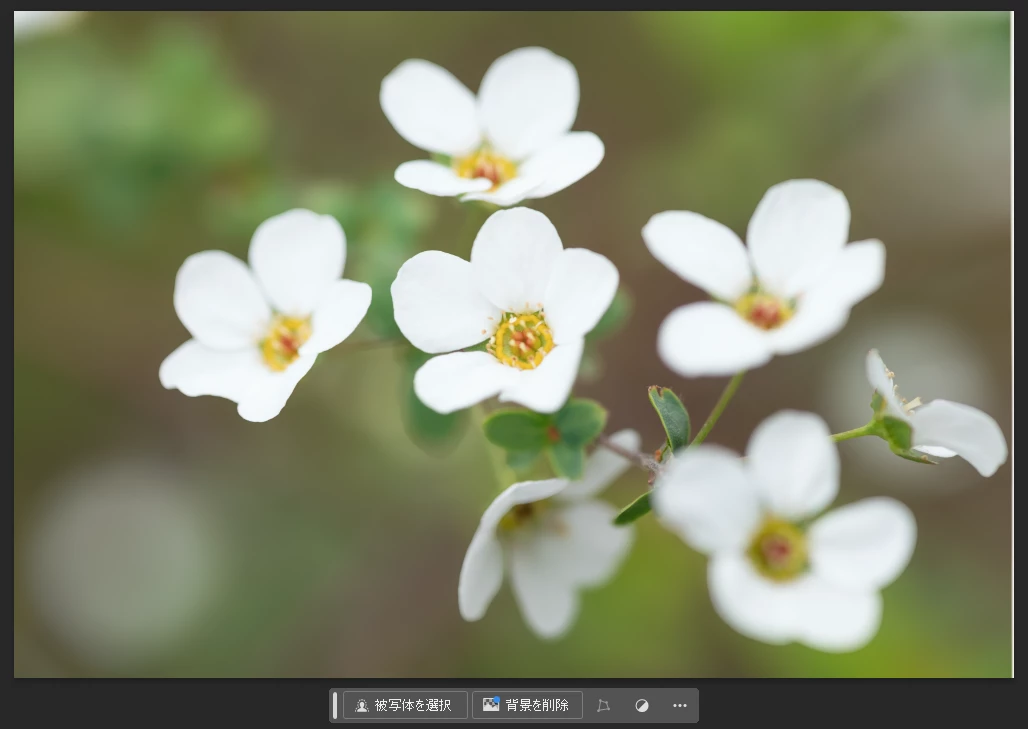
Lightroom Classic(13.2)、Photoshop(25.7)、CameraRAW(16.2.1)

Japanese version(Win11)

This topic has been closed for replies.

11 replies

johnrellis
Legend
May 1, 2024

Upload a sample raw with the problem to Dropbox, Google Drive, or similar and post the sharing link here. We can see if the issue occurs on other LR installations or is specific to yours, which will guide further troubleshooting.

yamato713108855
Community Expert
Community Expert
May 2, 2024
johnrellis
Legend
May 2, 2024

On your sample photos, I see the white edges along the borders when I open the files directly in Photoshop 25.7.0 / Windows 11 (not using Lightroom Classic at all). When the files first open in Camera Raw, I don't see the white edges, but then when I open into Photoshop proper, they appear.


This doesn't occur on my Photoshop 25.7.0 / Mac OS 14.4.1.


@Rikk Flohr: Photography, please consider moving to Camera Raw bugs.