
Participant
June 20, 2021

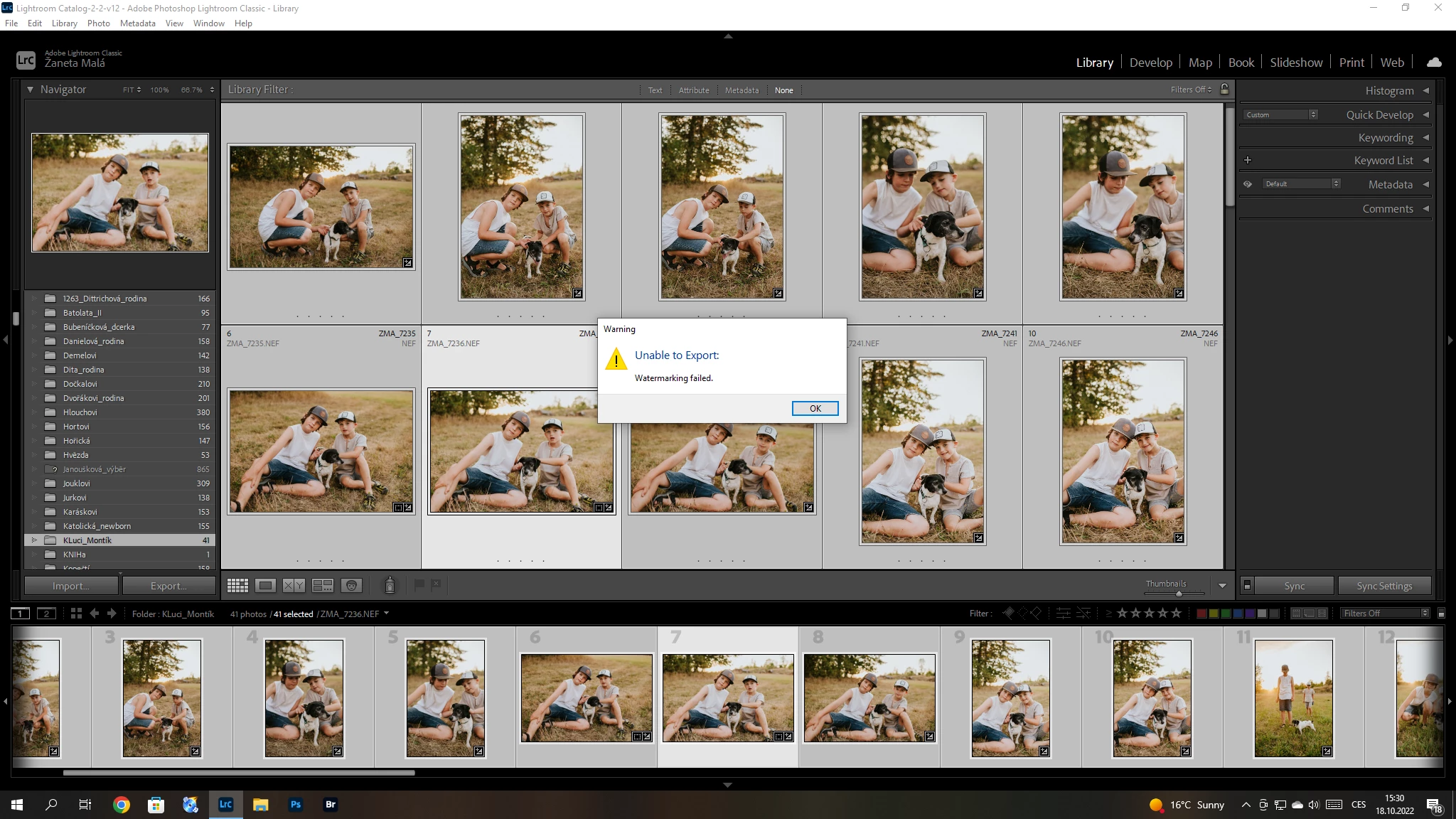
P: (Win/Mac) Lightroom Classic 12.0 Unable to export: Watermarking Failed
  • June 20, 2021
  • 170 replies
  • 38823 views

Hello, I have a problem with export my pictures after update Adobe Lightroom classic catalog. I´m not using watermark. So, I can´t understand this failer error. Can anybody help me please? 


{Title updated by moderator}

170 replies

Participating Frequently
January 4, 2023

Thank you I sorted it.

Fyi I'm still having issues with CC asking to reinstall.

I've had Adobe look at it they uninstalled by remote etc and reinstalled but it's returning with same issue again.

kentdesign
Community Expert
Community Expert
January 4, 2023

Hi, I just exported a bunch of jpgs and PSDs no problem.

SO have you tried the solutions that have worked for others? I am retyping them here:


Ensure there are no stale preferences in Lightroom. Reset Lightroom Classic's preferences by following the steps in this article (I prefer using method 2): https://helpx.adobe.com/lightroom-classic/help/setting-preferences-lightroom.html


If the issue exists, please go to the following location & back up your Watermark presets.

Go to Preferences > Presets and click Show All Other Lightroom Presets.

That will open Finder / File Explorer in the "Lightroom" settings folder.

The "Watermarks" subfolder contains all the presets (.lrtemplate files). 

Move them to your desktop and restart Lightroom Classic.

KR Seals
Community Expert
Community Expert
January 3, 2023

@GaiusLucius  

Please provide the following information if you would like help with your issue.

Ken Seals - Nikon Z 9, Z 8, 14mm-800mm. Computer Win 11 Pro, I7-14700K, 64GB, RTX3070TI. Travel machine: 2021 MacBook Pro M1 MAX 64GB. All Adobe apps.
Participating Frequently
January 3, 2023

I'm still having this problem in 2023 does not work can't export my images to jpeg. Getting very irritated paying for something that doesn't work and then asked to do Adobe's job for them.

Doesn't work so I'm left with a redundant software.

Participant
December 6, 2022

Thank you!

kentdesign
Community Expert
Community Expert
December 6, 2022

The reply was for anyone who needs it.... 

As for saving your preferences, yes you can save them.

Go to Preferences > Presets and click Show All Other Lightroom Presets. That will open Finder / File Explorer and shwo you where the preference folders are.... I am on a Mac and I have always copied the preferences folders and saved them on my back up drives along with the back ups of my LRCatalog. IT is not an automated process. I just copy the folders over to the ext back up drives, and label the folder I put them in so I know what they are. That way, I can replace them if ever I need to!

Participant
December 6, 2022

Thanks. My photo watermarks suddenly started working again the next day, but the video watermarks are still grayed out.

I have LRC 12.0.1, Mac OS Big Sur 11.7.1  (I haven't upgraded any farther because my computer is old and starting to slow down.)

Question: Is there a way to save all my preferences before resetting them all? (And, was this answer meant for both me and mirka...?)

kentdesign
Community Expert
Community Expert
December 5, 2022

HI, Have you tried the suggestions from Sameer K as below? Also please let us know which  version of Lightroom Classic and which operating sustem. Here is what Sameer K wrote: 

"

Ensure there are no stale preferences in Lightroom. Reset Lightroom Classic's preferences by following the steps in this article (I prefer using method 2): https://helpx.adobe.com/lightroom-classic/help/setting-preferences-lightroom.html


If the issue exists, please go to the following location & back up your Watermark presets.

Thanks to @johnrellis - Go to Preferences > Presets and click Show All Other Lightroom Presets. That will open Finder / File Explorer in the "Lightroom" settings folder. The "Watermarks" subfolder contains all the presets (.lrtemplate files).  Move them to your desktop and restart Lightroom Classic."

Participant
December 4, 2022

Hi

I have used a long time watermarks with lightroom. Now i cant, because they wont save to the pictures. When i open the watermark edition page i can see the watermarks right, but when i save the photo, it dissapears. I have deleted all watermarks, edited them, changed options, uppdated the lightroom and everything. Nothing works

Participant
December 3, 2022

Clarification: the watermark option is grayed out, and even when the preset already had a watermark (from when it used to work), it doesn't show up when I export. I have 12.01