


Open for Voting
Transparent areas in Lightroom Classic are filled with a colored stripe pattern when transferred ("Edit in...") to Photoshop
Product: Adobe Lightroom Classic
Version: 16.0
Operating system: Windows 11 26H2
Processor: Intel i7-8700K - 64GB RAM -
RAM: 64 GB
Graphics: NVidia Geforce RTX 3060 - 12GB
Description of the issue
After updating to Lightroom Classic 16 there’s a issue with sending images from Lightroom to Photoshop for further editing. On sending an image with transparent areas (for example after perspektive correction or scaling ) via Edit in Photoshop 2027 the transparent areas are filled with striped patterns.
Steps to reproduce
- Do a perspective correction or a scaling in Lightroom' Transform section without "Contrain Crop" option.
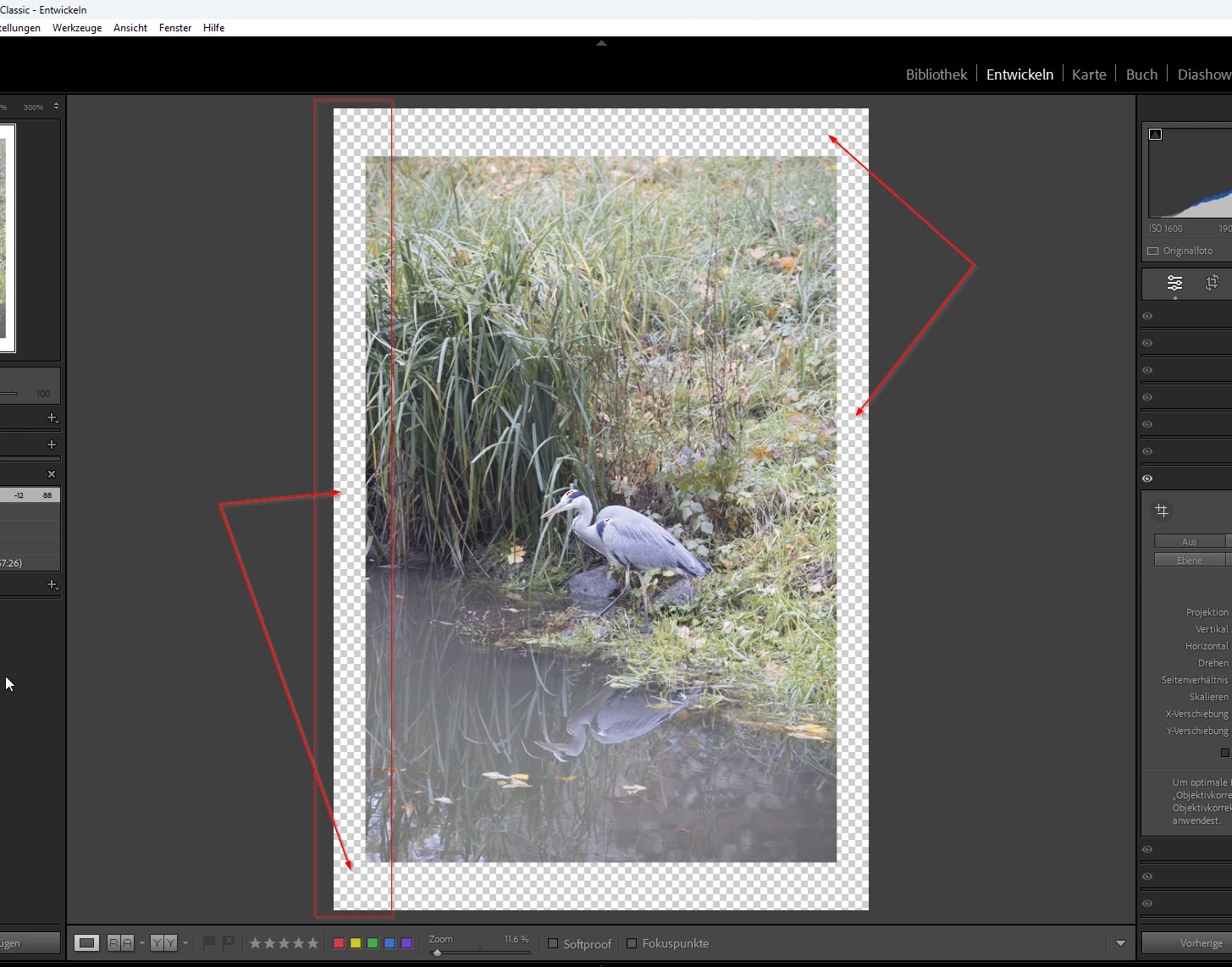
Image with transparent areas in LrC - Send the image via "Edit in Photoshop 2027" to Photoshop.
Expected result
The image should be send with transparent areas in Photoshop.
Actual result
The transparent areas of the image were filled with colored stripe pattern derived from the actual image content.
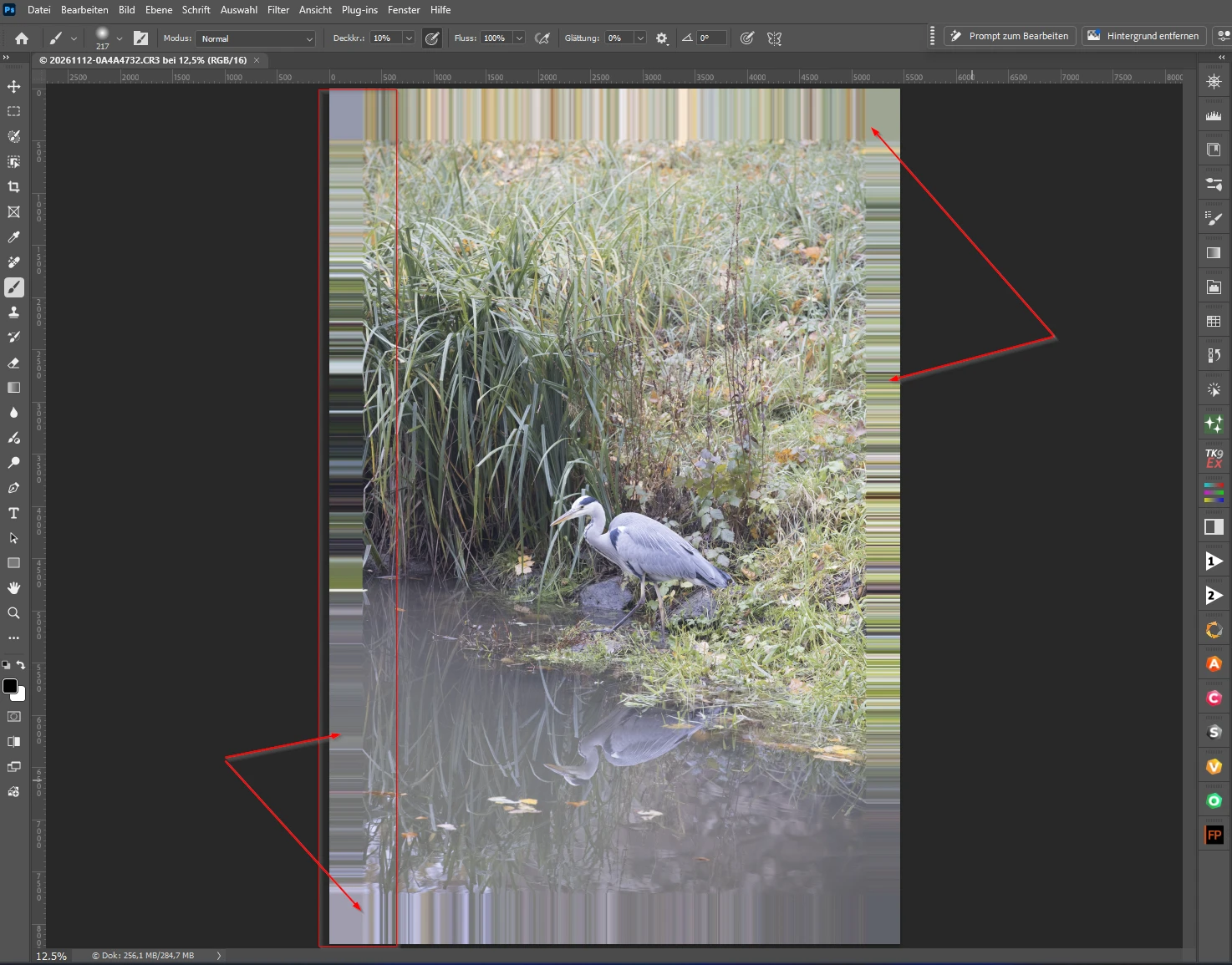
Additional information
- The issue is reproducible with all images
- Disabling GPU acceleration in Lightroom and Photoshop did not resolve the issue.
- Doesn't work with file format .PSD or .TIFF (setting in Lightroom)
- With Lightroom 15.x and Photoshop 27.x it works. Now the issue occurs now already on sending an image to Photoshop 27
 AdChoices