
Unable to import images using copy or copy as DNG from one external volume to the same external volume destination (not same folder) on Raid 1+0 TB2
I have a bug to report on Lightroom Classic 15.6 and 16.0 running on MacOS Sequoia 15.8.2 and 15.8.3.
The issue does not occur in the Import dialogue box with Add or Move, only Copy or Copy as DNG.
I have an OWC Thunderbay 4 OWCTB2SRKIT0GB that is Thunderbolt 2 attached to a 2019 27” 5k iMac using a USB-C to Thunderbolt 2 Apple adapter. The Thunderbay has multiple volumes configured as Raid 1+0 with an underlying drive formatting of Mac OS Extended (Journaled). These volumes have been in-use as my primary Lightroom storage destination for more than a decade without issue. However, I have not previously attempted to import images with the source also being the same volume, as I am doing with a re-import with some images.
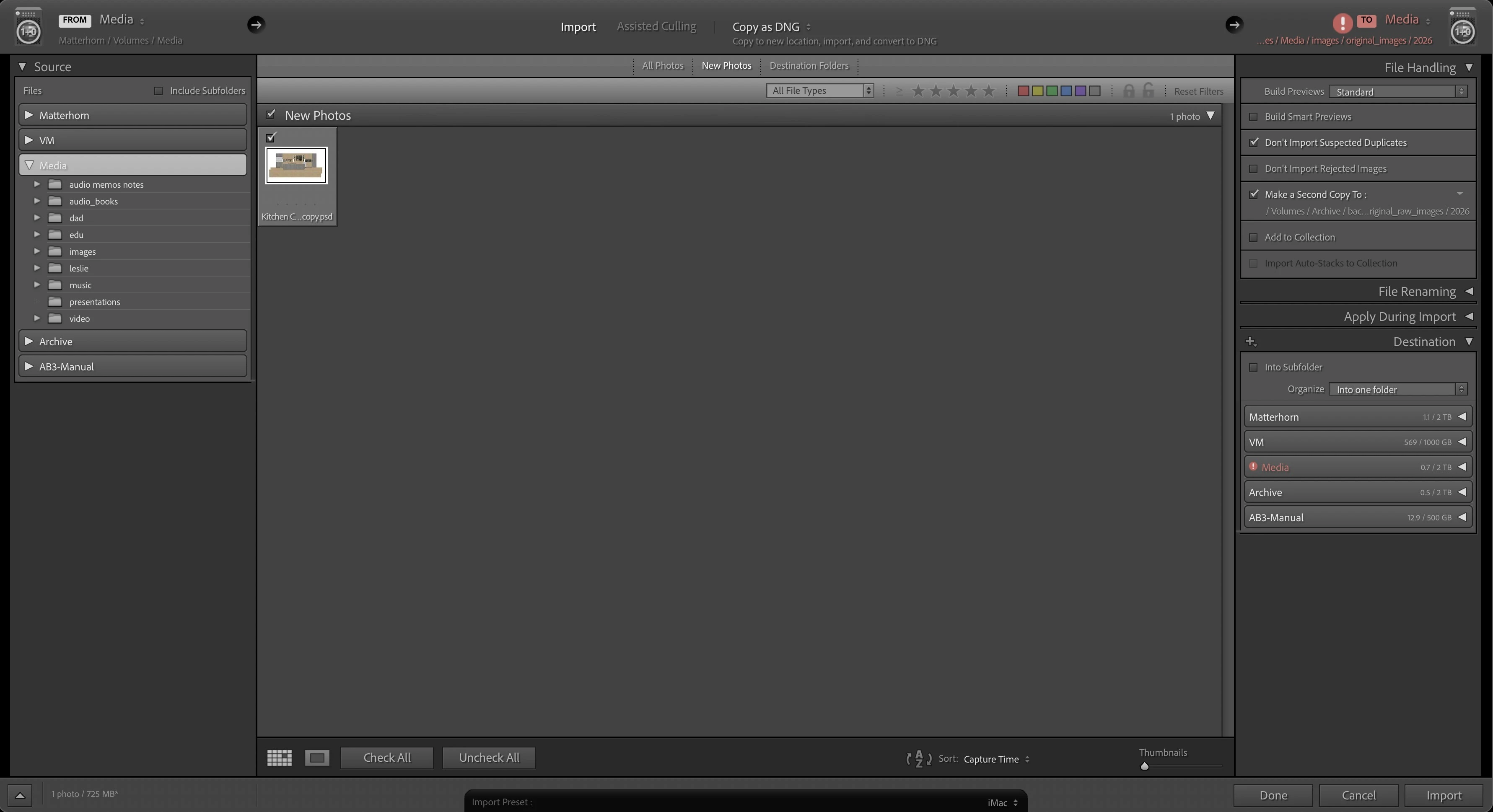
In the import dialogue box, when the user selects copy or copy as DNG, and selects the source volume and the destination volume to be the same, the most upper right window text that indicates the target destination “To”, turns red. It is preceded by a red exclamation mark and prevents the import.
The issue does not occur if the source and destination are two different volumes on the same Thunderbay. Only if they are the same volume (not the same folder).
I also have a Thunderbolt 2 external drive dock that is daisy chained off of the Thunderbay, with a JBOD standard hard drive. There is no problem if the source and destination volume are the same, using the external JBOD hard drive.
Image attached, below.
Please feel free to reach out with any questions.
 AdChoices