

Anke+Pretorius
Participant
June 23, 2026

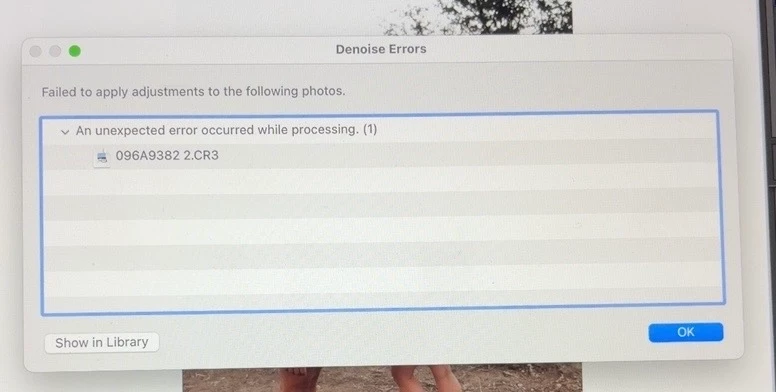
When i try to denoise an image it keeps on saying Failed to apply adjustments to the following photos. vAn unexpected error occurred while processing. (1) This is on all the images not just one and on more than one shoot.
  • June 23, 2026
  • 3 replies
  • 0 views

When i try to denoise an image it keeps on saying Failed to apply adjustments to the following photos. vAn unexpected error occurred while processing. (1) This is on all the images not just one and on more than one different shoot. This is the first time light-room has sent a pop up like that. Usually when it does not want to denoise is close the app and open it again the it works. Not this time. This is now day 3 

    3 replies

    JohanElzenga
    Community Expert
    Community Expert
    June 23, 2026

    Update to Lightroom Classic 15.4.1.

    -- Johan W. Elzenga
    melaninxhalide
    Participant
    June 23, 2026

    I just experienced the same bug. I am using Lightroom Classic version 15.3.1 release and Camera Raw 18.3; I literally just updated to this version two days ago. I am on a Mac using macOS Tahoe 26.4 and the RAW files are from a Sony A7R II. Denoise was working fine prior to updating Lightroom Classic to 15.3.1.

    MarieCole
    Participant
    June 23, 2026

    I’m having the same issue. I’ve read a few forums that others are experiencing this issue with the new release, too. https://www.lightroomqueen.com/community/threads/denoise-an-unexpected-error-occurred-while-processing.54952/