


Participant
October 7, 2026

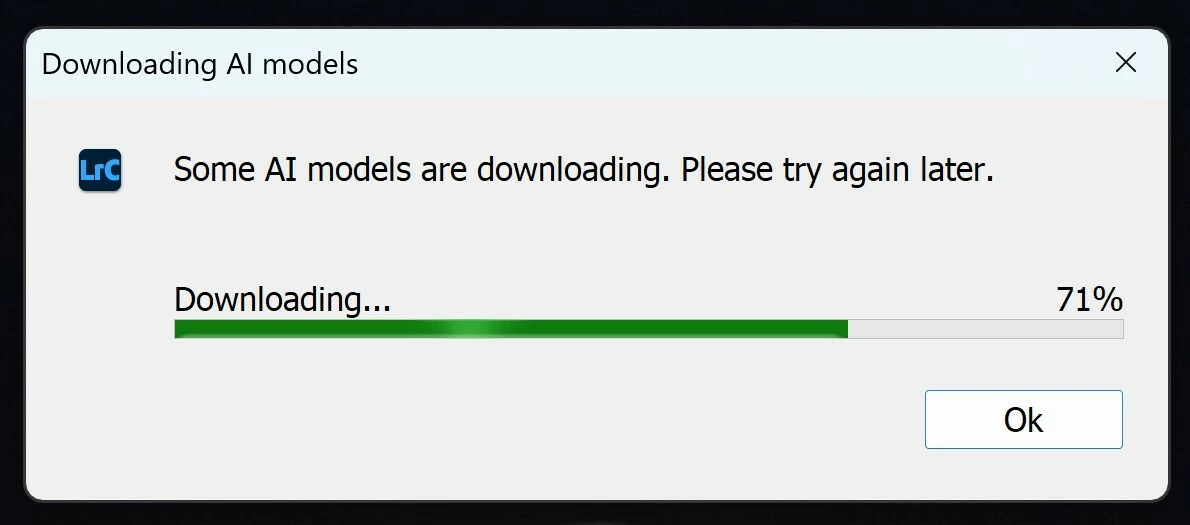
Downloading AI Model error message after recent Lightroom Classic update

  • October 7, 2026
  • 1 reply
  • 11 views

Cannot utilize mask presets in Lightroom Classic after update to version 15.6. After waiting over an hour for the AI models to “download”, nothing happens and starts all over again when another masking preset is used.


I have logged out, logged in, run as administrator, uninstalled. re-installed Lightroom Classic. Nothing works. 
 

    1 reply

    Srishti Bali
    Community Manager
    Community Manager
    October 7, 2026

    Hi ​@funny_loyaltyb7b0 


    Apologies for the error. I would request that you try the following steps:

    1. Disable GPU processing

      • Go to Preferences > Performance and disable GPU processing.

    2. Clear the model cache

      • Close Lightroom Classic.

      • Delete the ModelZoo/CloudDownload/ folder from the following location:

        • macOS: ~/Library/Application Support/Adobe/CameraRaw/ModelZoo/CloudDownload/

        • Windows: %APPDATA%\Adobe\CameraRaw\ModelZoo\CloudDownload\

      • Relaunch Lightroom and allow it to re-download the required models.

    Please check if the issue persists after completing these steps.

    Thanks, Srishti Bali | Community & Engagement Strategist, Digital Imaging | Adobe