


Participant
March 30, 2025

Clone stamp causes export abort error

  • March 30, 2025
  • 8 replies
  • 427 views

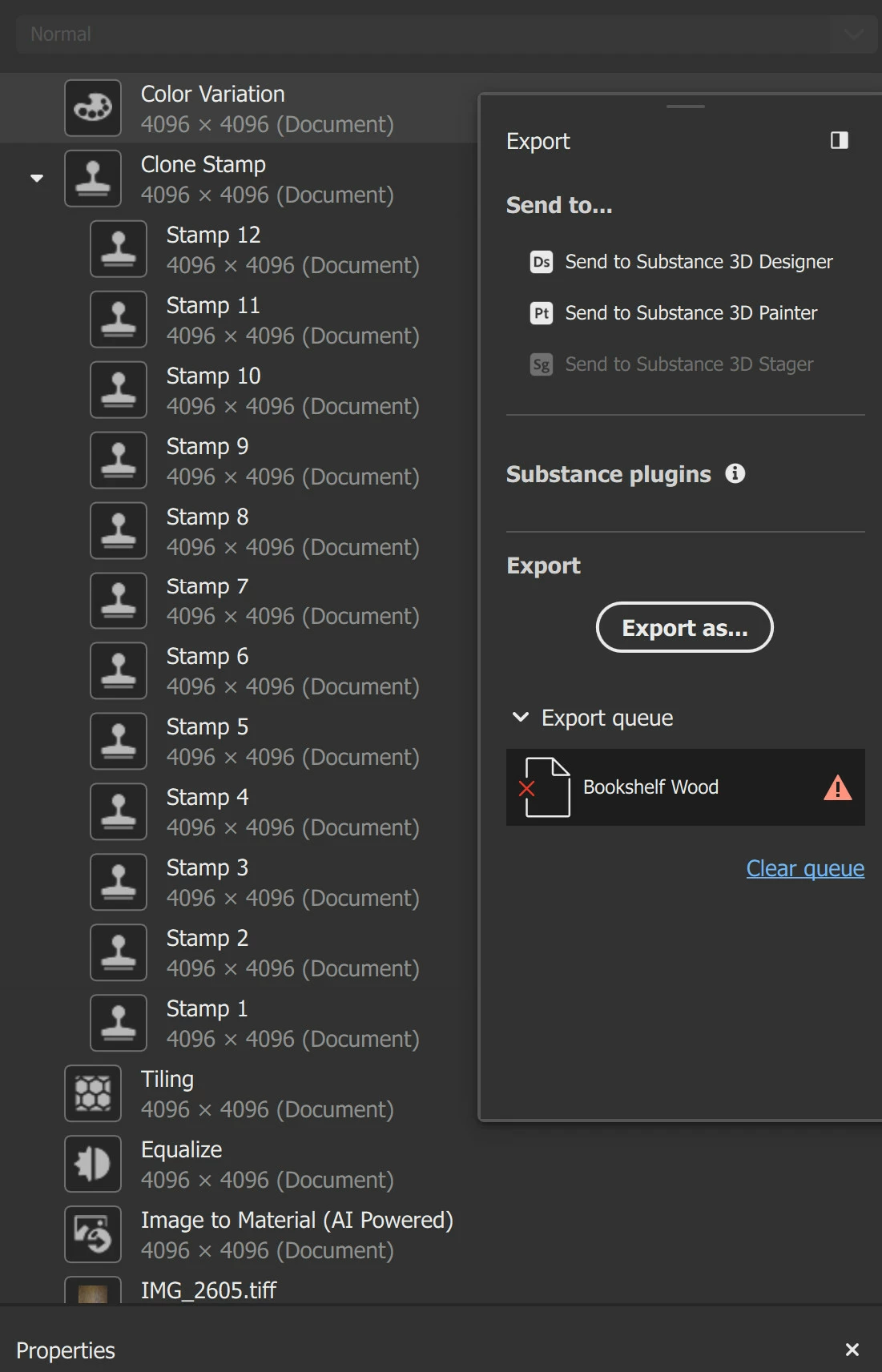
I haven't been able to export this material I made. Every time I try, it stops the export and gives an error symbol. It finally worked when I tried deleting the Clone Stamp Layer. That doesn't solve my problem since I need that layer but hopefully explains something of the issue.


I'm using version 5.0.1 on Windows 11.
 

8 replies

LoryAline
Community Manager
Community Manager
April 7, 2025

Thank you for sharing the project ! I can easily reproduce, this will help our team to fix the issue in the future releases.

I couldn't find a workaround to export other than export maps per maps by clicking right on the 2D view to "export as bitmap".

Regards,

Lory

Participant
April 2, 2025

I actually wasn't able to change the setting from the way those instructions said. I had to go to Settings > System > Display > Graphics. But after doing that Sampler still won't export with this clone stamp layer.

LoryAline
Community Manager
Community Manager
April 2, 2025

Hi,
from the log file you sent I see that Sampler doesn't uses the right GPU.
You can follow this link to solve this issue and see if it fixes the problem : https://helpx.adobe.com/substance-3d-sampler/technical-support/configuration/nvidia-driver-settings.html


LoryAline
Community Manager
Community Manager
April 1, 2025

The dialog ask you where to store the log file. it opens that folder because it is surely the last one you opened.
You can choose any folder and export the log there, then send it here.

Thanks, I'll take a look !

Participant
March 31, 2025

When I select 'Export Log' it just opens up a window showing the folder I store my projects in.

I will send you a link to my project file. Thanks!

LoryAline
Community Manager
Community Manager
March 31, 2025

Hi,
Can you sahre your log file with us ? To do so go to Edit menu > Export Log
If you can share your project that will also help us to find the core issue.

Thanks !

Participant
March 30, 2025

I should say I'm new to Sampler. I'm not sure what "path of the material" refers to. It exports successfully if I just delete the clone stamp layer. Wouldn't replacing the material be just starting from a blank slate? (I have tried that by the way and it also exported successfully.)

Ares Hovhannesyan
Community Expert
Community Expert
March 30, 2025

It seems the problem is in material. May be export do not refer to correct path of that material? Did you try to replace that Wood material with another one?