Inspiring
June 25, 2024

Dirt Filter Normal Map Issues V4.4.1 - Windows 10

  • June 25, 2024
  • 3 replies
  • 506 views

Hi,

I thought this had been fixed in the latest version... but have just found another bug with it. 

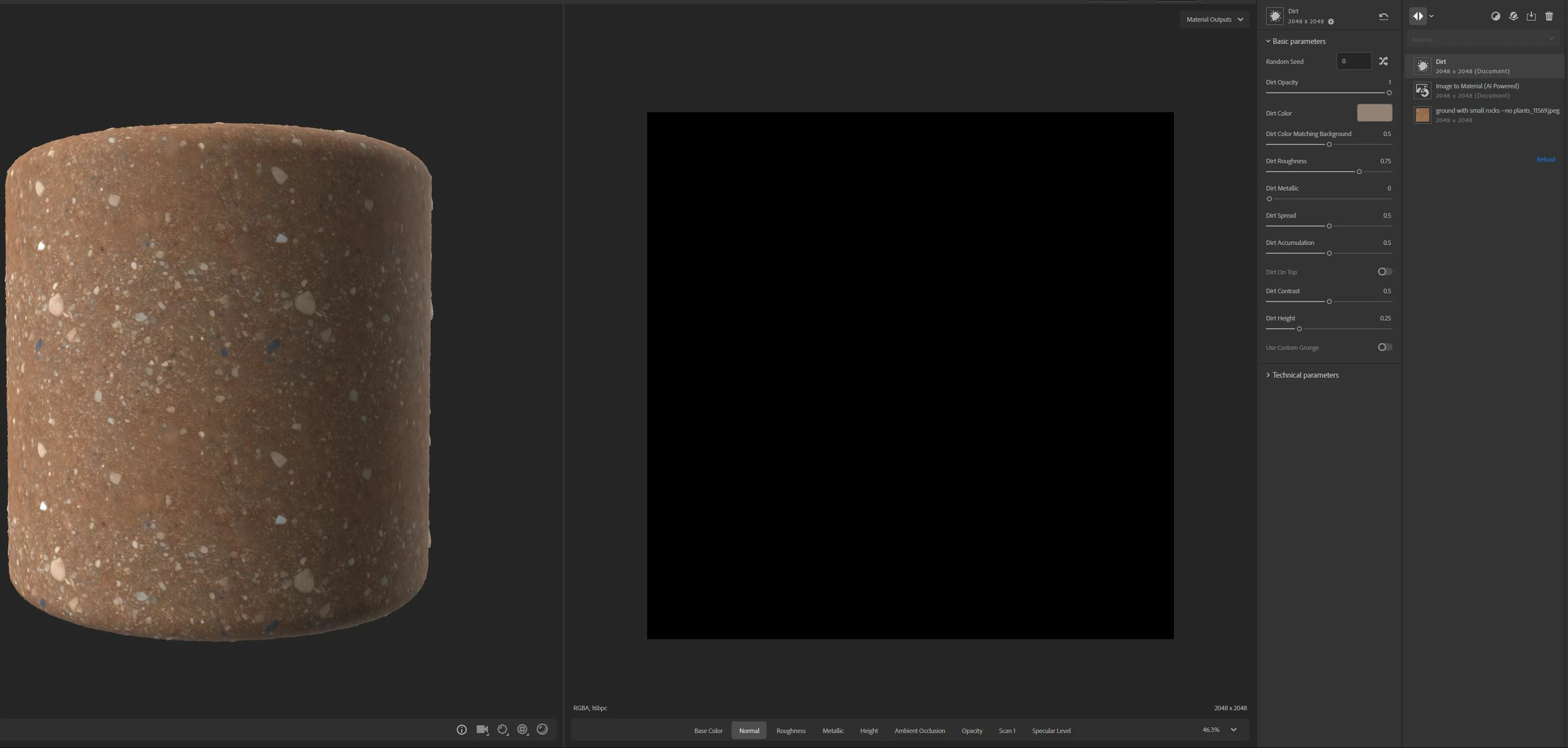
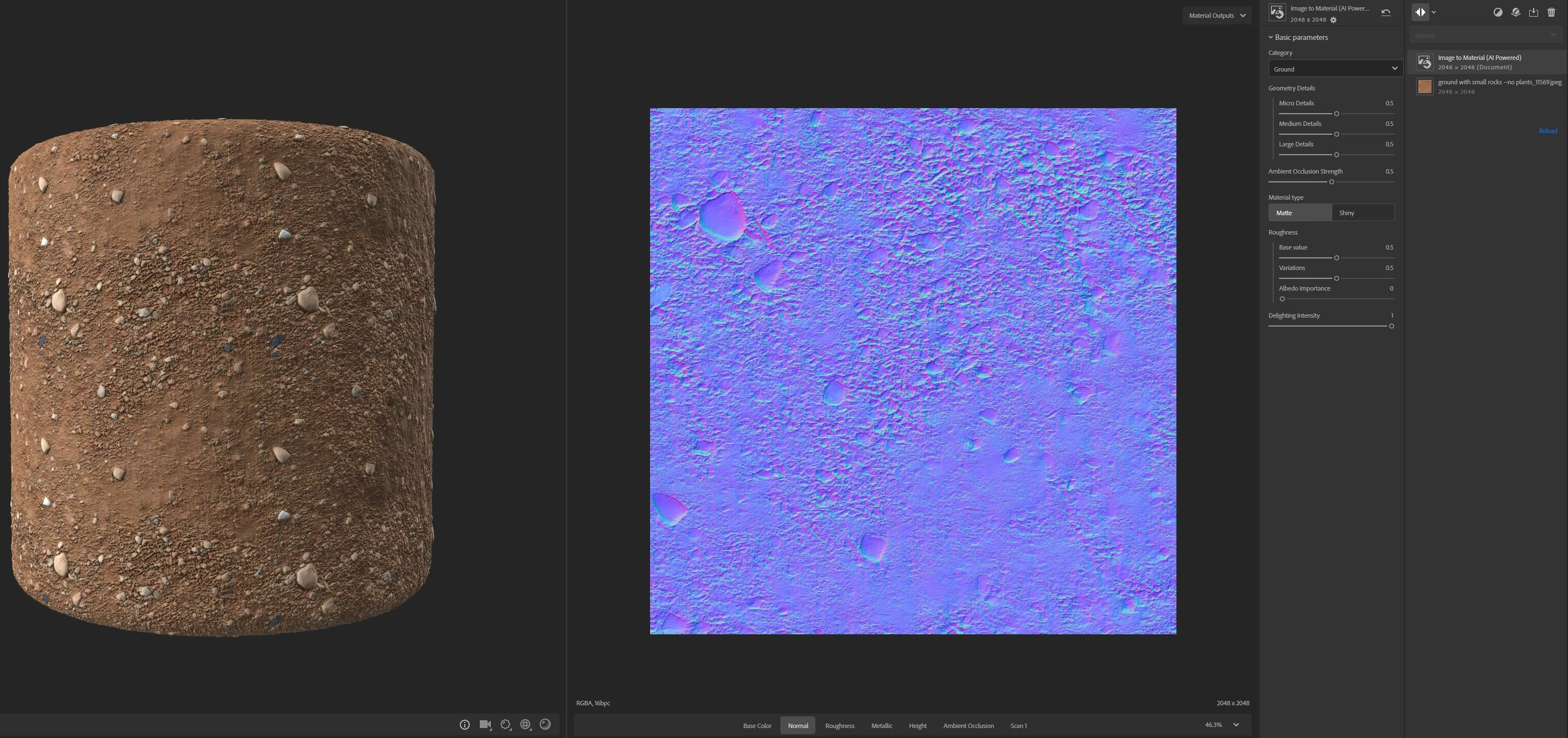
When I create a material using image to material and add a dirt layer... the normal map ceases to exist. (see attached images).

I was just following the "How to Use Generative Tools in Sampler for Fast Iterations" video on youtube https://www.youtube.com/watch?v=YD3tPlO5h3g

It works on the video when he adds the dirt filter (go to 4:04 to see).  However, it says the filter needs to be updated, which shows that the video example uses the previous version of the dirt filter.

Can you please test and confirm this is not just happening at my end.

Thanks.


3 replies

leighv123Author
Inspiring
July 18, 2024

Baptiste,

Can you please give me an update as to when we may see a working version of this filter released?

I have resorted to using the Height to Normal workaround which you suggested, but it is very time consuming as it is not an 'out of the box' solution.  Tweaking is required, sometimes other filters are required in combination with the height to ormal filter... and it appears that quality is at times lost on export.

leighv123Author
Inspiring
June 26, 2024

Thank you Baptiste,

I will see how this workaround goes for now.

Please also note I just did some more testing and in addition to the above findings found this...

1. Dirt added to Sampler Starter Assets (I only tested a couple) appears to work correctly.

2. Dirt added to assets I tested from the https://substance3d.adobe.com/assets store caused the normal map to be black. 

3. I thought this was maybe happening when adding dirt to older assets so I downloaded what was listed as the latest material from the assets store but still the normal map was black. This was the material I used... Sharp Edged Peak  https://substance3d.adobe.com/assets/allassets/3763fa670ff39b95c164a5fe54bd60fe9bea9062

Hopefully a solution is implemented very soon.

Baptiste_Substance_3D
Community Manager
Community Manager
June 25, 2024

Hello,


Sorry for the inconvenience. We're looking at the issue.

Meanwhile, you can use the "Height to Normal" layer as a workaround.


Thanks