


Inspiring
August 30, 2022

Tiling Normal Boosting Error

  • August 30, 2022
  • 6 replies
  • 387 views

Hello there! There is a small issue when tiling a material inside the 3D Viewport of Sampler. When setting the tiling higher, the normal intensity increases aswell. Here you have a picture comparing the same texture area with a different tiling setting. 
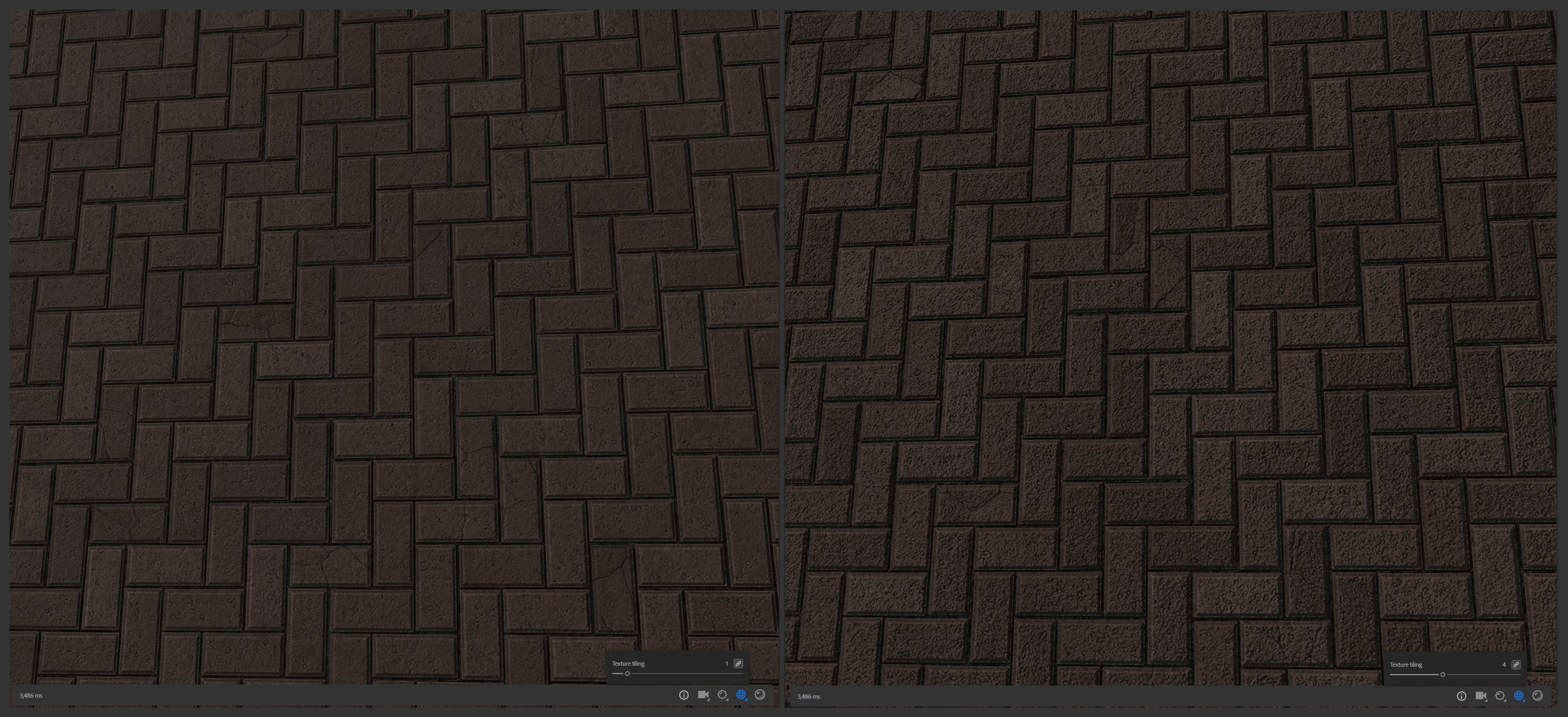
This becomes a problem when trying to checkout the material for tiling issues, the material becomes very noisy and not representative of the information of the texture. 

Thanks for the help and a great software! 

6 replies

LoryAline
Community Manager
Community Manager
September 7, 2022

Then you have the "Normal Scale" parameter in the shader setting for this. 


Inspiring
September 7, 2022

Good idea! I can always compensate with it, but I think that it is a cheap patch for the problem because I would only need it for the Sampler viewport and I would always have to deactivate it for the final textures export. It would also add more steps when working and increase the posibilities of making mistakes. 

LoryAline
Community Manager
Community Manager
September 6, 2022

Hi,
did you try to use the filter "Normal/height Adjustment"? This will help you to mute the normal informations. 

Ares Hovhannesyan
Community Expert
Community Expert
August 31, 2022

Try in different resolutions. Is it the same?

Inspiring
August 31, 2022

Unfortunately I cannot share the files due to confidentiality, but you can recreate the same problem with materials on the Sampler Base Library. Here is a comparsion image of the same Slate Material with different tiling values: 

Ares Hovhannesyan
Community Expert
Community Expert
August 30, 2022

Can you share file to test via cloud?