

Images opened in Photoshop appear far brighter than they are.
Photoshop Beta 27.9 on Apple MBP M1 Max running OSX Tahoe 26.5.2
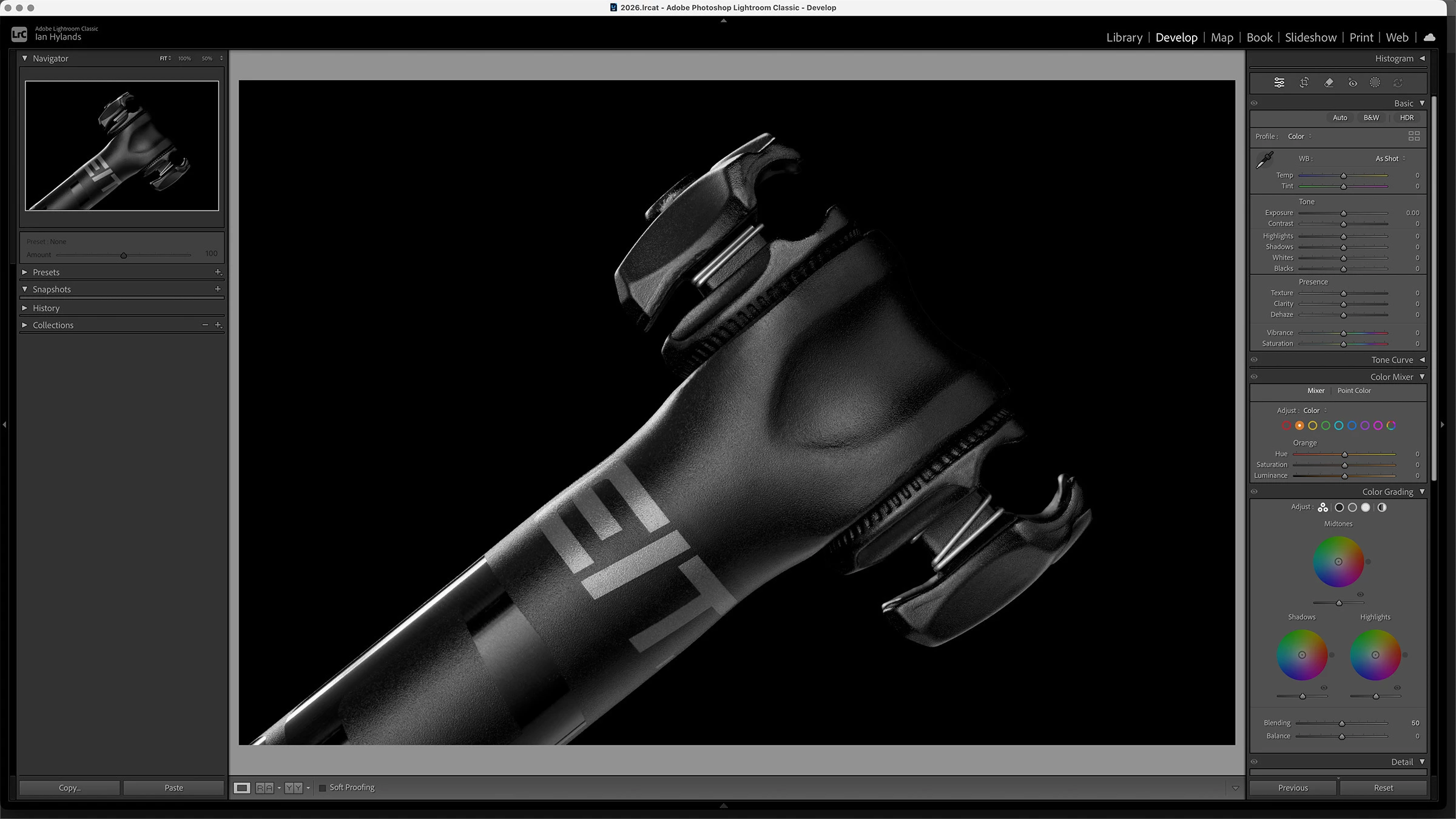
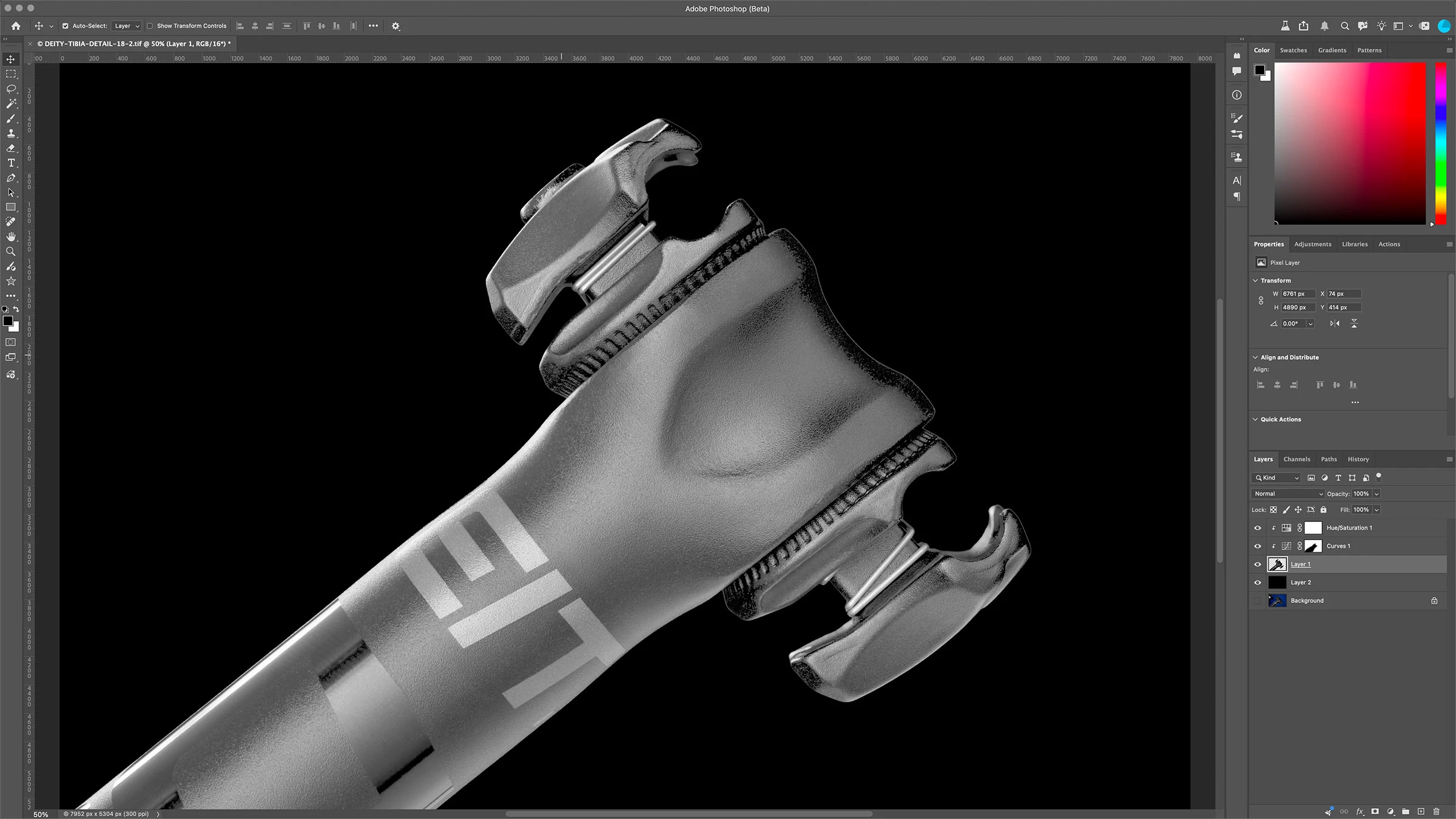
When I look at an image in Lightroom it looks as it should, however when I open it in Photoshop it appears very bright, as if a curves or gamma has been applied to it. If I open the “covert to profile” menu the preview looks normal. If I turn proof colors on it appears as it should. However with proofing off it returns to it’s very bright state. Same as with anything that shows a preview, preview looks normal. I tried Sony ARW raw files and tif’s, no difference.
It was ok on Friday, problem started with open today, July 13th.
See attached screenshots
Any advice on how to resolve this would be greatly appreciated. Thanks!


 AdChoices