
Participating Frequently
September 2, 2024

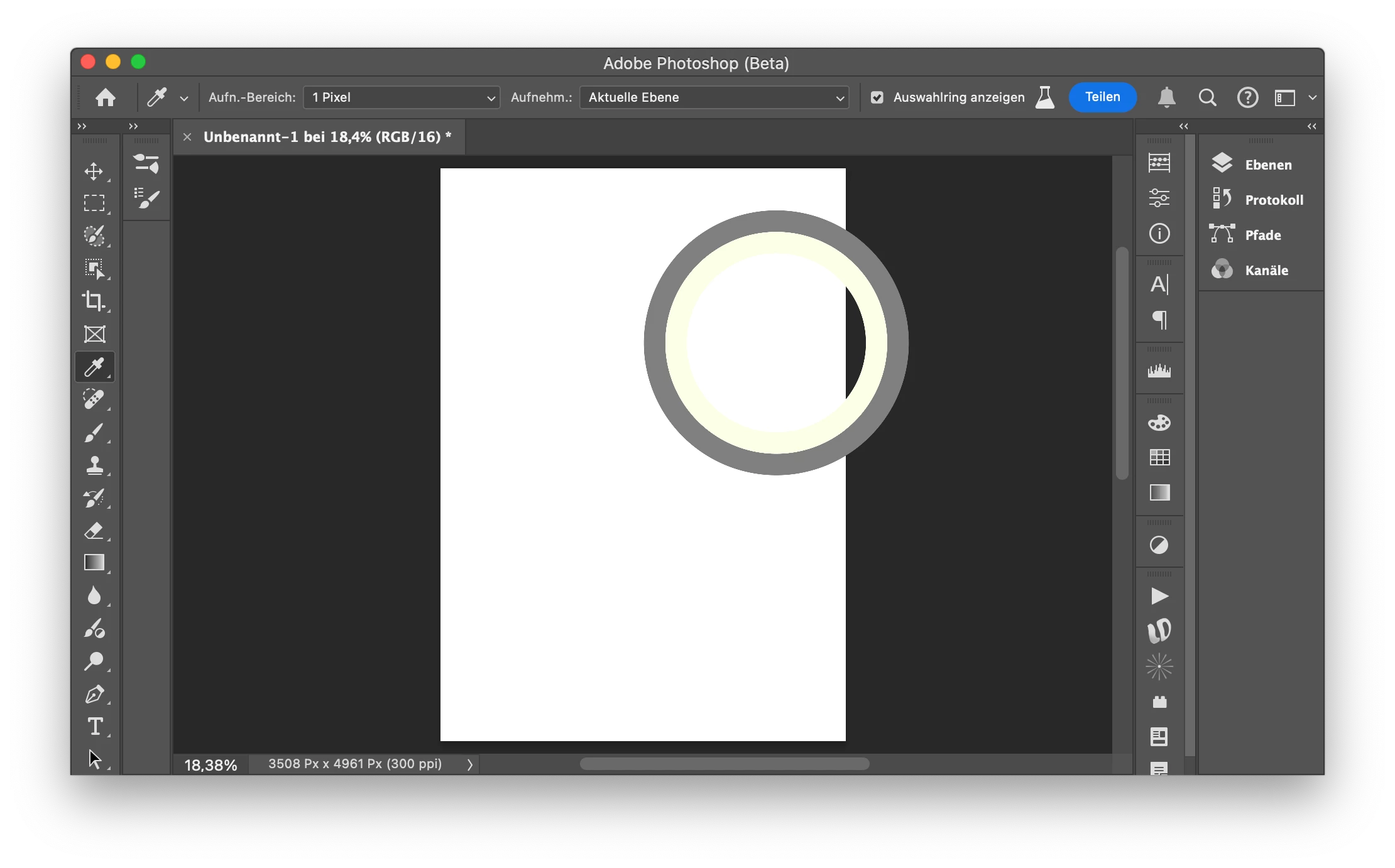
P: Color Picker Wheel is showing wrong color.

  • September 2, 2024
  • 13 replies
  • 2054 views

Hi,


I'm not sure if this has been reported before, but

if I pick `#fff` for example, the colors are shifted in the picker ring preview.

Though painting with the selected color ist correct.

I've double checked that Color Proof is disabled.


PS Version: 25.13 m.2753

OS: Mac OS Sonoma 14.5 (23F79)
 

This topic has been closed for replies.

13 replies

CShubert
Community Manager
Community Manager
September 3, 2024

Hi @HimmelsW and @drtonyb could you share a screenrecording of what you are seeing? We want to make sure we understand the workflow and how/where you are making these changes/selections so we can recreate here.


Thanks,

Cory - Photoshop Product Manager

Legend
September 3, 2024

Confirming the same problem on my Windows 10 system. The public release works as expected, but the latest beta (25.13.0 20240901.m.2757 4ed6daa x64) does not.

HimmelsWAuthor
Participating Frequently
September 2, 2024

Maybe I should mention, that I manually copied all preferences files from

/Users/<user>/Library/Preferences/Adobe Photoshop 2024 Settings

 to

/Users/<user>/Library/Preferences/Adobe Photoshop (Beta) Settings


And when I noticed the bug with the picker wheel, I restarted Photoshop holding `Option+Command+Shift` to reset everything, but the bug still persists.