Participant
May 23, 2023 8:09 PM UTC
Released

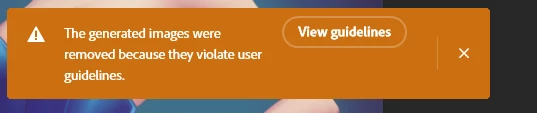
P: Generated images violate user guidelines
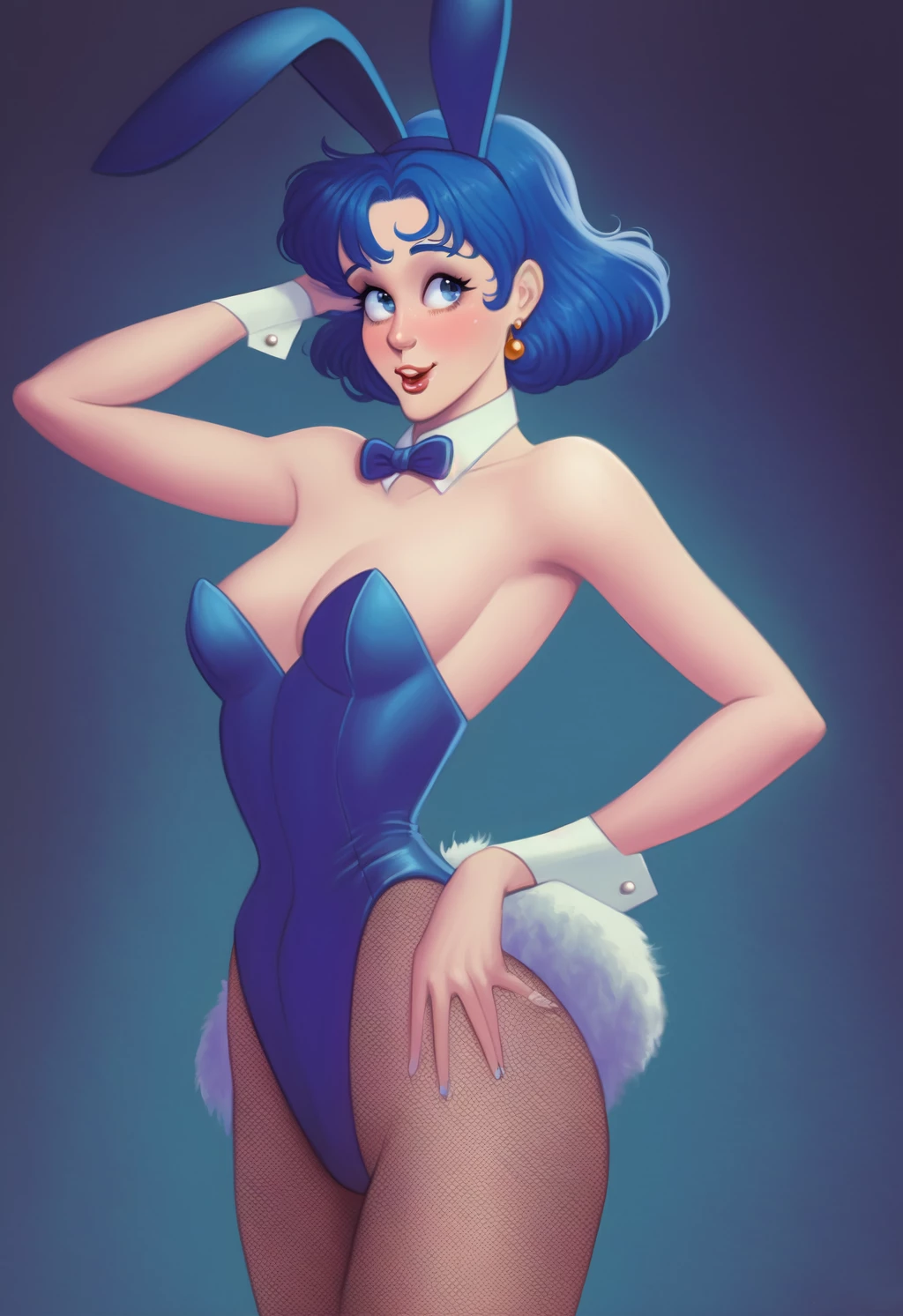
 

So as you can see, it's a PG-13 relatively inoffensive image of a woman in a bunny outfit. The top worked fine, and I was able to complete the top ear, which is cool. When I tried to extend the bottom with generative fill, though, I got this warning. They're just a pair of legs wearing stockings, and I wanted to extend it.

It feels like a false flag - though I could be wrong? I find myself thinking it would do the same for women in swimsuits.

Figured I'd share here.

This topic is closed to new replies. Start a new post to keep the conversation going.

1392 replies

Participant
Jul 4, 2023 5:28 PM UTC

It would be helpful to be able to indicate whether a guideline violation alert is accurate or not. I'm using the generative tool to clean up a pic of an old photograph. It is generally working great to clean up crease lines, etc. But there is a line on the photo I'm trying to use generative tool to remove and fill with the background. I'm getting guideline violations over and over and can't proceed. I've read all the guidelines and do not understand why it is flagged as a violation. I'm using Photoshop Beta 24.7.0 Release on Mac OS Monterey Version 12.6.7.

Translate
Participant
Jul 4, 2023 5:22 PM UTC

Dès que j'essaie d'utiliser la nouvelle fonction "remplissage génératif" ce message apparaît : "Les images générées ont été supprimées, car elles enfraignent les consignes d'utilisation. 

J'ai essayé avec différentes photos (dont j'ai les droits d'utilisation), j'ai consulté les consignes, je ne vois pas d'où ça peut venir. 

merci pour votre aide.

Translate
Participating Frequently
Jul 4, 2023 5:01 PM UTC

Im getting the same violation notice (one with a threat to remove my account 😞 which I've already reported) anytime there is skin tones in the selection.  

 One was a nose highlight, and one was the edge of a hand trying to fill the space behind where the ministers notebook was sticking out.  The last one has screen shots below.

Translate
davescm
Community Expert
Community Expert
Jul 4, 2023 7:21 PM UTC

Hi , I've moved your post from the Photoshop forum to the Photoshop Beta forum where you are more likely to get help with your issue.

Translate
rickiep73948756
Participant
Jul 3, 2023 4:55 PM UTC
Same here no prompts just generative fill
Translate
Graham24508943nobd
Known Participant
Jul 3, 2023 4:22 PM UTC

Another issue I'm having a major issue with is numbers. I'll ask for a couple and get 3 for example

Translate
Stapfoto
Known Participant
Jul 3, 2023 4:02 PM UTC

Same here..... Getting something (lines and doorknob) out of a cupboard with skintone = violating the guidelines. I didn't use a prompt, just generative fill. 

Translate
c.pfaffenbichler
Community Expert
Community Expert
Jul 3, 2023 2:11 PM UTC
quote

they're a long way off finished by the look of it

And as far as I can tell they have not claimed otherwise. 

Translate
Graham24508943nobd
Known Participant
Jul 3, 2023 2:07 PM UTC

they're a long way off finished by the look of it

Translate
Graham24508943nobd
Known Participant
Jul 3, 2023 1:42 PM UTC

Will try, shame as almost every fairy generation is totally disfigured no matter how I spell it, I tried pegasus that got refused so I used a capital P that got through fine but the generations were completely unusable and really ugly

Translate
Participant
Jul 3, 2023 12:47 PM UTC

your AI algorithm restrict Generative Fill results  Ionly try to remove tatoo from the arm of my model

Translate