Ian Hylands DEITY
Participant
July 13, 2026
Released

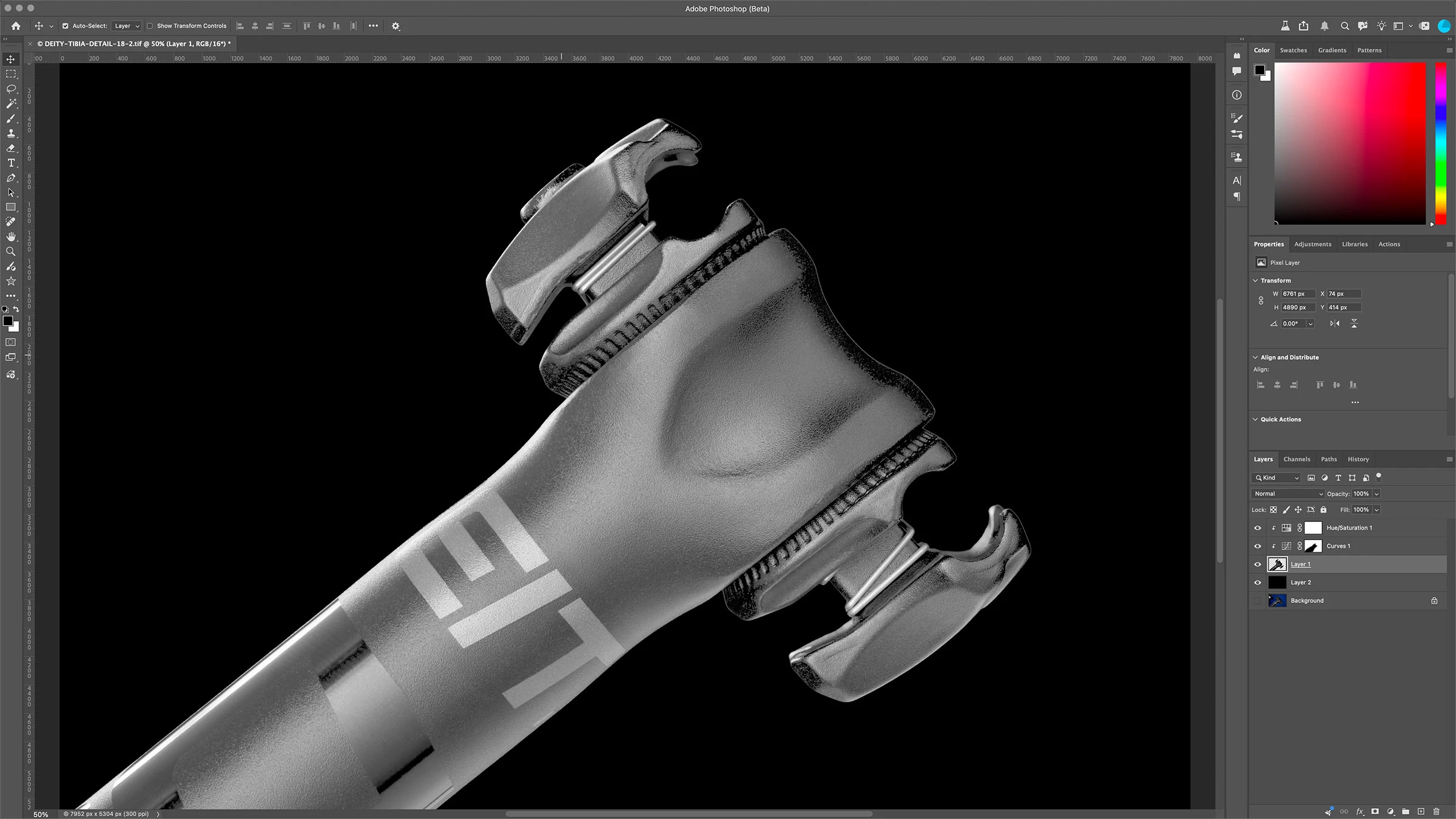
P: Images opened in Photoshop appear far brighter than they are.

Photoshop Beta 27.9 on Apple MBP M1 Max running OSX Tahoe 26.5.2

When I look at an image in Lightroom it looks as it should, however when I open it in Photoshop it appears very bright, as if a curves or gamma has been applied to it. If I open the “covert to profile” menu the preview looks normal. If I turn proof colors on it appears as it should. However with proofing off it returns to it’s very bright state. Same as with anything that shows a preview, preview looks normal. I tried Sony ARW raw files and tif’s, no difference.

It was ok on Friday, problem started with open today, July 13th.

See attached screenshots
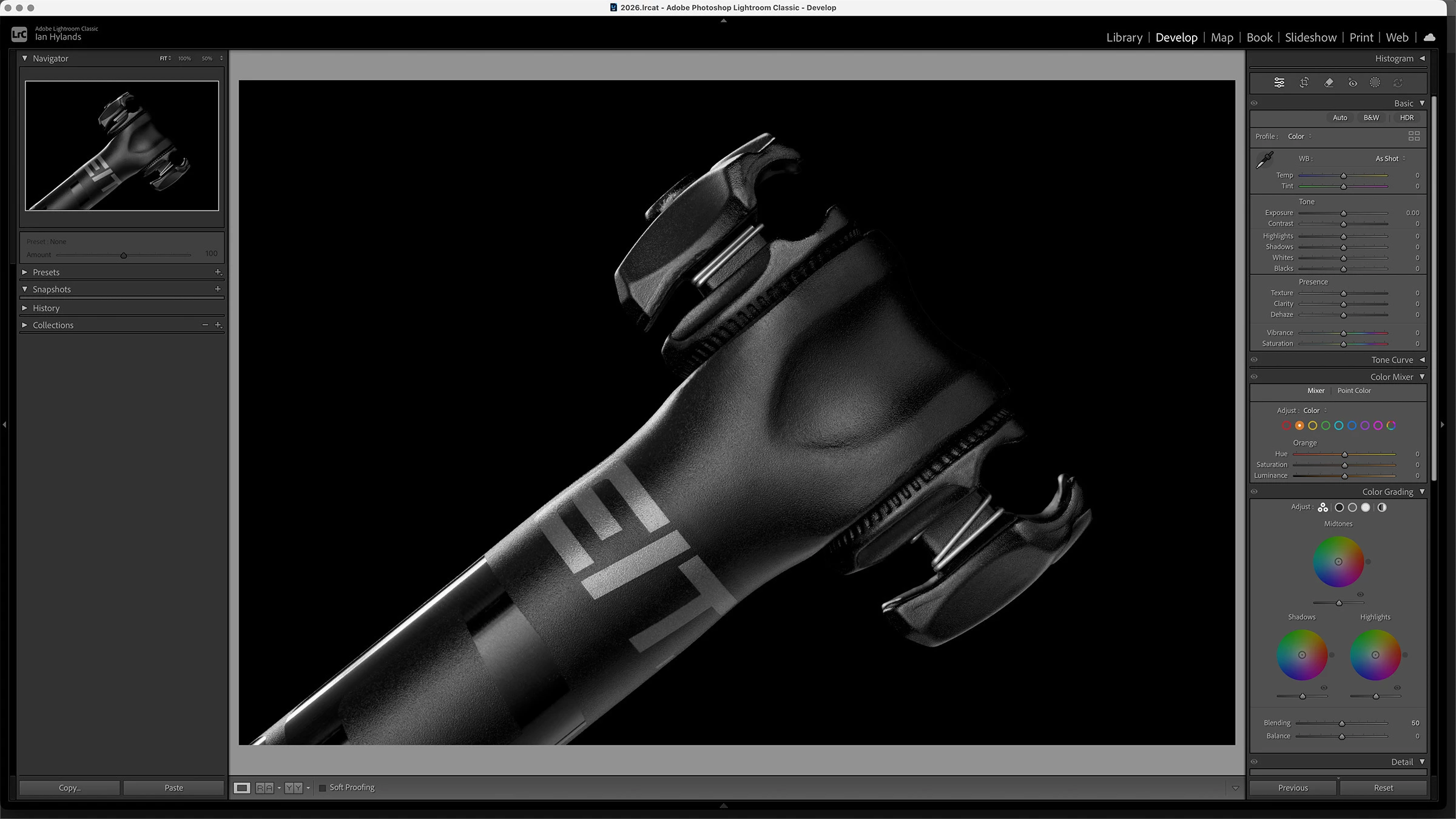
 

Any advice on how to resolve this would be greatly appreciated. Thanks!

    29 replies

    CShubert
    Community Manager
    Community Manager
    July 24, 2026

    Hi all, we hope to have a fix in an upcoming build next week.  Please make sure to check your version and update whenever there is a new one.

    Thank you for your patience.

    Thanks,

    Cory - Photoshop Product Manager

    Translate
    Participant
    July 29, 2026

    This is present in the full release 27.9 that just auto updated on my computer. I have to turn off use graphics processor. not ideal at all. 

    Translate
    Known Participant
    July 19, 2026

    At least with me, it appears to be a temporary issue because toggling **off** what CShubert suggested **did** fix the issue upon restarting Photoshop Beta. But on a whim, I toggled everything back **on** (Performance > Use Graphics Processor **and** Technology Previews > Precise Color Management)…restarted the app…low and behold everything was back to normal; the colors are perfect again.

    Translate
    Participant
    July 18, 2026

    Still exists in the latest 27.10 on Tahoe Version 26.5.2

    Translate
    Inspiring
    July 14, 2026

    I reported the same problem yesterday. I had to downgrade to 27.8. cheers!


    Translate
    CShubert
    Community Manager
    Community Manager
    July 14, 2026

    Hi all, the team is aware of this and working on a fix.  The workaround for now is to go to Preference/and either checking or unchecking Precise Color Management for HDR display, turning off Use graphic processor or turning off Preference/Technology Previews/ Precise Color Management.

    Here is another thread talking about the same issue: 


    Thanks,

    Cory - Photoshop Product Manager

    Translate
    Participant
    July 14, 2026

    Im having the exact same issue with version 27.9.0! Im on Sequoia.

    Translate
    Participant
    July 14, 2026

    Yes, I’m having the same issue with Photoshop Beta 27.9, and yes, if I open the image in Photoshop 27.8, it appears fine. 

    Translate
    Ian Hylands DEITY
    Participant
    July 13, 2026

    I have opened the same files in Photoshop 27.8.0 and the previous version of Photoshop Beta 27.8.0 and the image is fine. So I think we can conclude that this issue is specific to PS Beta 27.9 on OSX Tahoe 26.5.2 

    Has anyone else seen this on a different OS?


    Translate
    robertw44482386
    Inspiring
    July 15, 2026

    Yes, occuring with me on Sequoia 15.7.4. Exact same symptoms and workaround.

    Translate