

P: Layer actions pop-up menu displays in wrong location onscreen
Background
The Layer actions pop-up menu displays when you Ctrl+click on the layer in the Layers panel in Photoshop on the web (Beta). The pop-up menu is quite long, and it doesn't scroll. Hence, the whole of the pop-up menu needs to be displayed onscreen, otherwise the user will not be able to select some of the menu options.
Description of Issue
The first time you Ctrl+click on a layer in the Layers panel, Photoshop on the web (Beta) correctly calculates where to display the Layer actions pop-up menu onscreen based on the position of the layer in the Layers panel.
For example, if the layer is displayed towards the bottom of the screen, the pop-up menu will appear onscreen like this:
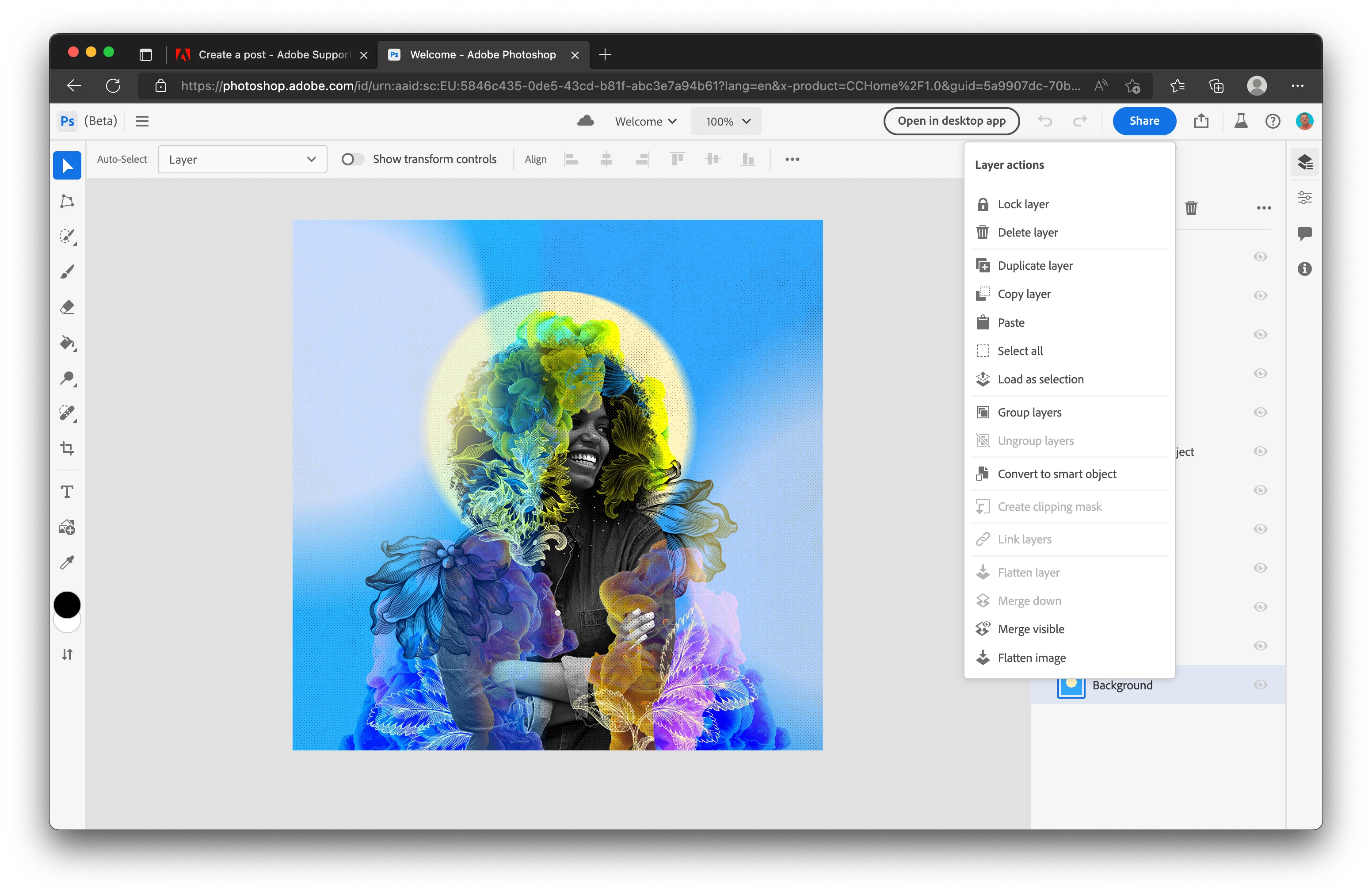
However, if you Ctrl+click on this layer again, or any other layer, Photoshop on the web (Beta) doesn't check the position of the layer in the Layers panel, and will always display the top of this pop-menu at the place where the user clicked, until the web page is refreshed manually. This means that for most layers, the pop-up menu will become truncated, like this:
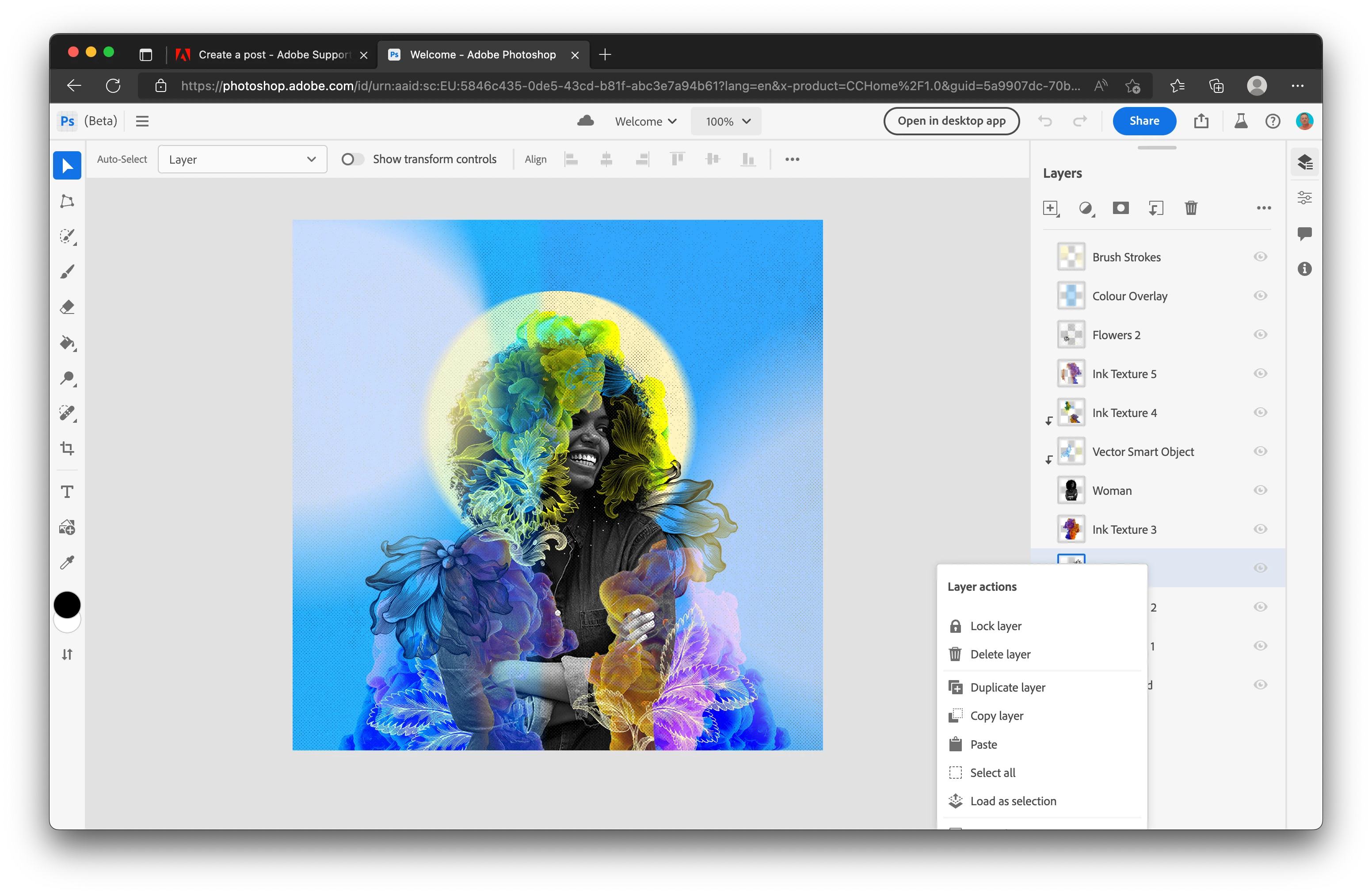
Steps to Reproduce
- Open an exisiting Photoshop for the web (Beta) document that already contains multiple layers, or create a new documents and add a handful of new layers.
- Click on the Layers icon in the Taskbar on the right of the screen, unless the Layers panel is already displayed.
- Ctrl+click on any layer in the Layers panel to bring up the Layer actions pop-up menu. Note where the pop-up menu is displayed onscreen and should be shown in its entirety.
- Click on the screen, away from the pop-up menu, to make the pop-up menu disappear.
- Ctr+click a further time on the same layer, or any other layer, to see the Layer actions pop-up menu again. Note how this time the pop-up menu will be displayed much lower down the screen, and in most cases, will result in becoming truncated.
Setup
- Photoshop on the web (Beta) version 202206.12.0
- macOS 12.4 Monterey (Apple MacBook Air, M1 2020)
- Microsoft EdgeVersion 103.0.1264.44 (Official build) (arm64)
- Google Chrome Version 103.0.5060.114 (Official Build) (arm64)


 AdChoices