
P: Layer Panel Menu issue Photoshop Beta and photoshop
Hi,
Couple of issues:
1. Layer Panel Menu color (highlighting) not appearing in the Layer panel drop down even though selected, its been going on for several updates. With all the added commands to the Layer panel, and the Changing of layer panel commands depending on which layer type you're hovering over, the whole thing becomes very messy. Highlighting solves it for me.
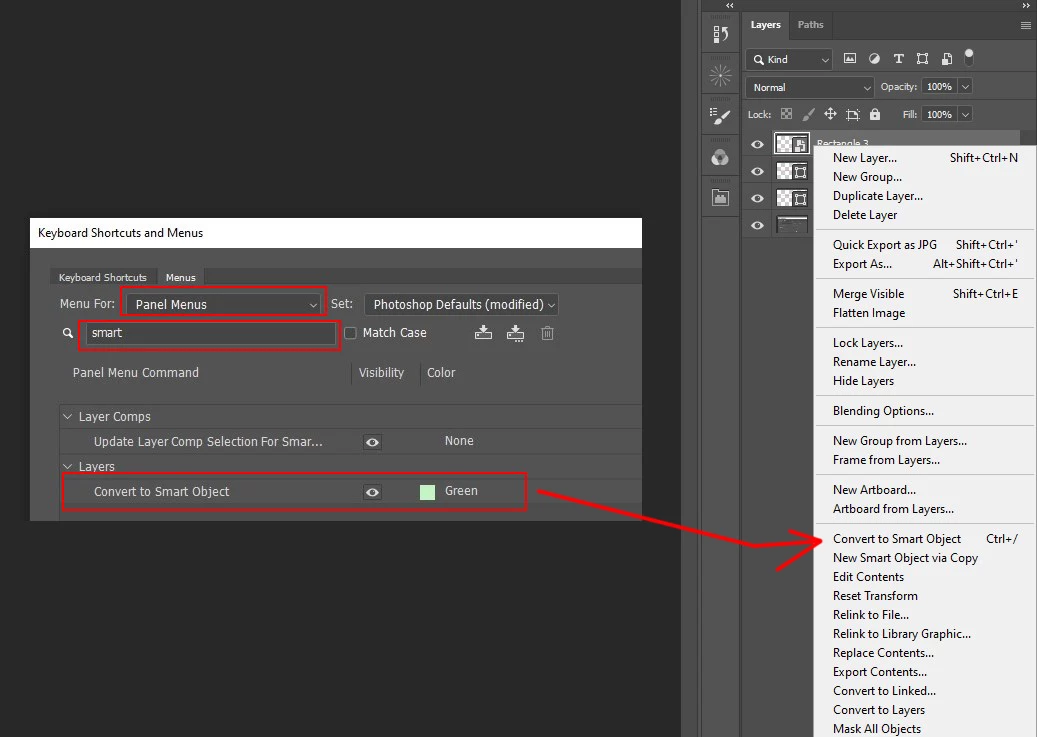
when its working it should look like this:
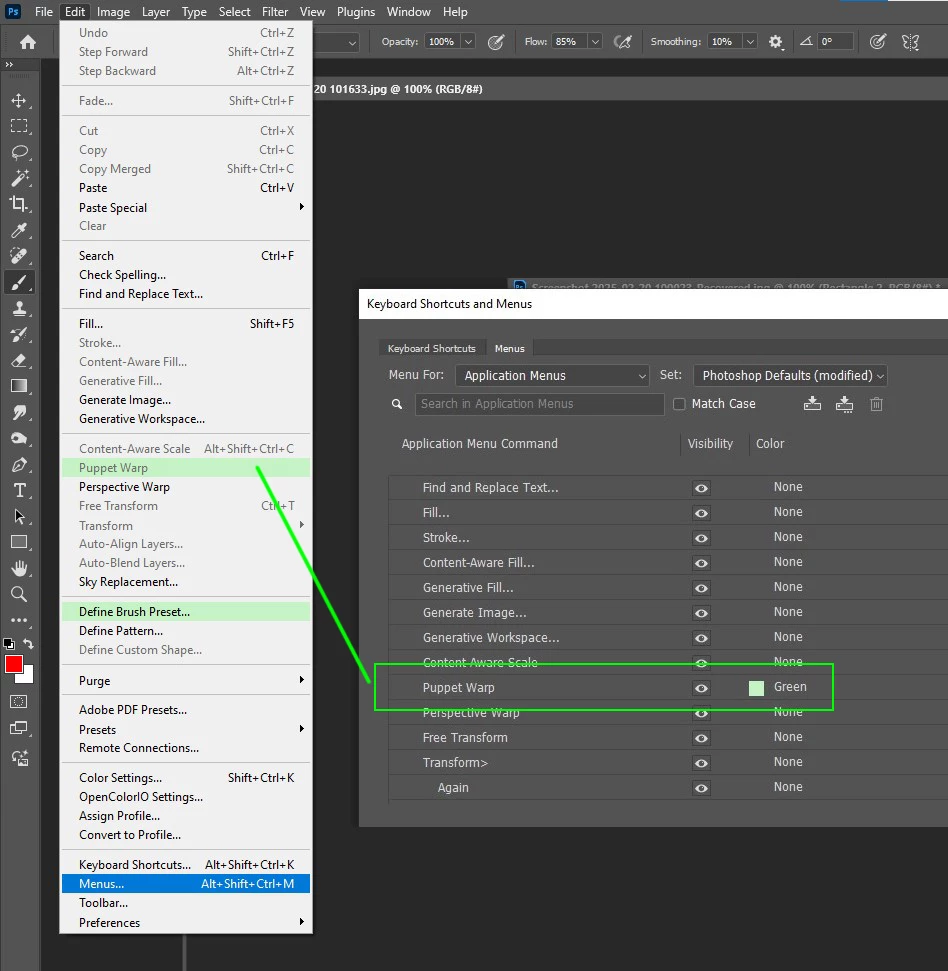
2. In Photoshop Beta\photoshop (isnt displayed in neither) , I want to highlight the command "New Smart Object via Copy" in the Layer panel, same as I do for other commands. However, I can only find it under the Application menus (Layer > Smart Objects > New Smart Object via Copy) and can't find it under "Keyboard Shortcuts and Menus > Panel Menus" panel.
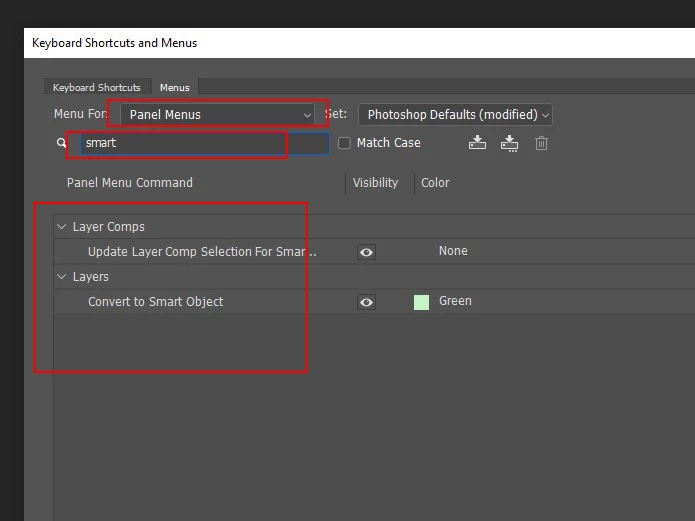
Any suggestions?
Thanks.


 AdChoices