


Participating Frequently
October 16, 2026
Investigating

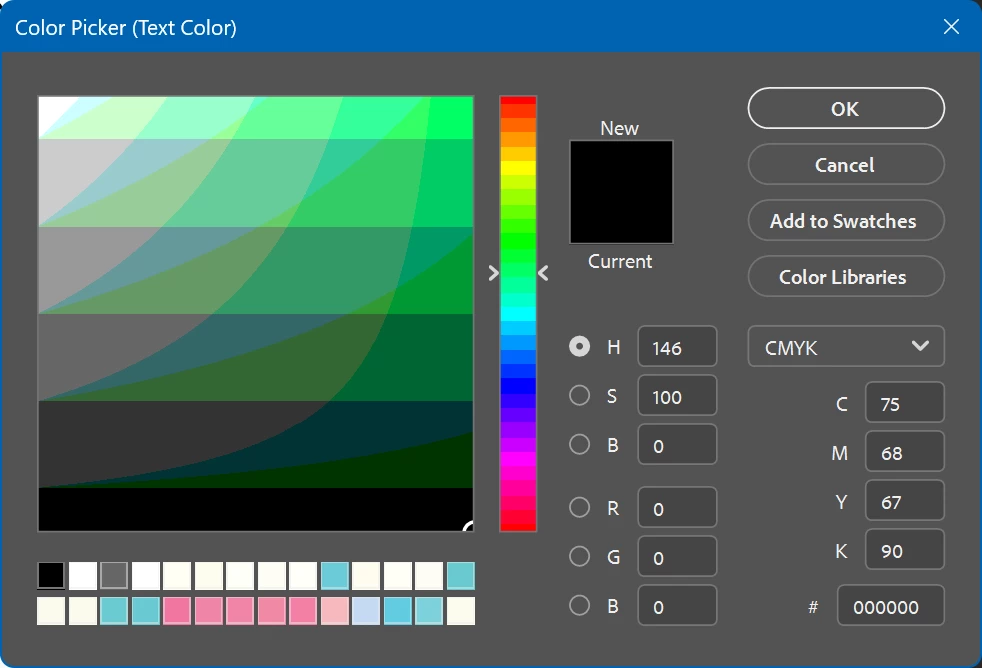
P: New Color Picker takes 10-20 seconds to appear and is missing the web colors option.

Adobe Photoshop Version: 28.0.1 20261014.m.3714 ae936ff  x64 (beta, PublicBeta)
Operating System: Windows 11 64-bit
Version: 11 or greater 10.0.26200.9711
System architecture: AMD CPU Family:15, Model:4, Stepping:0, AVX2, AVX-VNNI, AVX-512, Built-in memory: 62885 MB
Memory available to Photoshop: 49284 MB

Name:                         NVIDIA GeForce RTX 5080
Driver version:            32.0.16.1742


Clicking on a color picker box in the left toolbar, character color, or layer options (anywhere) makes PS Beta freeze for 10-20 seconds. I thought it was completely dead and was about to kill it when the box finally popped up! Subsequent uses are not any faster to open, which makes this release a total slog to use.

It’s also missing the Web Colors Only option, which I liked - but that may be a design choice. The 10-20 second freeze is the real killer.


11 replies

Participant
October 20, 2026

I'm experiencing several serious issues with the Color Picker in Photoshop on Windows 11.

Color Picker is extremely slow: The Color Picker dialog takes approximately 5 seconds to open every time I click to change a color.

Cannot change the color of selected text: When I select a specific portion of text to change only its color, clicking the color option causes the text selection to be lost. As a result, I can't apply different colors to individual words or sections of the same text layer.

Color changes are not applied: Sometimes, after selecting a new color and clicking OK, nothing happens. The previous color remains unchanged.

Translate
Participant
October 20, 2026

When using the colour picker on a text layer, the preview is not updating in real time. I won’t see the actual color I selected until I hit ok.

Translate
Adobe Employee
October 20, 2026

​@Lance Garrard We’re trying to reproduce the slow open here. Are you also on Windows? Are you doing soft proofing? Once it opens, is it responsive or does every little change take 10 seconds? Thanks!

Translate
Participating Frequently
October 20, 2026

Once the Color Picker Opens it works fine. But if you have to select a new color, then you have to wait another 10-20 seconds for the Color Picker to Open again. FYI I’m running Windows 11 with 64Gb RAM and 2 x 1TB Storage and a RTX 3060 Ti

Translate
Adobe Employee
October 19, 2026

You have to go to the Color PANEL and use the menuitem there. After that, you will be working in web safe mode and the color picker will show websafe colors in the sliders and hue cube. The gamut warning will also warn if the current color is outside the web safe list of 216 colors (and coming soon Fix Gamut will bring the color back to the closest web safe color)

Translate
Participating Frequently
October 20, 2026

Thanks so much for getting back to me. I’ve followed your instructions and adjusted the color panel. The color Picker still takes 10-20 seconds to pop-up with web safe colors? Furthermore, I am editing photos, so web safe colors are useless to me. I would reiterate that this problem is only happening in the Beta version. So I don’t think it’s a hardware problem? Cheers

Translate
Participating Frequently
October 19, 2026

Same problem here, it’s only the Beta version with this problem

Translate
CShubert
Community Manager
Community Manager
October 19, 2026

Hi all, the web safe color option is available via the hamburger menu on the side of the Color panel.


Thanks,

Cory - Photoshop Product Manager

Translate
Participating Frequently
October 19, 2026

No hamburger menu available see attached?

Translate
Participating Frequently
October 19, 2026

If you click on the color palette to bring up the Color Picker. it is very slow to load in Beta (10-20) seconds

Translate