artur_0832
Known Participant
Oct 28, 2026 11:30 AM UTC
Open for Voting

P: Not a month goes by without Adobe breaking masks.

Version: Photoshop Beta 28.0.1 (20261026.m.3727)
OS: Windows 11 (build 26300.9711)

Steps:
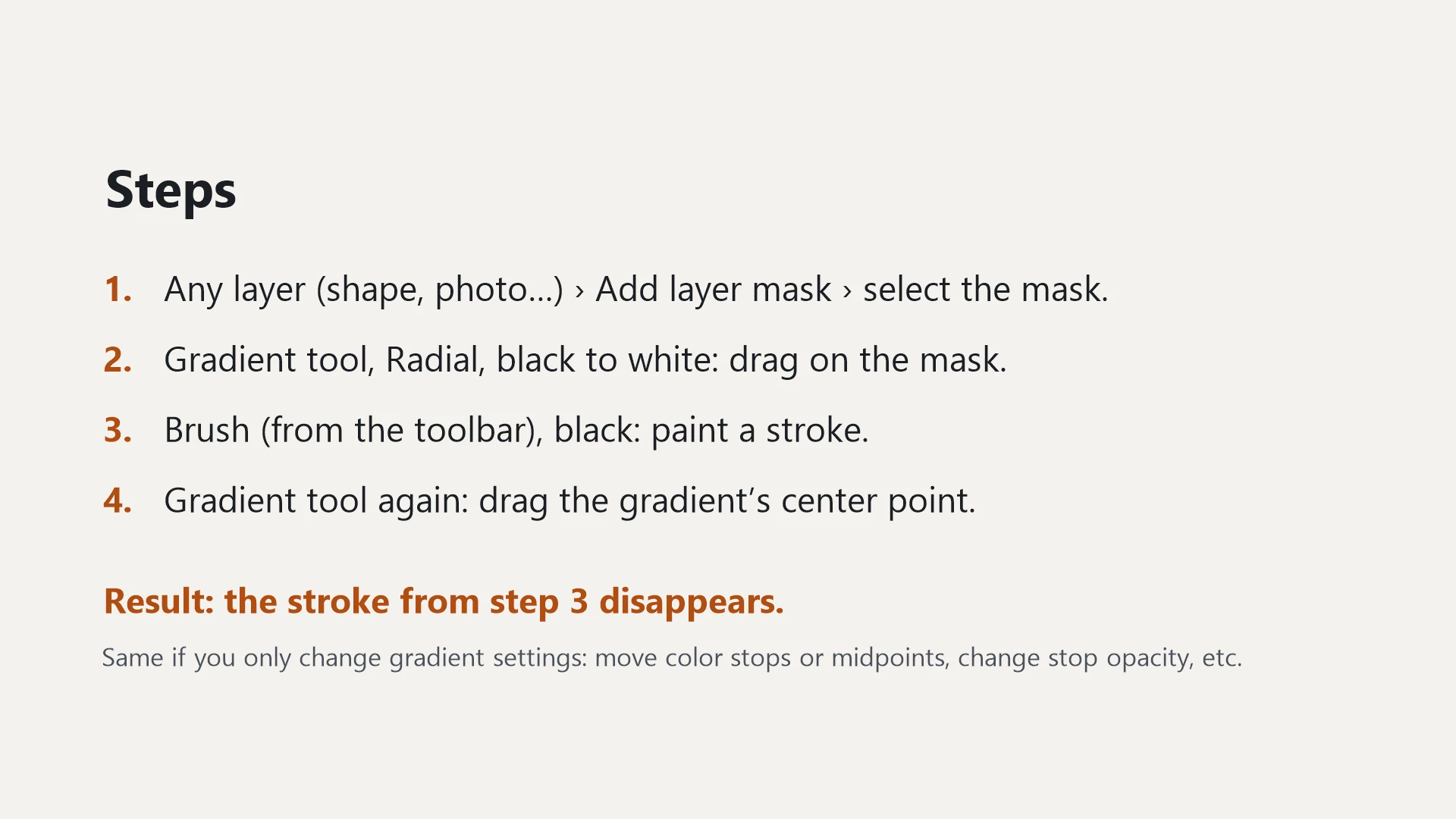
1. Any layer → Add layer mask → select the mask.
2. Gradient tool, Radial, black to white → drag on the mask (don't commit).
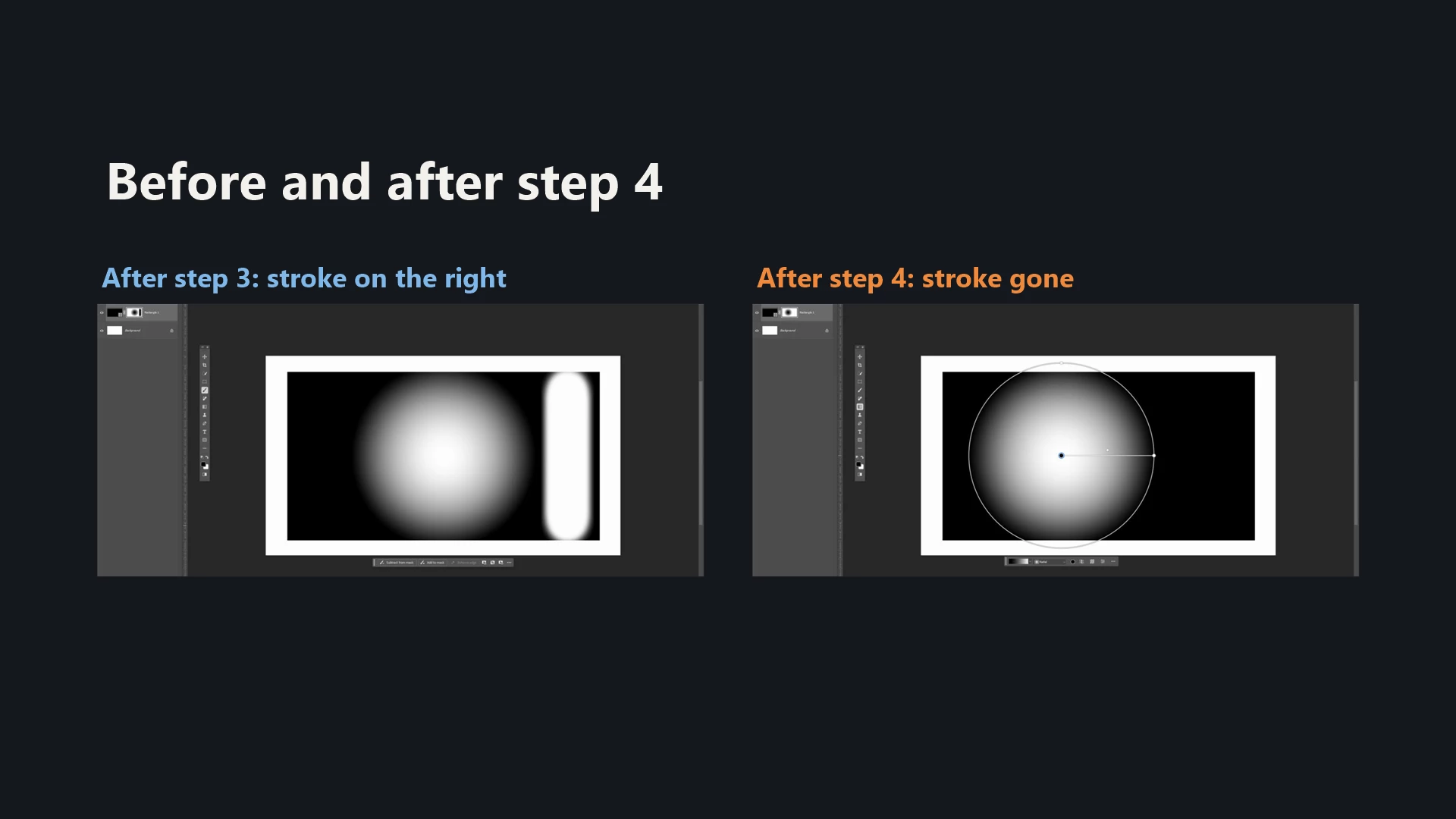
3. Brush (black) → paint a stroke on the mask.
4. Gradient tool again → drag the gradient's center point.

Result: the brush stroke from step 3 disappears.
Expected: the stroke stays on the mask.

The same happens with any change to the live gradient's settings, not only moving the center point: dragging color stops or midpoints, changing stop opacity, etc. The brush work on the mask gets reverted every time.


VIDEO 
 

11 replies

Adobe Employee
Nov 13, 2026 6:08 AM UTC

I think this is working as designed (such as it is) and isn’t a regression. The mask is just a bitmap, so when the gradient tool is selected a background image is taken from before the gradient is applied and used with the gradient, this lets you, for example, move the radial gradient around. Each move takes the saved background and applies the gradient to it in a new location. When you now Brush on the mask you are brushing on a bitmap. It's important to realize there is NO bitmap image from before the gradient and with the brush strokes. If you go back to selecting the gradient tool, we should probably start you off fresh again letting you draw a new gradient, because the gradient tool only has a saved bitmap without the gradient - before the brushing. This is a bug we can fix. It works if you are undoing because you'd undo the brush strokes, then undo back to the gradient and then the saved background makes sense. One workaround in the meantime is change to Classic Mode and back to Gradient mode. This resets the gradient tool’s saved mask to the current mask.

Translate
artur_0832
Known Participant
Nov 13, 2026 10:55 AM UTC

No wonder things are going so badly for Adobe with a response like that. 

Translate
Known Participant
Nov 7, 2026 10:59 PM UTC

​@CShubert the slience is a bit deafening on this one?

Translate
Participant
Nov 7, 2026 6:31 AM UTC

It blows my mind that a company of this size with offices full of people can have such a core part of their flagship product broken for so long. do they even check these at all? I’ve been checking on this issue for weeks now and it’s still not fixed. Please, just let black and white adjust the masks appropriately 🙏

Translate
Known Participant
Nov 3, 2026 12:50 AM UTC

Agreed, masks in beta are a mess.  Even a simple switch from black to white or vice versa...it'll paint black when it should be white and the reverse.  Sometimes toggling the visibility of the layer then trying again will make it work again.  I've got to say, something so basic and long-standing and suddenly it's broken?  Someone seriously is having a laugh!

Translate
Participant
Nov 2, 2026 12:56 PM UTC

Masks are completely unusable now; it’s been around 3 weeks are they are still not working. Unable to paint on a mask layer. I have to either use the lazo and fill or rasterize layer and use the eraser. It is beyond me how this can persists for so long w/out adobe doing anything about it.

Translate
artur_0832
Known Participant
Nov 2, 2026 9:57 AM UTC


​@Srishti Bali

​@CShubert 
@Sameer K 

Is Adobe planning to do anything in response to this?

Translate