bernard@
Participating Frequently
December 12, 2024

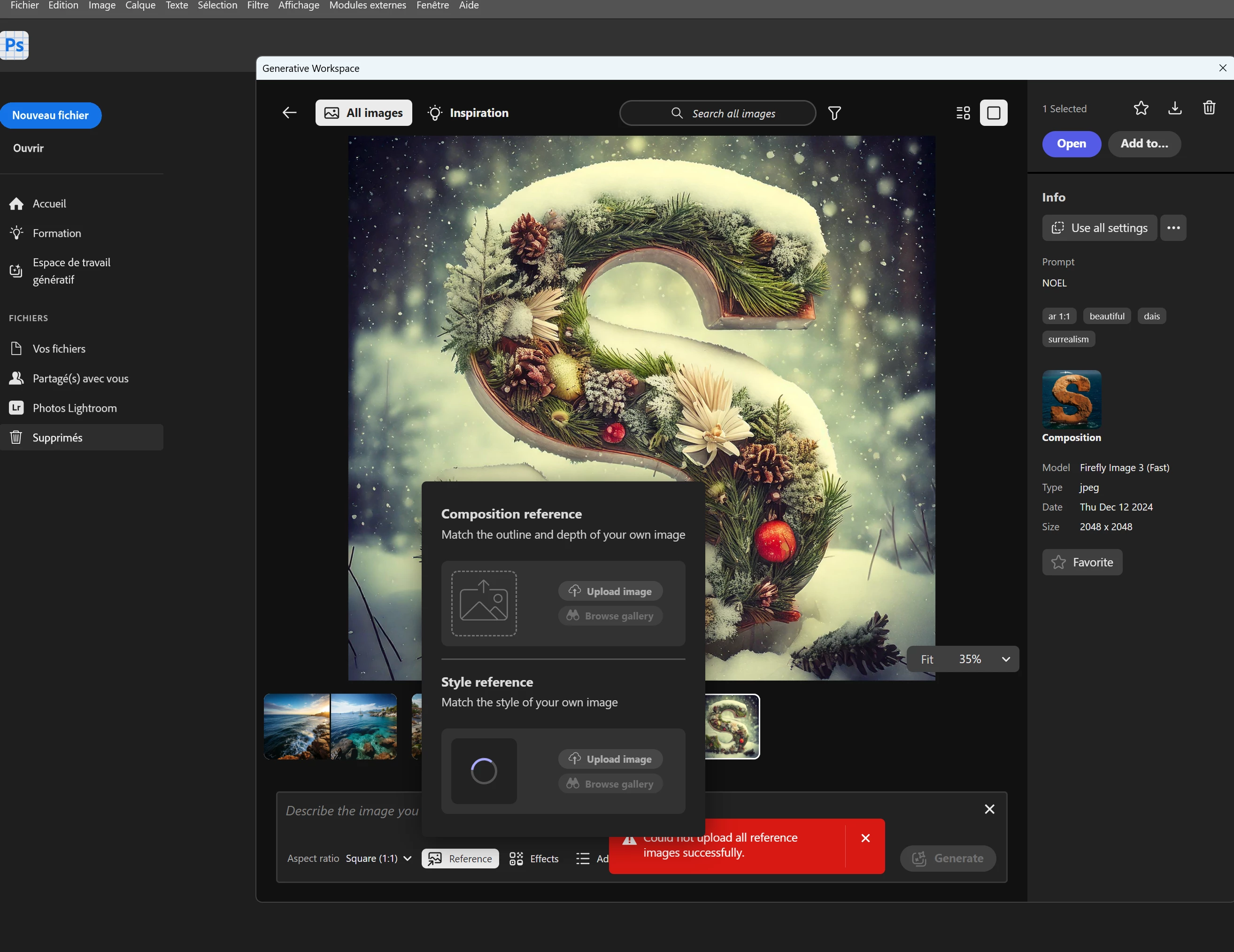
P: Not able to use reference file in Generative workspace

  • December 12, 2024
  • 8 replies
  • 925 views

hello now that the generative space is working it's impossible to load a reference image

8 replies

CShubert
Community Manager
Community Manager
January 27, 2025

This issue has been solved.


Thanks,

Cory - Photoshop Product Manager

CShubert
Community Manager
Community Manager
December 17, 2024

Hey everybody, a update was released on Friday and we would like to know if this solved the issue for you?  Please share your findings.


Thanks,

Cory - Photoshop Product Manager

bernard@
bernard@Author
Participating Frequently
December 13, 2024


hello ouff! it's fixed

CShubert
Community Manager
Community Manager
December 12, 2024

Hey all, the team is aware of this and working on a fix.


Thanks,

Cory - Photoshop Product Manager

Athers
Participating Frequently
December 12, 2024

Ah, and then it didn't.  I have just updated to latest version and generative workspace is back - again thanks, but when I try to use a reference image (for either 'style reference' or 'composition reference') a red box appears with the words 'Could not upload all reference images successfully'

bernard@
bernard@Author
Participating Frequently
December 12, 2024

hello it's impossible to download a reference image in the ‘generative space’.

Participating Frequently
December 12, 2024

I did not fully test the GW yesterday other than to see that it opened.  Unfortunately, when I opened it to today, and tried to upload a reference image, it did not upload and gave me the message, "Could not upload all reference images successfully."  I even tried to upload images that worked before in GW.  This is the same for both the Composition and Style References.  I uninstalled Beta and reinstalled the latest version again and restarted my computer.  Still no luck.  Any suggestions?

CShubert
Community Manager
Community Manager
December 12, 2024

Hi @bernard@ your post was moved to its own thread since it was a different issue than the original post.  Please describe your workflow/steps where you encountered this error.


Thanks,

Cory - Photoshop Product Manager